Access tokens & the MyWay CLI
Create a personal access token, install the myway command, and connect Claude Code, other AI assistants, CI jobs and scripts.
The way to reach MyWay from outside the browser is a personal access token: the command-line tool (MyWay CLI), scripts, CI jobs and AI assistants call the API with it. A token acts with its owner’s permissions; it does what your board roles allow and nothing more. Workflow rules, status locks, fill-in rules, rate limits and the audit log apply exactly as they do to a request from the browser (v1.82.0).
Creating a token
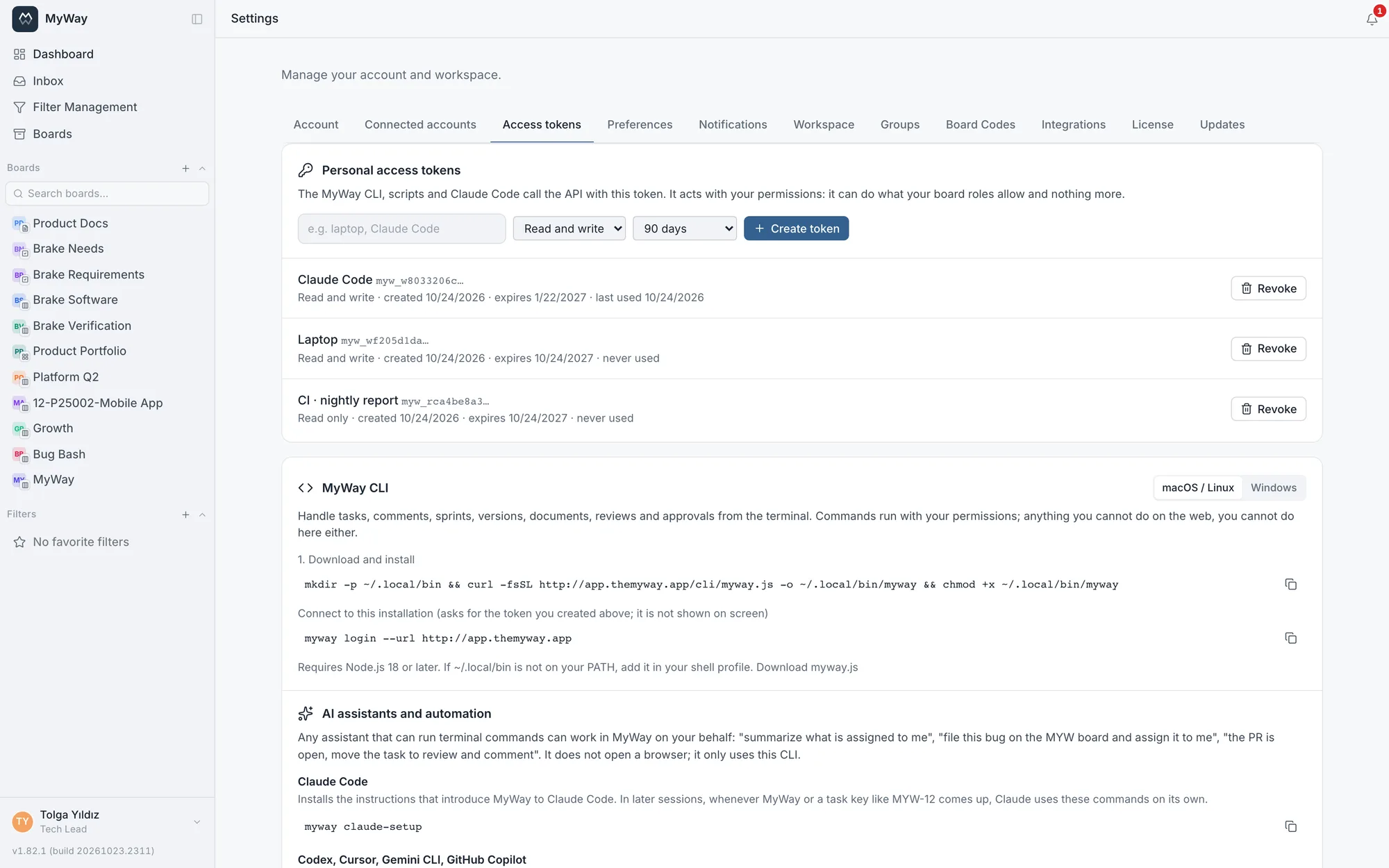
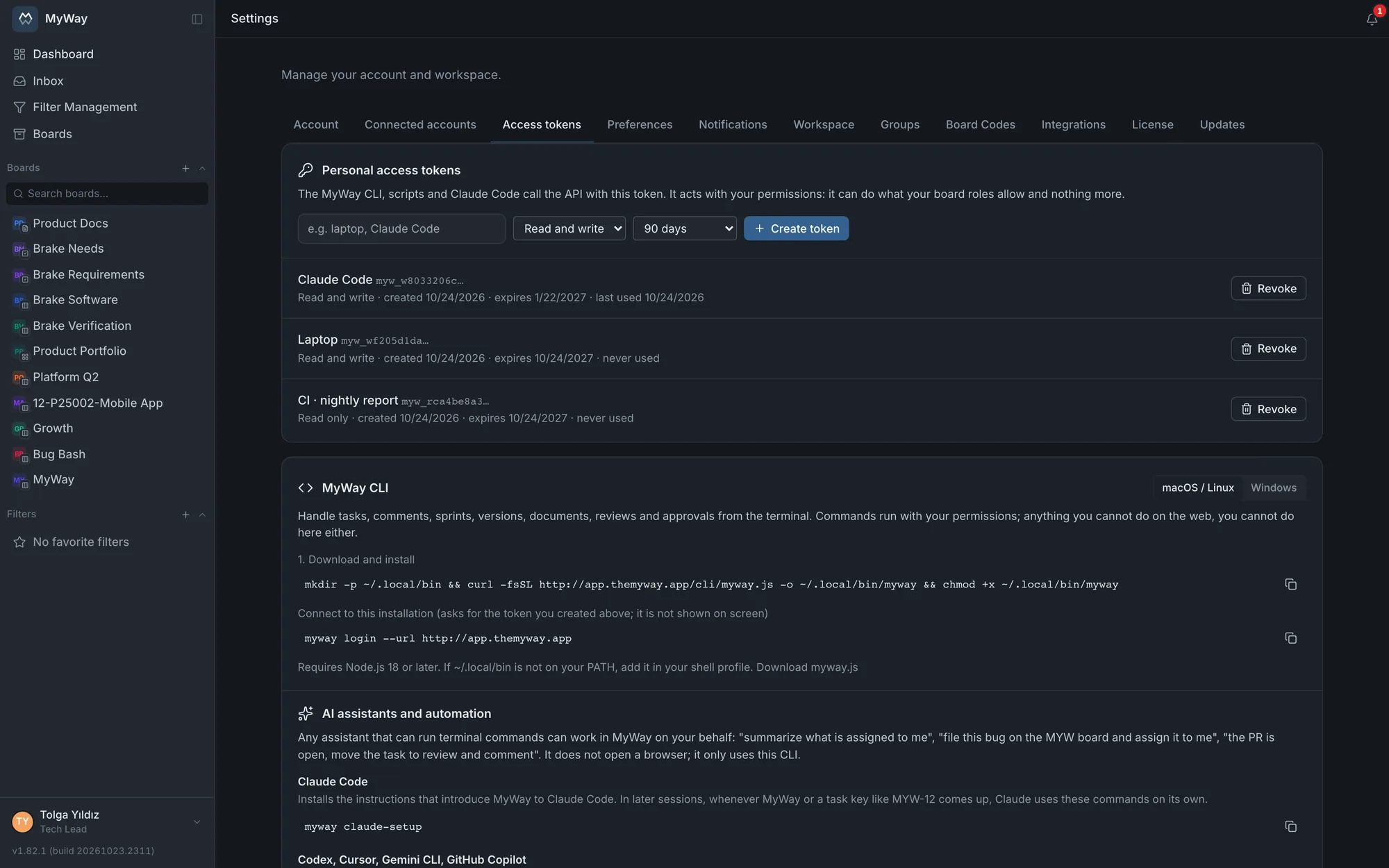
Tokens are managed in Settings > Access tokens, on the Personal access tokens card. Every user has the tab; no admin rights are needed. Pick a Token name (for example laptop, Claude Code), a Scope and an Expiration, then press "Create token".
| Setting | Options | When |
|---|---|---|
| Scope | Read and write · Read only | Read only for a job that only reads (a report script, an assistant that summarizes a board). A write with a read-only token is refused as read-only; queries that change nothing, such as task queries, saved filter results and dashboard queries, work (v1.82.1). |
| Expiration | 30 days · 90 days · 365 days · No expiration | An expired token shows as "expired" in the list and is no longer accepted. Even for a long-running job such as CI, a token with an expiry and a renewal in the calendar is safer. |
- A token is shown only once, when it is created, in the "Your token is ready" box. Take it with "Copy" and store it; if you lose it, revoke it and create a new one. The server keeps only a hash of the token, never the token itself
- The list shows each token’s name, scope, creation and expiry dates and when it was last used ("never used" or "last used …"). Last use is updated at most every five minutes
- "Revoke" invalidates a token at once: every tool using it loses access that moment. A read-and-write token you find has leaked can also be revoked with that same token; a read-only token is revoked from the browser only
- A new token can only be created from a signed-in browser session; a token cannot create another token. That way a leaked token cannot open a fresh token without an expiry for itself and escape revocation
- A user can hold up to 20 tokens. Open a separate token for each tool you use: if one leaks, you revoke only that one
- Changing your password does not drop your tokens, because a token is a separate credential, not derived from the password. If your account is deactivated, however, all of its tokens stop working at once
- Creating and revoking are written to the workspace audit log, which workspace admins see, as "Access token created" and "Access token revoked". Work done with a token appears in the audit log and the task history under the token owner’s name
Tokens are signed with the installation’s SESSION_SECRET. If that value changes, for example when a backup is restored with a different .env.onprem, every access token becomes invalid along with the sessions and has to be created again.
Installing the CLI
The CLI is a single file (myway.js), and every installation serves the CLI of its own version from its own address; it does not depend on an outside registry such as npm, so it installs on an offline network too. It needs Node.js 18 or later. The MyWay CLI card on the same tab shows the install commands with your server’s address filled in once you pick macOS / Linux or Windows; the commands below are the same.
# macOS / Linux
mkdir -p ~/.local/bin && curl -fsSL https://myway.company.com/cli/myway.js -o ~/.local/bin/myway && chmod +x ~/.local/bin/myway
myway login --url https://myway.company.com     # asks for the token, it is not shown on screen
# Windows (PowerShell)
New-Item -ItemType Directory -Force "$HOME\myway" | Out-Null
Invoke-WebRequest https://myway.company.com/cli/myway.js -OutFile "$HOME\myway\myway.js"
Set-Content "$HOME\myway\myway.cmd" '@node "%~dp0myway.js" %*'
# once: add it to PATH, then close and reopen PowerShell
[Environment]::SetEnvironmentVariable("Path", [Environment]::GetEnvironmentVariable("Path", "User") + ";$HOME\myway", "User")
myway login --url https://myway.company.com- myway login asks for the token without echoing it and writes it to ~/.config/myway/config.json; on macOS and Linux only you can read that file. myway logout forgets the stored token; revoke it as well to invalidate it on the server
- If you work with several installations, each gets its own profile: pick one with --profile, change the default with myway use <profile>, list them with myway profiles
- myway whoami prints the signed-in user, the server and the versions, and says when the CLI version differs from the server’s. myway self-update replaces the CLI with the version the server serves. Running it once after you upgrade the installation is enough
- On an installation with its own certificate (an IP address or an internal CA), Node.js has to trust that certificate: point NODE_EXTRA_CA_CERTS at the root certificate
Commands
Command names and output are in English. Names are turned into IDs for you: a board by its key prefix (MYW), statuses, issue types, labels, sprints and versions by name (Turkish letters and letter case are ignored), a person by @handle or me. Every command gives machine-readable output with --json; myway help <command> shows the details and myway help --json prints every command and flag.
| Group | Commands |
|---|---|
| Setup | login, logout, whoami, profiles, use, claude-setup, agent-guide, self-update |
| Tasks | tasks (open work by default), mine (assigned to me, all boards), task (with subtasks, links and comments), create (a subtask with --parent), update, move (workflow rules apply), assign, comment, comments, comment edit, comment delete, delete, subtasks, history, link, unlink, links, watch, unwatch, bulk (up to 100 tasks on one board) |
| Git | current (shows the task named in your current git branch), start (assigns the task to you, moves it to in progress and creates the git branch) |
| Files | attach, attachments, download |
| Boards | boards, board (statuses, issue types, labels, sprints, versions, fields and your permissions) |
| Sprints | sprints, sprint (with capacity), sprint create, sprint start, sprint complete (unfinished work goes to the backlog, the next sprint or a named one) |
| Versions | versions, version create, version update (e.g. marking it released) |
| Search and notifications | search (across every board you can see), inbox, notifications, notifications read |
| Documents | pages (the page tree of a docs board), page (as Markdown or HTML), page create and page update (from Markdown), page comments, page comment |
| Reviews and approvals | reviews, review, review comment (a finding while comments are collected), review decide, approvals, approval request (for a task, a document or a baseline), approval decide |
| Advanced | api: calls any API endpoint with your token; anything the web app can do can be done from here |
myway mine                                  # open work assigned to me, all boards
myway tasks --board MYW --status inprogress --label bug
myway task MYW-12                           # details, subtasks, links, comments
myway create --board MYW --title "Login fails on Safari" --type Bug --assignee me --description @notes.md
myway update MYW-12 --due 2026-11-01 --priority high --add-label bug
myway move MYW-12 "In Review"
myway comment MYW-12 "Fixed on staging"
myway start MYW-12                          # assign to me, in progress, git branch MYW-12-<title>
myway pages --board WIKI && myway page pg-abc123
myway start adds you to the task’s assignees (existing ones stay), moves it to the board’s first "in progress" status and creates a branch named like MYW-12-the-task-title in the git repository you are in, or switches to it if it exists; --no-branch skips the branch and --status sets another target status. Because the branch name carries the task key, commits and MRs link to the task by themselves when the GitLab integration is connected, and myway current opens that branch’s task.
Exit codes can be used in scripts: 0 success, 1 error, 2 usage error, 3 authentication (not signed in or the token is invalid), 4 not found, 5 permission denied.
AI assistants
Any assistant that can run terminal commands can work in MyWay on your behalf: "summarize what is assigned to me", "file this bug on the MYW board and assign it to me", "the PR is open, move the task to review and comment". The assistant does not open a browser; it only uses the CLI and acts with your permissions.
| Assistant | Command | What it does |
|---|---|---|
| Claude Code | myway claude-setup | Writes the instructions that introduce MyWay to Claude Code as a skill file (~/.claude/skills/myway/SKILL.md; with --project, into the current repository only). In later sessions, whenever MyWay or a task key like MYW-12 comes up, Claude uses these commands on its own. |
| Codex, Cursor, Gemini CLI, GitHub Copilot | myway agent-guide --append AGENTS.md | Adds a MyWay section to the project’s AGENTS.md; assistants that read that file use the same commands. Without --append it only prints the section. |
The instructions tell the assistant to ask you before hard-to-undo actions such as deleting, approving or completing a sprint. Still, the assistant can do anything the token allows: if it only reads and summarizes, give it a read-only token. Revoke the token in Settings > Access tokens whenever you change your mind; access stops immediately.
CI and scripts
A pipeline needs no config file: the address and token are passed as the MYWAY_URL and MYWAY_TOKEN environment variables, and MYWAY_BOARD picks the default board. Keep the token in your CI secrets; use a read-only token for a job that only reads. A script can also skip the CLI and use HTTP directly: the request carries the token in an Authorization: Bearer header.
# GitLab CI: comment on the task named in the branch once the deploy succeeds
export MYWAY_URL=https://myway.company.com
export MYWAY_TOKEN=$MYWAY_CI_TOKEN          # a masked CI variable
TASK=$(echo "$CI_COMMIT_REF_NAME" | grep -oE "[A-Z][A-Z0-9]*-[0-9]+" | head -1)
if [ -n "$TASK" ]; then myway comment "$TASK" "Deployed to staging: $CI_PIPELINE_URL"; fi

# nightly report with a read-only token
myway tasks --board MYW --status inprogress --json > in-progress.json
Related pages: Working from the terminal with Claude Code, GitLab integration, Roles & permissions.