Installation (self-host)
Set up on PostgreSQL with Docker Compose.
MyWay consists of a Next.js app + a PostgreSQL database. The fastest path is bringing it up with Docker Compose.
Requirements
- Docker Engine 24+ and Docker Compose v2
- 2 vCPU / 2 GB RAM (4 GB recommended)
- 10 GB free disk, plus roughly 1 GB more during an upgrade
- A domain name (optional: on an internal network the server IP works too)
Steps
- 1Download the package from your purchase email and extract it on your server.
- 2Run ./scripts/install.sh. It loads the prebuilt images (no build) and asks for the address, the published ports and your LICENSE KEY; if the address is a domain name it also asks for an email for certificate notices. It then offers to set up a daily automatic backup (see Backup & upgrade).
- 3Address: enter your domain name if you have one. If not, press Enter and the installer uses the server IP address it detected.
- 4Ports: press Enter for the default 80/443. If something else already uses those ports, give a pair such as 8080/8443.
- 5The app starts; database migrations apply automatically.
- 6Open the address in a browser and sign up. The first user to register becomes the administrator (superadmin); the installer reminds you of this at the end of a first install, and does not show the notice on an update.
# extract the package, then:
cd myway-onprem
./scripts/install.sh    # asks for address, ports, LICENSE_KEY (+ certificate email for a domain) and the daily backup, loads images, starts
Installing on an internal network (no domain name)
If the server has no domain name, install it with the server IP address; the script detects and offers it. Let’s Encrypt does not take part here (a certificate authority cannot validate an IP address), so the app is served with a self-signed certificate. Browsers warn once on the first visit; to remove the warning for good, install myway-root-ca.crt (left in the install directory) as a trusted root certificate on the client machines.
Do not use an address like myway.localhost. Such names resolve to the local machine on every computer, so typing it on another machine on the network never reaches the server and the browser reports a connection error. It is only suitable for trying the product on the machine you installed it on.
Changing the published ports
The installation uses ports 80 and 443. If another service already owns them, you can give a different pair during setup; the choice is stored and not asked again on later upgrades. On non-standard ports Let’s Encrypt cannot validate the domain, so the install switches to its own certificate: for a trusted certificate either stay on 80/443 or put MyWay behind your existing TLS-terminating proxy.
# soruları görmeden kurmak / installing without the prompts
DOMAIN=myway.company.com HTTP_PORT=8080 HTTPS_PORT=8443 ./scripts/install.sh
The license key is REQUIRED: without a valid key the app starts locked. A key is valid for 1 year; after it expires the app runs for a short grace period, then locks. Renew to keep using it: replace the LICENSE_KEY line in .env.onprem with the new key and run docker compose -f docker-compose.onprem.yml --env-file .env.onprem up -d; a restart does not re-read the env file.
Email sending (optional)
The installation works fully without email; that is the default. Invite links are shown on screen and an administrator resets passwords under Settings > Workspace > Members. If you do want email, define your own SMTP server in .env.onprem: Exchange, Postfix, Google Workspace, AWS SES all speak SMTP. You are not adding an outbound service, mail leaves from your own server.
MAIL_DRIVER=smtp
MAIL_FROM="MyWay <no-reply@yourcompany.com>"
MAIL_SMTP_HOST=smtp.yourcompany.com
MAIL_SMTP_PORT=587          # 465 = implicit TLS, 587/25 = STARTTLS
MAIL_SMTP_USER=username
MAIL_SMTP_PASSWORD=password
Env changes are not picked up by restart, so you need to recreate the container. Invite emails, password reset, email address verification and notification emails then work on their own. Links are generated from PUBLIC_URL, so make sure that address is reachable by your users.
docker compose -f docker-compose.onprem.yml --env-file .env.onprem up -dConfirm from the health endpoint that the setting actually reached the app: the mailConfigured field in the /api/health response should be true. An email setting that is mistyped or never made it into the container produces no error on screen, mail simply does not go out; this field makes that silent state visible.
# e-posta ayarı uygulamaya ulaştı mı / did the email settings reach the app
curl -s https://myway.company.com/api/health | grep mailConfigured

# kendi sertifikasıyla çalışan kurulumda (IP adresi ya da standart dışı port)
# on an install with its own certificate (IP address or non-standard ports)
curl -s --cacert myway-root-ca.crt https://10.0.0.5/api/health | grep mailConfigured
The upload size limit
The ceiling for attachments and images embedded in text is 25 MB by default and can go up to 500 MB. On an installation that carries large attachments it is changed with MAX_UPLOAD_MB in .env.onprem. The value is in megabytes, and since it is read from the env the container has to be recreated for the change to apply. The bundled reverse proxy sets no limit of its own; if you put MyWay behind your own proxy, raise its request body limit as well, or the upload is cut off there. Allowed file types are fixed: images (PNG, JPG, GIF, WebP), video (MP4, WebM), PDF, Word, Excel, text (TXT, CSV, Markdown), ZIP and draw.io; SVG and HTML can be uploaded too but, since they can carry scripts, they are always served as downloads and never opened in the browser.
MAX_UPLOAD_MB=100Scheduled jobs
Some work is never triggered by a user request; something has to watch the clock. A due date arriving is not an event: nobody does anything, so no request reaches the app. MyWay runs two such jobs, and since v1.32.6 the INSTALLER sets them up itself. You do not need to write a crontab entry by hand.
| Scheduled job | What it does |
|---|---|
| Due-date notifications | Finds open tasks due tomorrow or already overdue and notifies the right people. Custom date fields marked "treat as a deadline" are included. |
| Review reminders | Warns participants who have not commented yet on a review whose deadline is approaching. It also closes comment collection on reviews set to close automatically whose due date has passed. It also completes reviews whose final approval deadline has passed, according to the chosen rule (counted as approved, or approval no longer awaited). |
The installer writes the entries, runs one job once at the end of setup and reports the result on screen, and needs no extra configuration: if the required secret is not defined it is derived from your existing installation keys. On an upgrade the entries are refreshed rather than duplicated, and no other scheduled job on the server is touched. The event cleanup entry set up by versions before v1.64.0 is removed by the upgrade itself. The jobs run daily at 06:00 (due-date notifications) and 07:00 (review reminders) and write to logs/cron.log in the install directory; to skip them, run the installer with NO_CRON=1 (the daily automatic backup is then not scheduled either). Since the jobs call PUBLIC_URL, the server must be able to reach its own address. The cronConfigured field on the health endpoint only shows the configuration; whether the jobs actually run is shown in the Scheduled jobs table under Settings > Health (see The Health screen below).
# zamanlanmış görevler kuruldu mu / are the scheduled jobs configured
curl -s https://myway.company.com/api/health | grep cronConfigured
The Health screen
The Settings > Health tab is visible only to the superadmin and sums up the installation on one screen. The totals come first: tasks (open and done), boards (archived ones counted separately), users (with the seat limit), document pages, comments and attachments (with their total size). Below them are everyone online now (the list scrolls within its card), activity (active today and this week, never seen, deactivated accounts; unverified email when email is configured) and system information (version, build, data, mail and storage driver).
The Scheduled jobs table shows, for each job, its schedule, last run, result, duration and next run. The result is "Succeeded", "Error", "Late" or "Not run", with the job’s counters (how many notifications went out, for example) or the error message underneath. A job whose last run is more than 26 hours old is marked "Late", and one that has never run "Not run"; if no job has run at all, an extra warning appears above the table. Times are server time, since cron runs in the host’s time zone. The nightly backup also has its own "Backup" row in this table (see Backup & upgrade).
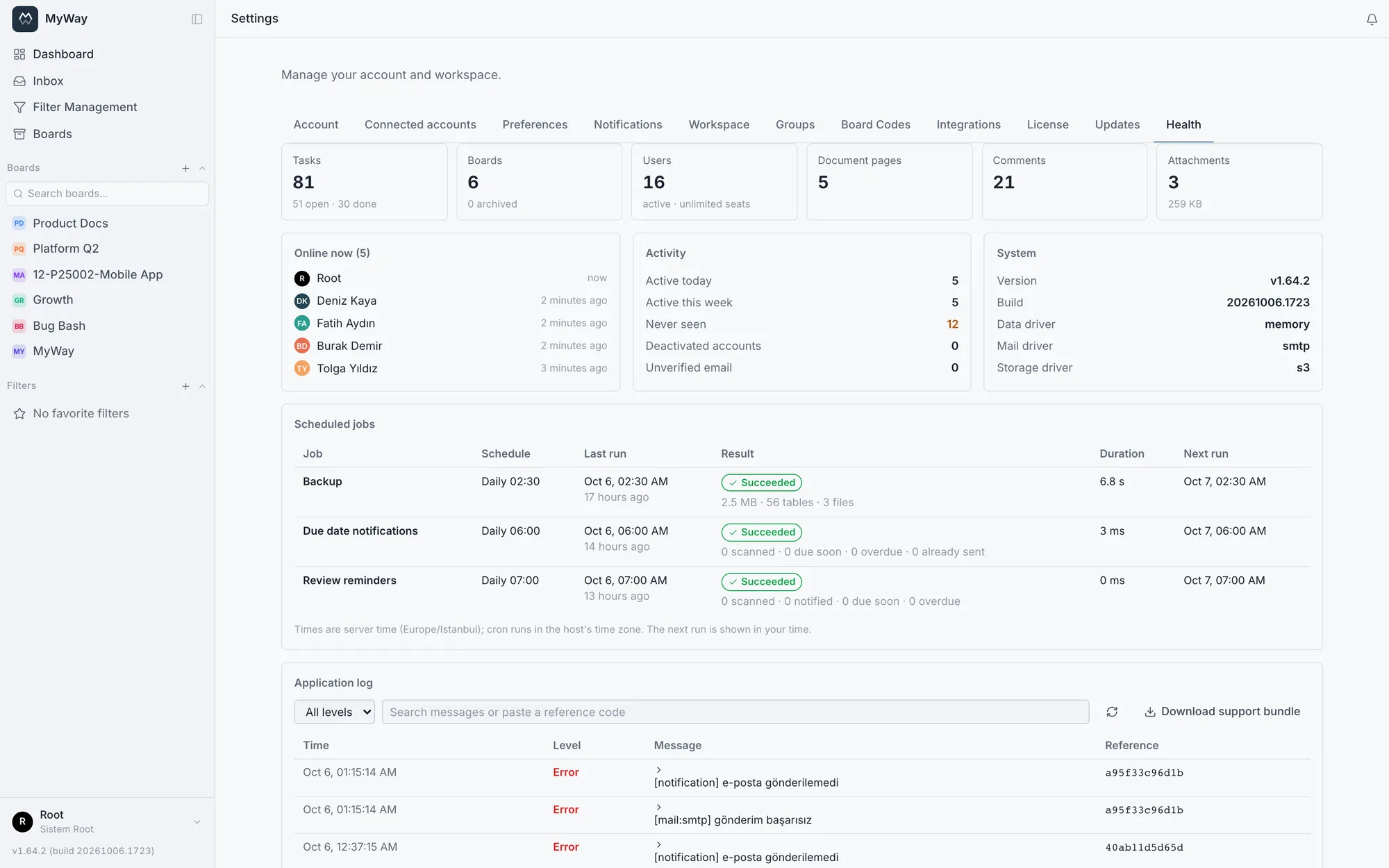
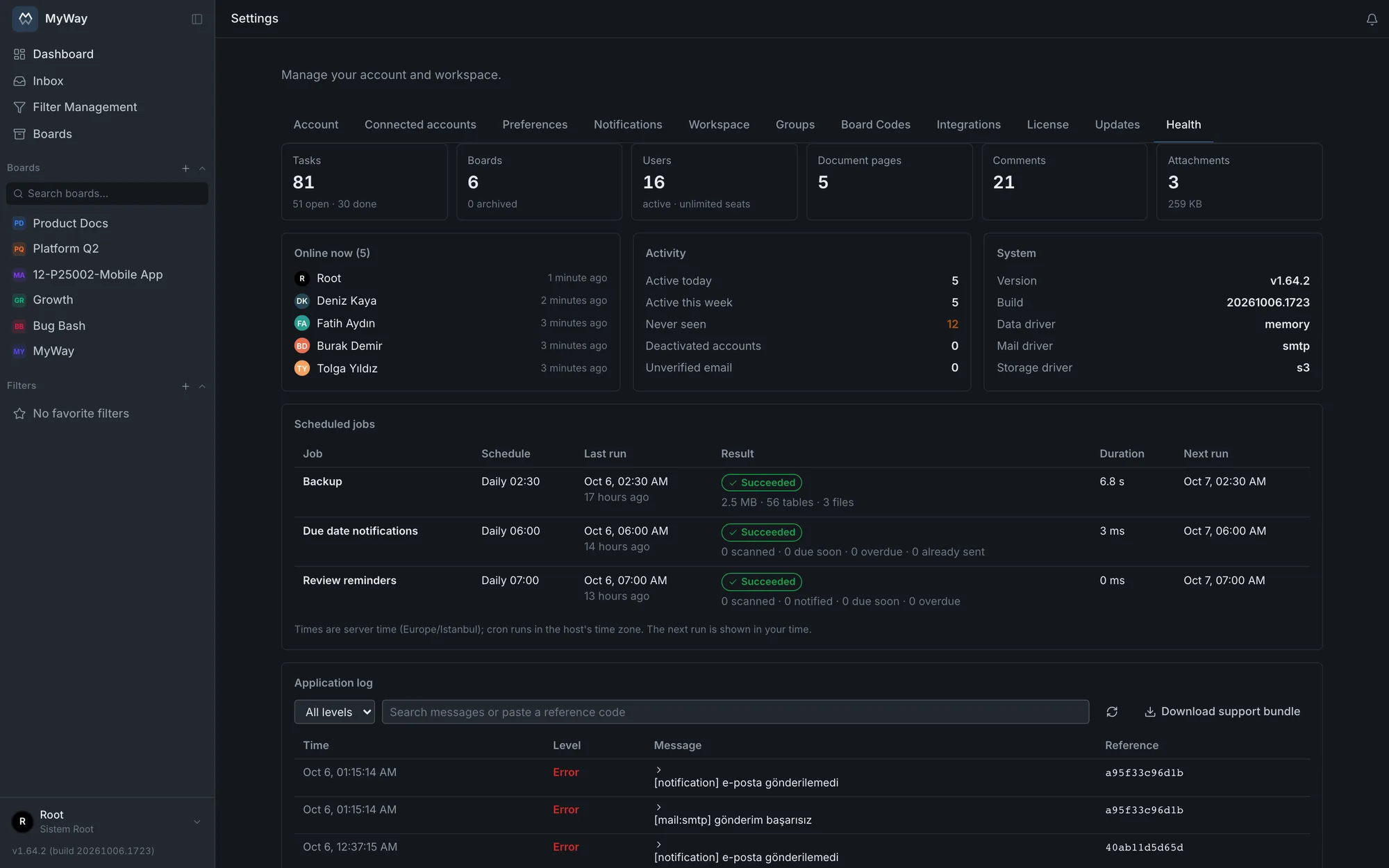
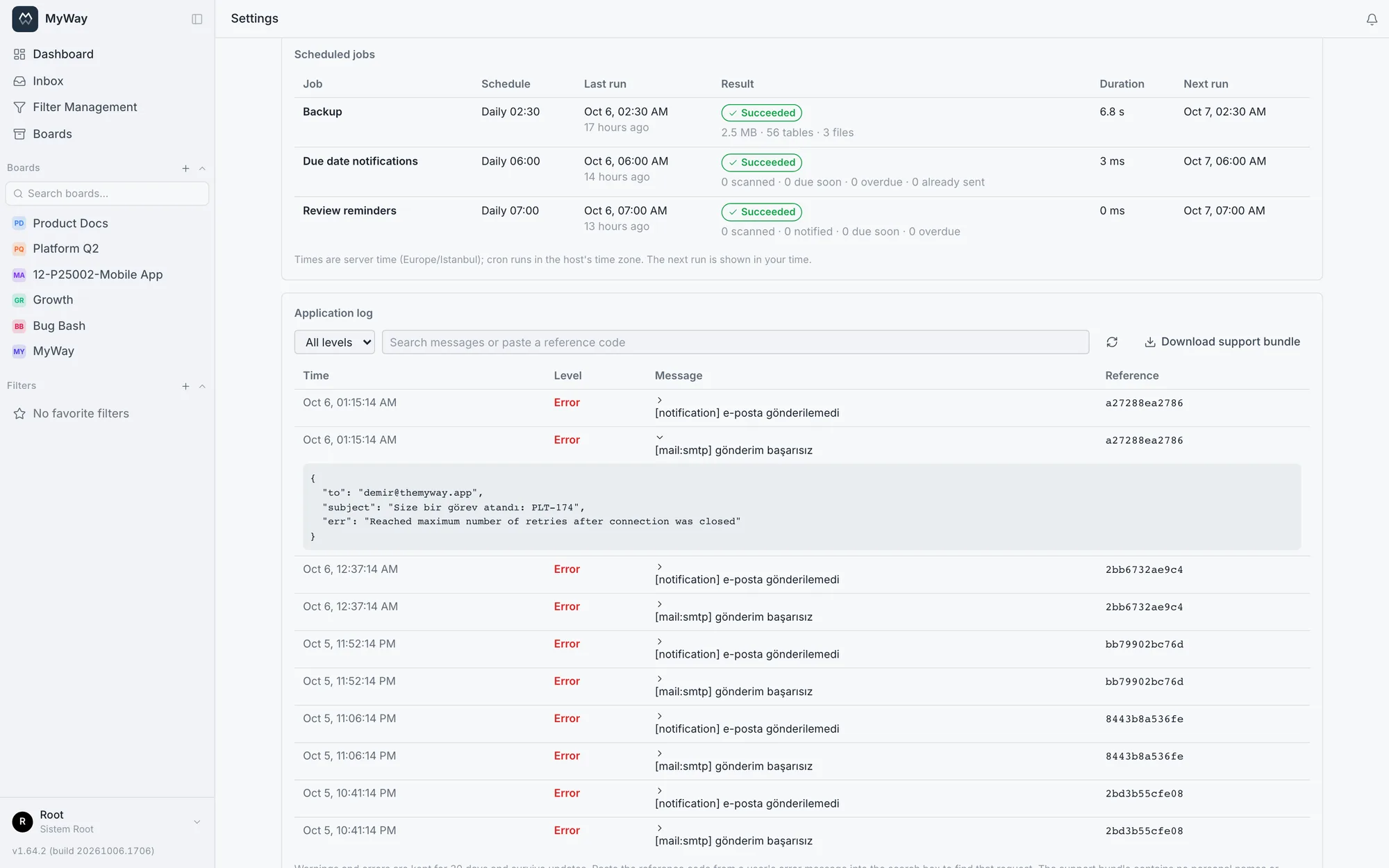
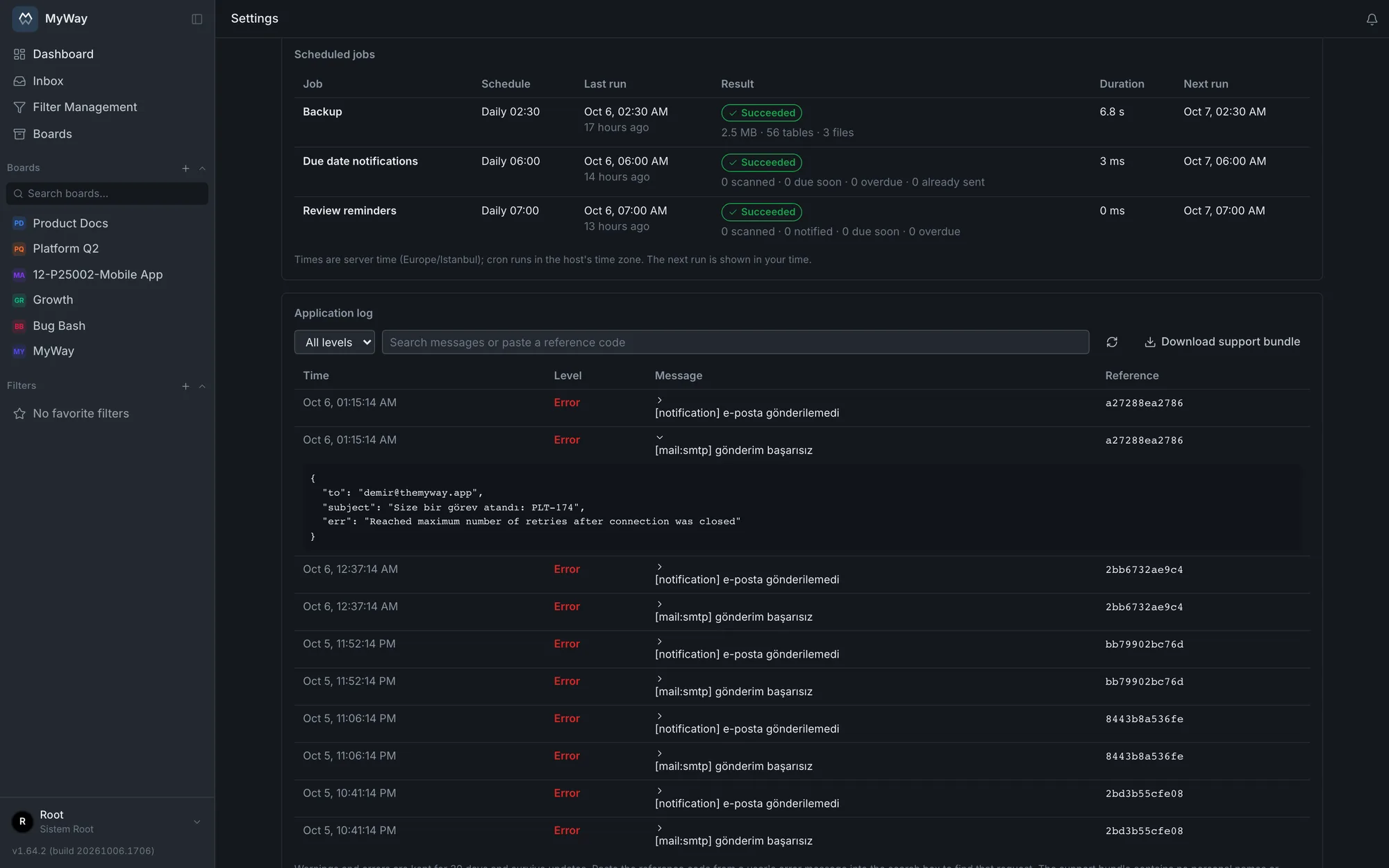
The Application log card on the same screen lists the warnings and errors the app produces; info and debug lines are not kept here, they stay in the container log only. Entries are stored in the database for 30 days: unlike the container log they survive restarts and upgrades, so an error from before an upgrade can still be found afterwards. The list can be filtered by level (All levels, Error, Warning) and by a date-time range (From, To; the end minute is included, "Clear dates" removes the range), and the search box takes text from the message or a full reference code. "Export filtered" downloads only the entries matching the level, text and date filters as a JSON file (up to 5000); the support bundle is separate and complete. Each row shows the time, level, message and reference code; clicking a row that has details opens the context of the error: the request’s method and path (for example PATCH /api/tasks/…, the query string is never recorded). User IDs in the details are shown with the person’s name. Unexpected database errors also show the error code, the constraint, table and column involved and the query values, so you can tell which record the error came from; values such as password hashes, tokens and encrypted keys stay masked. The list loads in pages of 50, and "Older entries" loads the rest.
Before an entry is written, fields whose names mark them as a password, secret, token, cookie, Authorization header or license key have their value replaced with [redacted]; query values bound for secret columns (password hashes, tokens, encrypted keys) and secret-looking values are masked. In the support bundle query parameters are removed entirely. To keep an error stuck in a loop from filling the table, there is a limit of 30 entries per minute and 5000 per day: entries over the limit are not written to the table, and a single warning line saying how many were suppressed takes their place. The container log still has every line.
The "Download support bundle" button above the card downloads the diagnostic information the app itself sees as one JSON file (myway-support-<date-time>.json). It holds the version and build, the data, mail and storage drivers, the state of the scheduled jobs, the license status, the totals, only the number of people online, the values of a few harmless settings, whether each of the other settings is set, and the last 7 days of the application log (at most 1000 entries). People’s names, query values and the values of passwords and keys are not included. Reverse proxy and database logs and the state of the containers are not in this file; use the support bundle script below for those (see Logs and support).
WHEN UPGRADING, run ./scripts/update.sh (v1.67.2 and later) or the installer with the new package: those are the paths that take the backup before the update. If you only upgrade by hand with docker load and docker compose up -d, the app updates but no backup is taken first and the scheduled jobs are not installed, and notifications silently stop going out with no visible error. See Backup & upgrade for details.
Logs and support
There are two places to trace an error: the Application log inside the app and the container logs on the server. Which one to look at depends on how old the entry is and where the problem happened.
| Record | Where | What it holds, how long it is kept |
|---|---|---|
| Application log | Settings > Health (superadmin) | The app’s warnings and errors; 30 days, survives upgrades |
| Container logs | docker compose ... logs app, logs postgres | Every line at the chosen log level; at most 5 x 10 MB per container, removed when the container is recreated (on an upgrade, for example) |
| Access log | docker compose ... logs caddy | Every HTTP request reaching the reverse proxy; the same limit as the container logs |
When a user hits an unexpected server error, the error message ends with a reference code, for example "(Reference: 7f3a9c2b1e04)". The code is a 12-character ID given to each request and written to that request’s log lines. Passing the code to an administrator is enough: the superadmin pastes it into the search box of the Application log card under Settings > Health and finds that request’s entry with its details. The same code can be searched for in the container log. Include it when you ask us for support as well.
# başvuru koduyla konteyner logunda arama / find a reference code in the container log
docker compose -f docker-compose.onprem.yml --env-file .env.onprem logs app | grep 7f3a9c2b1e04
If the app does not start at all, or the problem is in the reverse proxy, the database or the containers, run ./scripts/support-bundle.sh in the install directory; it gathers everything support needs into one file and works even when the app is down. By default the script collects the last 24 hours; --since changes the window (such as 30m, 72h or 3d) and --out the directory the file is written to. The result is a single file named myway-support-<date-time>.tar.gz under support/ in the install directory, readable only by the user who ran the script. Attach this file to your support request.
./scripts/support-bundle.sh               # son 24 saat / last 24 hours
./scripts/support-bundle.sh --since 72h   # daha geniş aralık / a wider window
./scripts/support-bundle.sh --out /tmp # başka bir dizine yaz / write elsewhere- Date, host, installed version, Docker and Compose versions
- Container states and, if the app is up, the health endpoint’s answer
- Disk usage and Docker’s disk usage
- Which settings in .env.onprem are set: the value is written only for harmless ones such as the address, ports, certificate mode, image version, drivers, SMTP host and port, log level and upload limit, the rest appear only as "<set>" or "<empty>"
- The MyWay block of the crontab (scheduled jobs)
- Container logs of every service (app, caddy, postgres, migrate and the others) for the chosen window
- The last 2000 lines of logs/cron.log and logs/backup.log
Database URLs with passwords, Bearer tokens and JWT-looking strings are masked in every collected file, and the values of passwords and keys are not included. Logs can still contain e-mail addresses or board names from error messages: if that matters to you, look through the bundle before sending it.
The bundled reverse proxy (Caddy) writes every HTTP request, which client asked for which address when and the status code returned, as a JSON line to its own container log. The session cookie and the Authorization header are not written in clear. The one-time key in the address of invite, password reset and e-mail verification links appears as [redacted], so someone reading the log cannot reuse those links.
Container logs are rotated with a size limit, so an installation that runs for months does not fill the disk with them: for app, caddy and postgres at most 5 files of 10 MB each per container, the oldest file being deleted when the limit is reached. The one-off services (migrate, volume-init) have no limit, their logs are a few lines. docker compose ... logs works as usual.
The level of detail is set with LOG_LEVEL in .env.onprem: debug, info, warn or error; the default is info. Switch to debug temporarily when support asks for it and switch back once the issue is solved: debug is very verbose and makes the logs rotate faster. Since the value is read from the env, the container has to be recreated for the change to apply; a restart is not enough. If you set the level to error, warnings no longer reach the Application log either.
# .env.onprem
LOG_LEVEL=debug

# ardından / then
docker compose -f docker-compose.onprem.yml --env-file .env.onprem up -d
To ship the logs to your own SIEM, put a docker-compose.override.yml file in the install directory and change the Docker log driver of the app, caddy and postgres services there (syslog, gelf or fluentd, for example). App and Caddy logs are one JSON object per line, so no custom parser is needed. The package does not ship this file, so upgrades do not overwrite it. The install, backup and restore scripts and the support bundle script pick the file up on their own when it exists, so your setting is kept on upgrades. Since Docker does not read the override file by itself when the compose file is given with -f, pass both files in compose commands you type by hand:
docker compose -f docker-compose.onprem.yml -f docker-compose.override.yml --env-file .env.onprem up -d