GitLab integration
Connect to GitLab via OAuth; add projects from different groups to one board and link branches, commits, MRs and issues to tasks.
When you connect a board to GitLab, branch, commit, merge request (MR) and issue events reach the board over a webhook and appear on the related tasks. Matching works through the task key (e.g. CJ-244). A board is not tied to one project: you can add the projects you need, from different GitLab groups, to the same board, so the mobile client, the backend and the infrastructure repository can live in separate groups while the work is tracked on one board.
GitLab is currently the only supported provider (gitlab.com and self-managed GitLab instances). GitHub and Bitbucket are on the roadmap.
First: the workspace setting
The connection rests on a single GitLab OAuth application, and only a workspace admin sets it up: Settings > Integrations. You create an application in GitLab; the Redirect URI is the address shown on screen and is shared by every board, only the api scope is ticked, and the application is marked "Confidential". The Application ID and Secret go into this screen. If you run your own GitLab server, put its address in the GitLab URL field. Deleting this configuration affects the GitLab connection of every board.
Connecting a board and adding projects
- 1Under Board Settings > Integrations, complete the OAuth authorization with "Connect to GitLab". This step and the GitLab settings on this screen need the "Manage members and roles" permission on the board.
- 2With "Add projects", search every project you are a member of by name or path, tick several and add them at once with "Add selected". The group a project lives in does not matter.
- 3"Add whole group" adds every project of a group, subgroups included. Projects already on the board are not duplicated, and you can keep adding from other groups.
- 4Each row in the linked projects list offers "Webhook settings" and "Remove"; a non-default row has "Make default", while the default project shows a "Default" badge and "Remove default". The row also shows when the last webhook event arrived from that project ("Last webhook: 2 hours ago") or that none has ("No webhook events"). Removing deletes nothing on GitLab; events from that project simply stop reaching this board. "Refresh" updates project names and also picks up projects that joined the most recently added group.
- 5Set up the webhook on GitLab for each project (next section).
Older boards linked to a single repository keep working as they are; the moment you add a second project, that repository becomes the first entry of the list. Nobody has to reconnect.
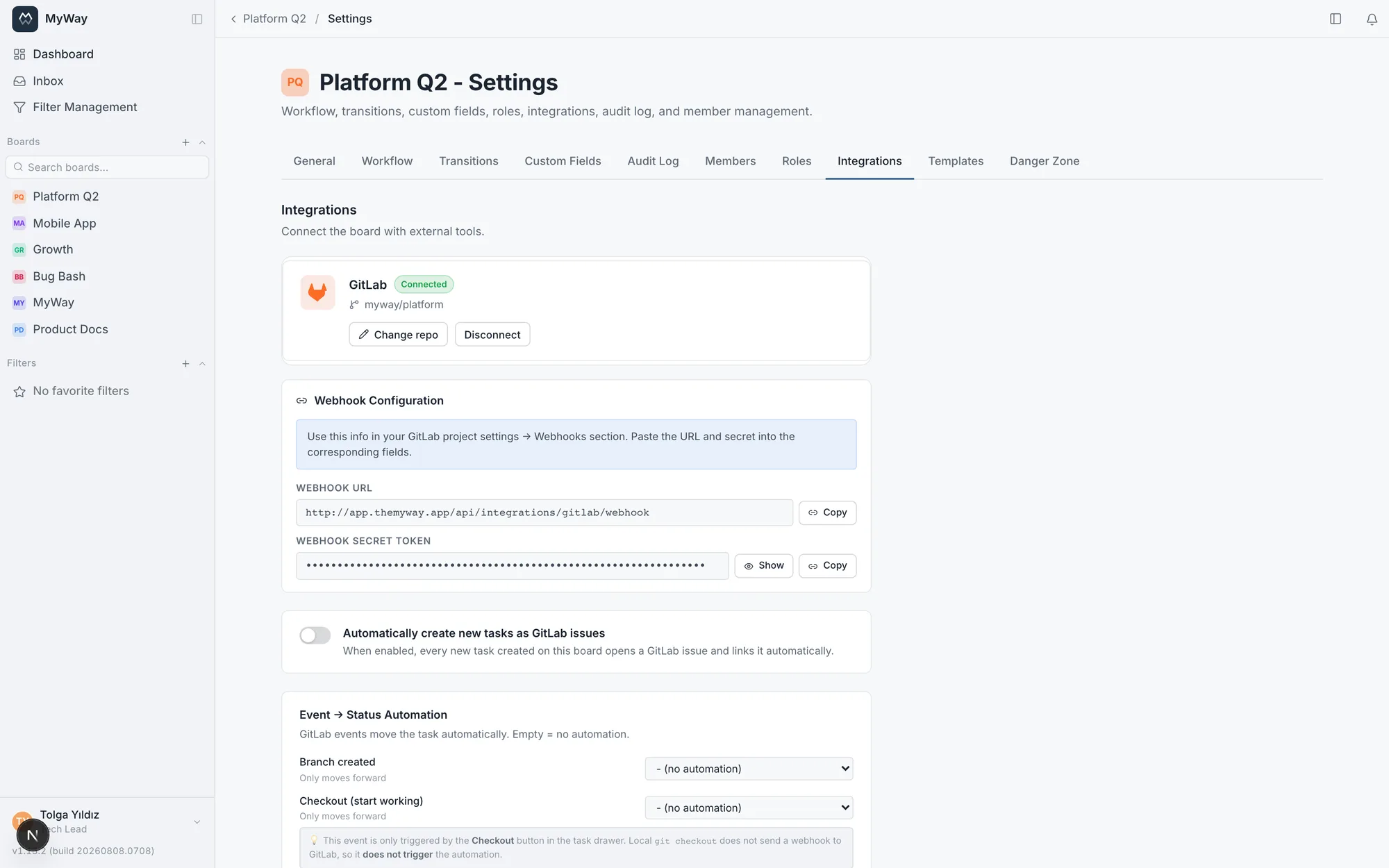
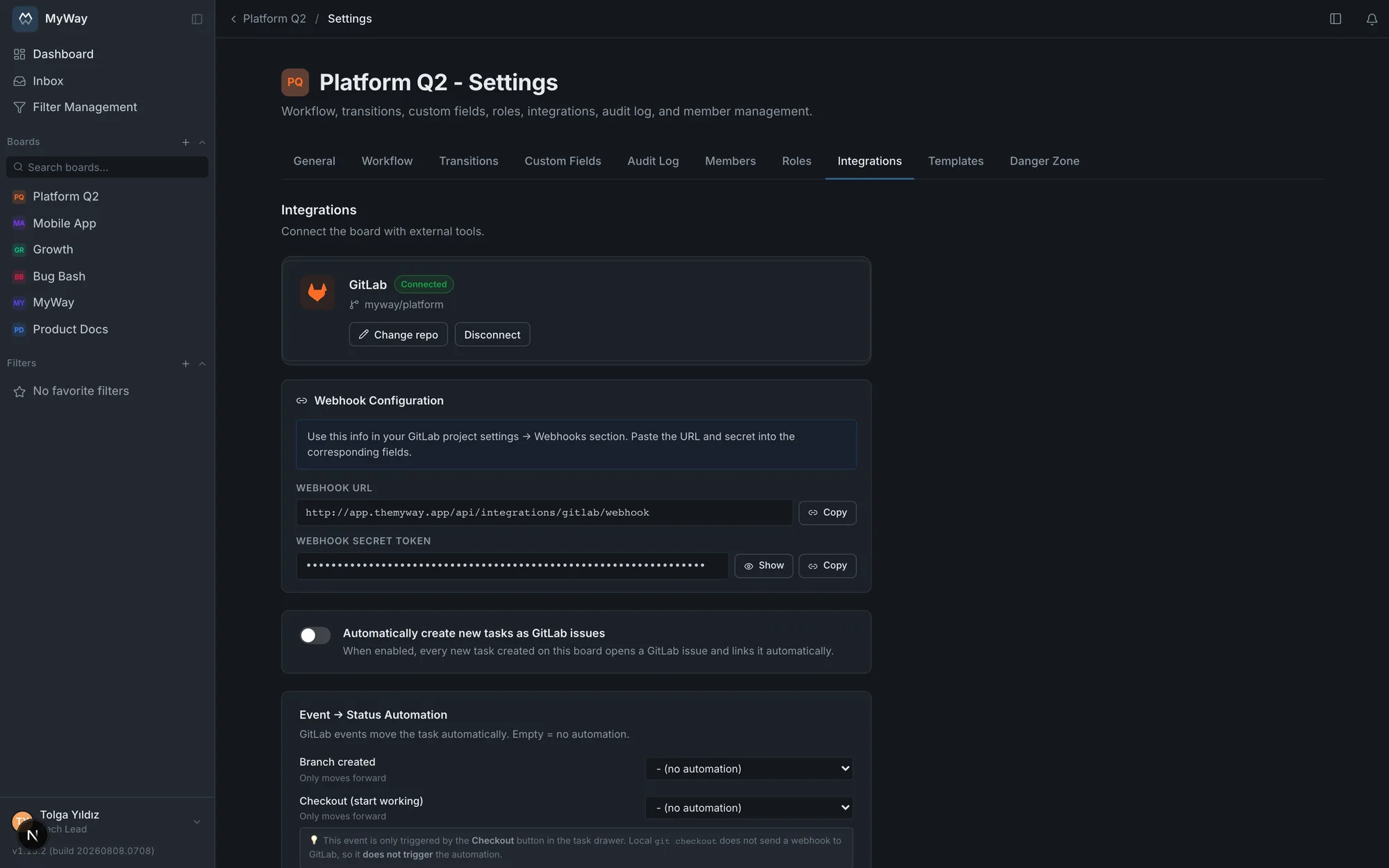
The webhook
MyWay does not create webhooks on GitLab; the free edition of GitLab has no group-level webhook, so one is defined per project. The "Webhook Configuration" section shows the webhook URL and the board’s own secret token; only workspace admins see this section. The "Webhook settings" link on a project row takes you to that project’s webhook page on GitLab.
- Paste the URL and the secret into the matching fields on GitLab
- Under "Trigger", tick Push events, Issues events, Merge request events and Comments (Note events): an event whose box is not ticked never reaches MyWay from that project
- If a project is linked to several boards, ONE webhook on GitLab is enough for it; each event is processed with the settings of the board the task lives on. If the task is on a board that has not linked the project, the event is not applied and the reason is written to the audit log. If a commit or branch name contains a task key that is not on any board (a typo, a deleted task), the event is stored without a task and the webhook does not fail
- In a project without a webhook, the lists only show what you did from MyWay; the commit and MR panels, automatic status moves and GitLab comments do not arrive. In the settings that project’s row says "No webhook events", and the branch dialog warns that commits and MRs will not show up in MyWay (the branch is still created). The refresh button on the branch panel asks GitLab and drops deleted branches
Your own GitLab account
Branches, MRs, issues and comments you create from MyWay show up on GitLab under your name. For that, each user connects their own GitLab account once under Settings > Connected accounts; no extra setup is needed.
- Creating branches and MRs needs your own account; if it is not connected the action does not start and the screen shows where to connect it, with no silent fallback to a shared account. If your account has no access to that project, the reason is shown in your language instead of GitLab’s raw error: check your project membership or connect the right account
- Issue creation on a new task, field sync and comment mirroring run as you when your account is connected, otherwise through the board’s shared connection; creating a task is never blocked by a missing GitLab account
- When someone without a connected account comments on a task linked to a GitLab issue, they are warned before sending ("The comment will show under another name in GitLab"): on GitLab it appears under the name of the user who set up the integration. With "Send anyway", the writer’s name is added at the top of the GitLab comment (for example "Ayşe Yılmaz (via MyWay):")
- The webhook and incoming sync stay on the board connection
- "Disconnect" revokes the access token on GitLab and deletes it; if GitLab access lapses, a "reconnect" warning appears
How a task is matched
- Branch: its name must contain the task key. The branch list and the status automation for branch and commit events look at the branch name only
- Commit: a push whose branch name or commit message contains the key shows up in the Commits panel
- Merge request: the key must be in the source branch name or the MR title
- Issue: an issue created from MyWay or imported is linked to its task for good; an issue opened on GitLab is linked when its title or description contains a task key of the same board
What you see inside a task
The GitLab box on the task screen can be shown, hidden and reordered like the other sections (Board Settings > Task Screen). When a board is linked to several projects, every row carries a badge naming its project, and same-named branches in different projects are separate rows.
- Branches: branches linked to the task. The "Checkout" button copies the git fetch and git checkout command and runs the automation for the "Checkout" event (this needs the "Move tasks" permission)
- Commits: short SHA, message, author, branch and project; a commit that arrives more than once still shows as one row
- Merge Requests: state (Open, Merged, Closed, Locked; "Draft" for drafts), !number, project, source → target branch, author, last update, and the GitLab comments, which fold open
- Pipelines: overall status, number, branch, SHA and time of the last 10 runs. Filled only on boards linked to a single project, and only when the task’s branch is known
- Linked Issue: every issue linked to the task, with the project it belongs to
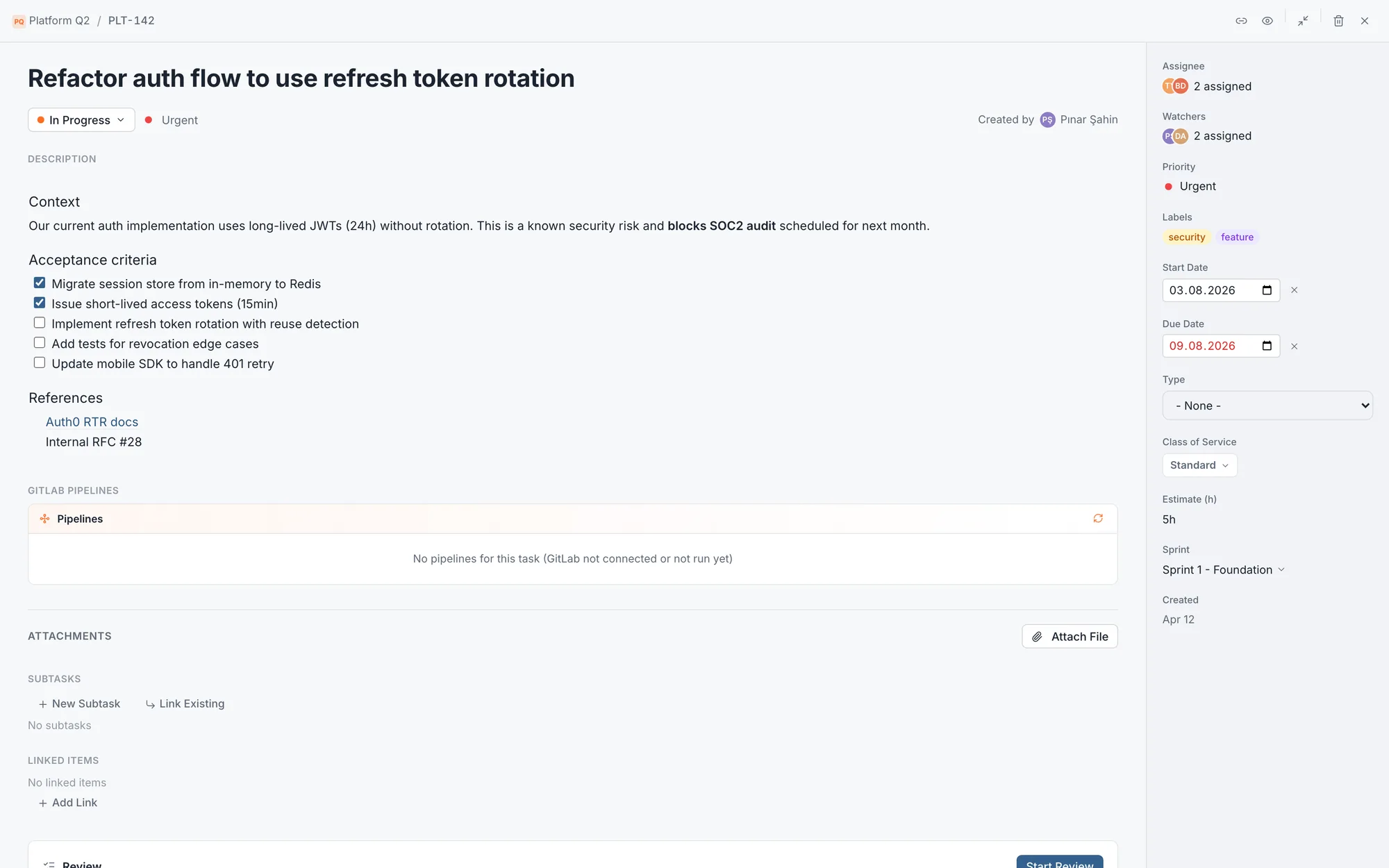
Creating a branch and an MR
"Create Branch" on the task screen opens a branch. Its name defaults to issue/{task key} and a description can be appended; the total is capped at 50 characters, with a counter and a warning on screen. The name must contain the task key, otherwise the branch does not link to the task. Turkish letters and unsupported characters are converted to a valid equivalent as you type. The Base branch field lists the branches of the task’s project with the project’s default branch prefilled; pick one or type a branch name. Left empty, the project’s default branch is used. An MR is opened with "Create MR" on the branch row and is locked to the project the branch lives in; the MR dialog does not open by itself after a branch is created, because the branch has no commits yet.
- An MR title is at most 255 characters
- A branch or MR created from MyWay shows up in the list without waiting for the webhook and runs the status automation at once; if the target status is at its WIP limit the task is not moved and you are told why
A task’s GitLab project
When a board is linked to several projects, the GitLab Project field on the task screen states which one the task belongs to. Once a connection exists the field appears in the Custom Fields list like any other: it can be put in a field group, set to show or be required, and it shows up in filters and list columns. When it is filled, the branch and MR dialogs stop asking for the project. On a single-project board that project is preselected on new tasks. On a multi-project board the default project is preselected; if the default has been removed the field starts empty and whoever opens a branch picks the project. With a "GitLab project by field" mapping, the project follows the chosen field value (below). On a board with no connection the field never appears.
- The field cannot be deleted because its options come from the integration; they are not edited by hand, the projects are managed under Board Settings > Integrations. A board that does not use it can switch the field off
- Changing it on a task needs the ordinary task-edit permission, not "Edit system fields"
- If the project selected on a task has been removed from the board, the branch or MR action does not start and says why; asking beats silently opening a branch in another project
- On import the GitLab Project column is skipped (its value is a project id and cannot be matched by name) and this is stated in the report; with a mapping, the project is filled from the mapped field
- When the connection is removed the field is switched off and entered values stay; adding projects again does not switch it back on by itself, you turn it on in the settings
GitLab project by field
The project is often implied by another field on the task: Platform = Mobile means the work lives in the mobile repo. In the "GitLab project by field" section under Board Settings > Integrations, pick a Select field and set a GitLab project against each option. When a task is created and whenever the field changes, the task’s GitLab Project follows; automatically created issues also open in the task’s project. The section appears once at least one project is linked to the board. For an end-to-end setup, see A multi-repo team.
- One field per board can be mapped; it must be an enabled single Select field and cannot be the GitLab Project field itself. Several options can map to the same project
- An option set to "Leave unchanged", an empty field or a project removed from the board leaves the task’s project as it is
- Picking the project by hand in the same edit wins. If the field changes later, the project is taken from the mapping again, replacing one chosen by hand earlier
- The mapping also applies in bulk edit and Excel import; it is not applied retroactively to existing tasks, and an issue already opened stays where it is
- Saving the section needs the "Manage members and roles" permission; "Remove mapping" deletes it
GitLab issues for new tasks
With "Automatically create new tasks as GitLab issues" on, every task created on the board opens a GitLab issue and links to it. The switch is on for a new connection. When several projects are linked, the "Issue on new task" option decides where the issue is opened:
- "Ask": the new task screen shows a "GitLab projects to open the issue in" list; the default project, if any, is ticked, and choosing an option in the mapped field moves the tick to that project. You tick the projects you want ("Select all", "Clear"); with none ticked, no issue is created for that task
- "Don’t ask, open in the default project": no list; the issue opens in the task’s GitLab project (from the mapping or chosen by hand), or in the default project when the task has none. This mode requires a default project
- "Don’t ask, open in all projects": no list, an issue opens in every linked project
- The default project is chosen with "Make default" in the list and removed with "Remove default"; the default project can only be removed while automatic issues are off or in the "Ask" and "Don’t ask, open in all projects" modes, not while "Don’t ask, open in the default project" is selected. If the default project is removed from the board, the first remaining project becomes the default; if you removed the default on purpose, adding or removing projects does not bring it back
Two-way sync
- From MyWay to GitLab: title, description, labels (by name, always the full list), due date, assignees and comments; if the task is linked to several issues, all of them receive it. When the task enters a status in the "Done" category the issue is closed, and it is reopened when the task leaves it
- From GitLab to MyWay: title, description, labels, due date, assignees and issue comments. Labels and assignees are only written when GitLab reports that field as changed; a label with no same-named label on the board is not brought over
- An issue closing or reopening on GitLab does not change the task’s status by itself; map the "Issue closed" and "Issue reopened" events to a status for that
- If the same field changes on both sides, the last write wins. MR comments are not copied into the task; you read them on the MR card
User matching
Assignees travel by matching MyWay users to GitLab users: the GitLab username first, then the part of the email before the @, and finally the email address. If any assignee cannot be found on GitLab, the assignee field is not sent at all and the current assignment is kept; sending a partial list would erase a correct assignment. Coming from GitLab, a person with no match is skipped.
Event → status automation
In the "Event → Status Automation" section you can map each of ten GitLab events to a workflow status; an event left empty moves nothing. Automation runs as the system: it bypasses transition rules and role requirements (the mapping is the admin’s decision) but respects WIP limits. "Forward only" events only move a task to a later status in the workflow; when a move cannot happen (it would go backwards, the WIP limit is reached, the target status is gone) it is written to the audit log.
| Event | When | Direction |
|---|---|---|
| Branch created | A new keyed branch is pushed to GitLab or created from MyWay | Forward only |
| Checkout (start working) | Only through the Checkout button on the task; a local git checkout sends nothing | Forward only |
| Commit pushed | A push to a keyed branch | Forward only |
| MR opened | An MR is opened or reopened, including from MyWay | Forward only |
| MR merged | An MR is merged | Forward only |
| MR closed (without merge) | An MR is closed unmerged | Can move back |
| Issue opened | A linked issue is opened | Forward only |
| Issue closed | A linked issue is closed | Can move back |
| Issue reopened | A linked issue is reopened | Can move back |
| Closed via "Closes/Fixes CJ-1" | An MR naming the task with a closing phrase is merged | Forward only |
Closing through an MR: "Closes CJ-123"
If an MR’s title or description contains a closing word followed by a task key ("Closes CJ-123", "Fixes CJ-123, CJ-124", "Resolves: CJ-123"), merging it moves those tasks to the status mapped to the closing event. Recognised words: close, closes, closed, fix, fixes, fixed, resolve, resolves, resolved. Mentioning the key is not enough: closing intent is recognised separately, and nothing happens while the MR is open. This event is separate from "MR merged", so you can map the two to different statuses (e.g. MR merged → Review, closing phrase → Done). "Closes" in a commit message does not trigger it.
Issue import
The "Import Issues" section brings the GitLab issues of the project you pick into the board as tasks: open issues, closed issues or all. It is visible to those with the "Manage members and roles" permission on the board.
- Title, description, due date and matched assignees are brought over; comments that are not system notes arrive as task comments, and when the author has no MyWay account their name is written at the top of the comment
- A closed issue lands in the board’s first status in the "Done" category; the person importing becomes the reporter
- An issue imported before is not created again; an issue whose title or description names an existing task key does not create a new task but links to that task
- No new GitLab issue is created for imported tasks; they then stay in sync over the webhook
- At most 1000 issues are read in one run; the result says how many were imported, linked and skipped and how many comments were brought over
- "Description must match a task template" and required system fields are not enforced on imported issues. If the board has a required custom field, those issues are skipped and counted as skipped in the result
Audit log
Everything GitLab does lands in the board’s audit log under the gitlab-bot account: branches created and deleted, MRs opened, merged and closed, issues linked and created from MyWay, changes from GitLab applied to a task (with the fields involved), the automation moving a task or why it did not, and webhook failures (secret mismatch, task on another board). Connecting, disconnecting, adding and removing projects are written under the person who did it. Status-change notifications caused by GitLab show "System" as the actor.
What is not carried over, limits
- Copying a board does not carry the GitLab connection or GitLab project values; you connect the new board separately
- Disconnecting deletes nothing on GitLab
- A board has one GitLab connection, and a workspace has one GitLab server
- The pipeline panel only works on boards linked to a single project
- One task can open issues in at most 50 projects; a branch name is capped at 50 characters and an MR title at 255
- A webhook body can be at most 1 MB. GitLab events are not deleted: the commit and merge request history on a task is permanent (before v1.64.0 the content of events older than 90 days was cleaned up)
Access tokens are stored encrypted with AES-256-GCM on the server and never appear in the interface or in API responses. An incoming webhook is verified against the board’s own secret token and rejected if it does not match. Keys stay on your server and never go to a third party.