Docs space
Wiki-style pages, versions, approvals, templates and permissions.
Docs-type boards give you a knowledge base that lives next to your work. Pages are organized hierarchically; each edit creates a new version, so you can go back to an earlier one (restore is locked while a review is running and until an approved document is published).
Highlights
- Page hierarchy + automatic table of contents (TOC)
- Version history and one-click rollback
- Document history: who changed what and when, publications, code, moves, review and approval steps
- Published versions: every publication opens read-only with its content and attachments as published, and downloads as PDF or Word
- Serial or parallel approval chains
- Built-in templates (Meeting Notes, PRD, Retrospective) and templates you define yourself
- Import from Word (.docx) and Markdown (.md), export as PDF and Word
- Move a document, with its sub-documents, under another document in the same space
- Copy or move a page, with its subpages, to another docs space
- Inline comments and @mentions
- Page tags; the tree can be filtered by tag
- Page-level permissions (user / role / group × view / comment / edit)
Document codes
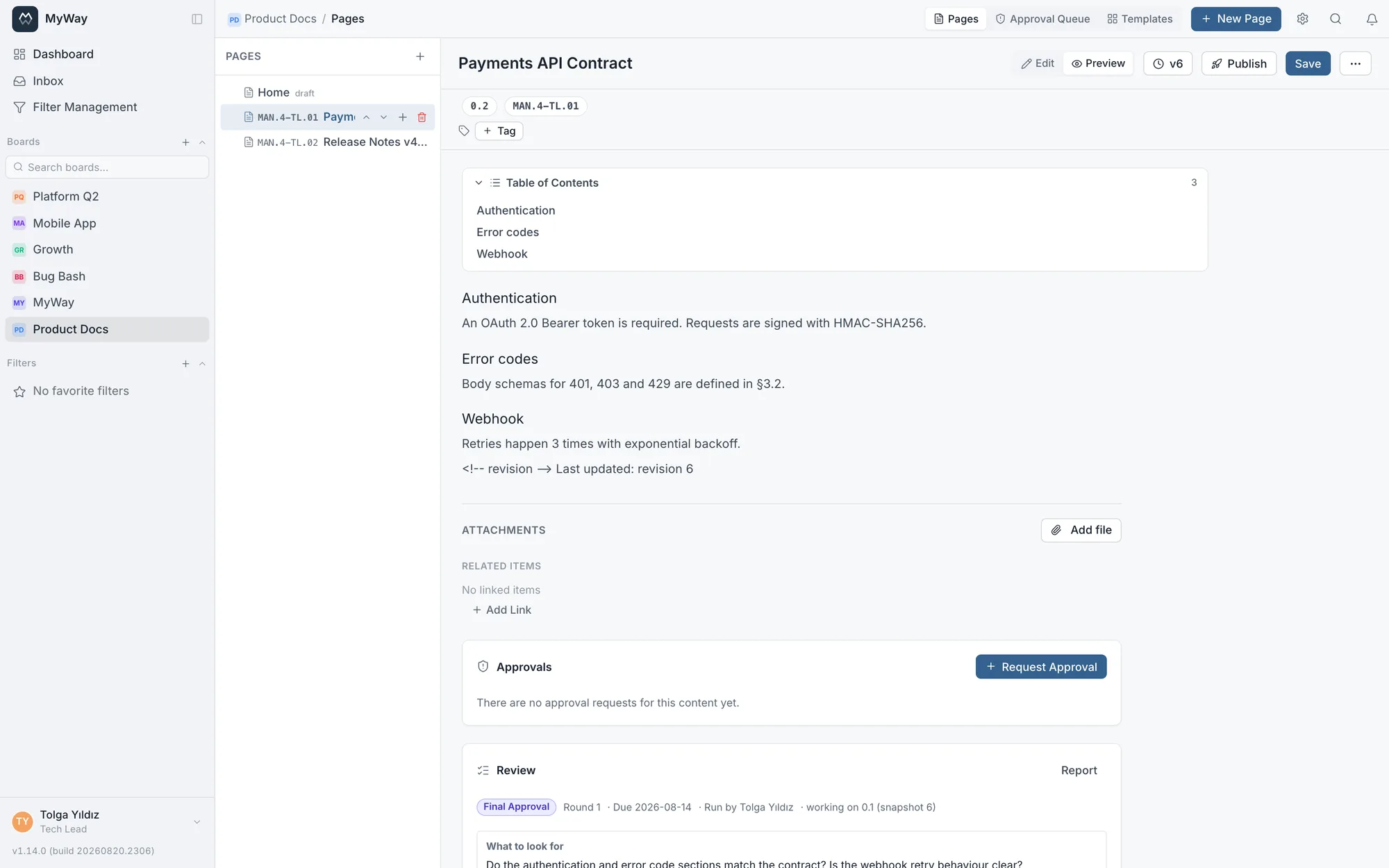
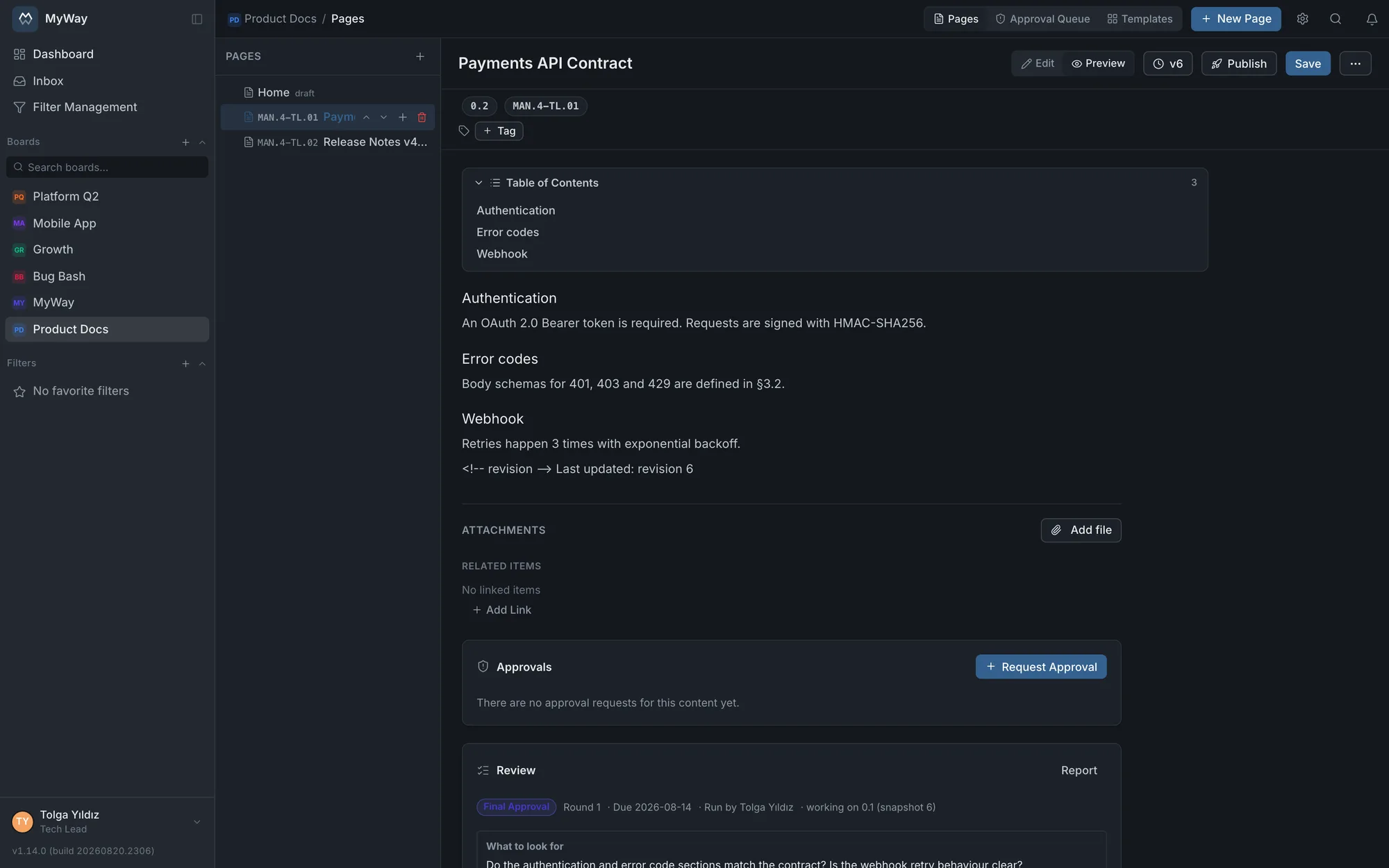
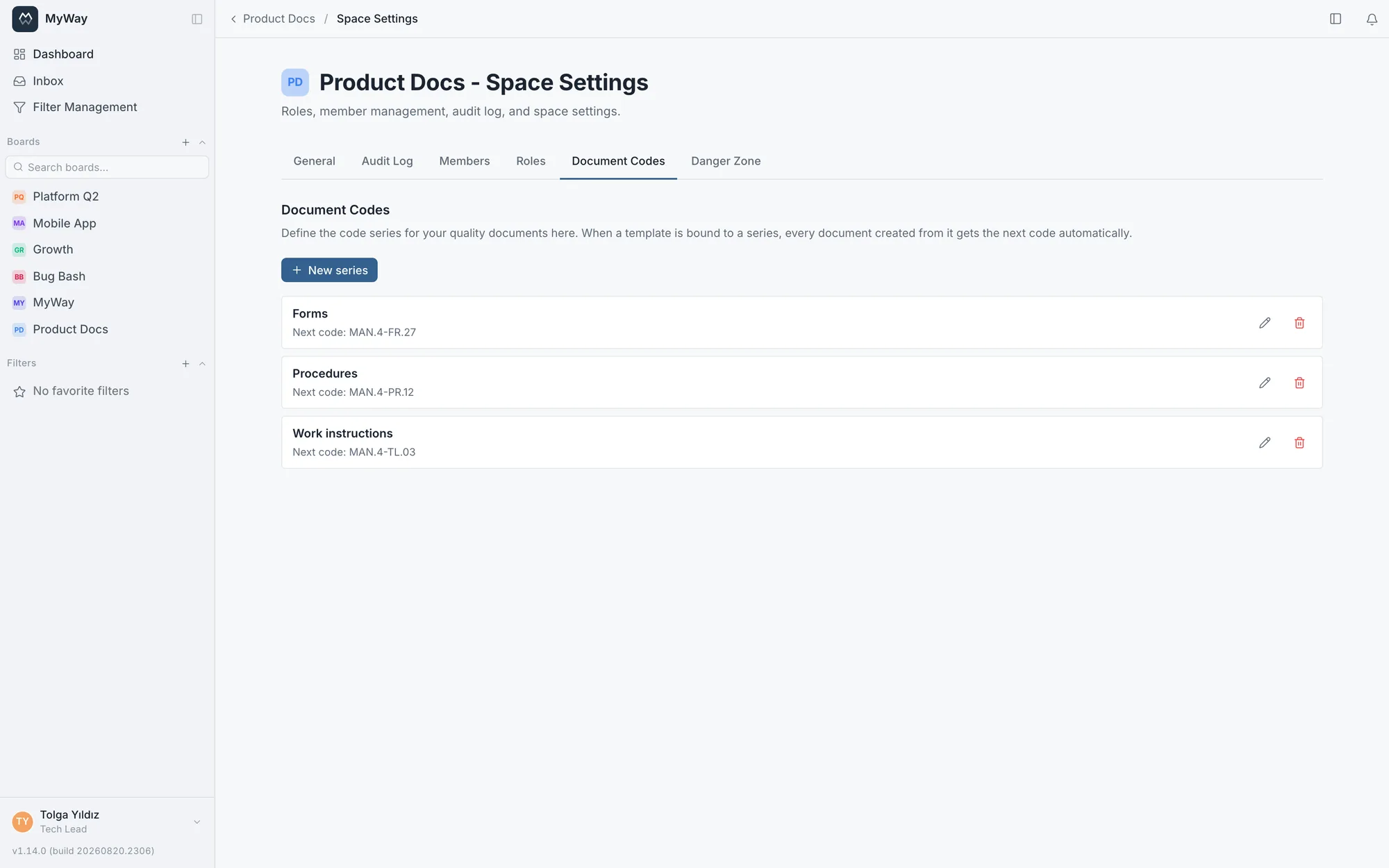
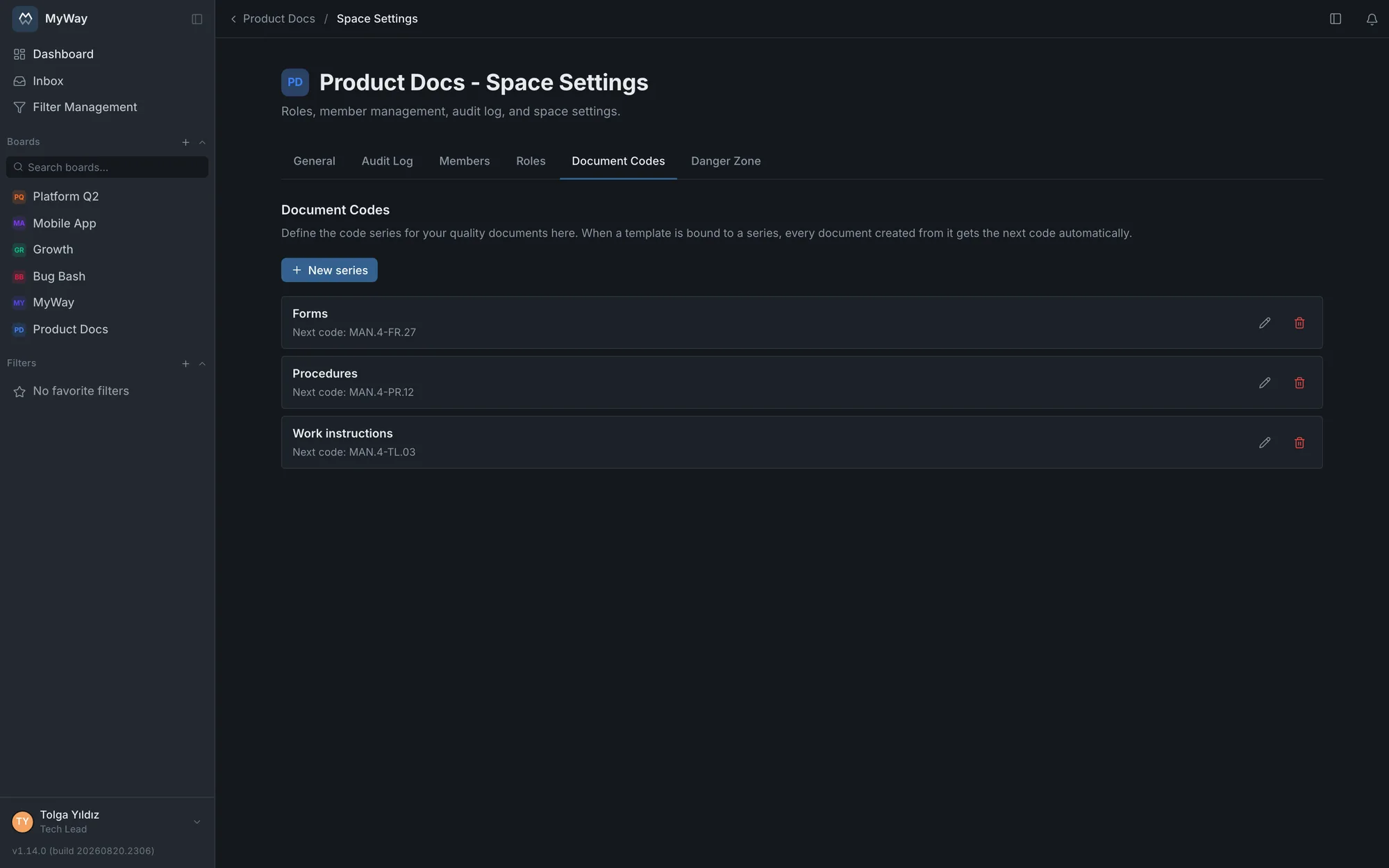
Quality-system documents are referred to by number: "MAN.4-TL.01". You define a series under Space Settings > Document Codes (prefix, separator, number of digits) and bind a page template to it; every document created from that template receives the next code automatically. The code shows up in the tree, in search, in the document header and in PDF/Word exports.
- Numbers are never reused: a deleted document’s code is not issued again, so no two documents can share a code in an audit.
- The separator can be a dash, a dot, an underscore or none; digits range from 1 to 4. When migrating, a series can start mid-way (if you already have 42 instructions, start at 43). The next number can be moved forward but never back. Deleting a series does not remove codes already issued.
- A document migrated from another system keeps its code through Word import: if the file name starts with a code ("MAN.4-TL.01_Risk_Instruction.docx") the product offers to assign it, and an accepted code does not consume the series counter. Assigning a code requires "Manage members and roles" and is written to the audit log; if the code is already taken, the document is imported without one.
- A document without a code can be given one later, and an existing code can be corrected: the code line under the document title opens "Assign document code" or "Change document code". The code is taken as the next number from a document series or entered by hand, and it must be unique within the space. This requires "Manage members and roles", and every change is written to the audit log.
- Two different templates can write into the same series; a series belongs to the board, not to a template.
- The code is the document’s permanent identity and lives in a field separate from the version.
Document versions
The version number tells you how mature a document is: a new document is born as 0.0 draft, becomes 0.1 on first save, advances to 0.2 and 0.3 with each review round, and rounds up to 1.0 when published. Editing a published document makes it 1.1, and publishing again makes it 2.0. That way no one argues about what a number means: whole numbers are published, decimals are work in progress. Saving a draft again does not raise the number; after 0.1 it is moved on when a review goes from revision to final approval. A published document cannot be unpublished: the publication record never changes. A duplicated page starts a fresh version life, as a draft and without a code.
Every entry in the version history shows which version it belongs to. The entry that was published shows the published version ("2.0") with a check mark; hovering over it shows the working version it was saved as ("1.1"). Before v1.62.0 this entry wrongly showed the previous version. In an audit “approved” on its own says nothing; “1.0 published, editing started at 1.1” does.
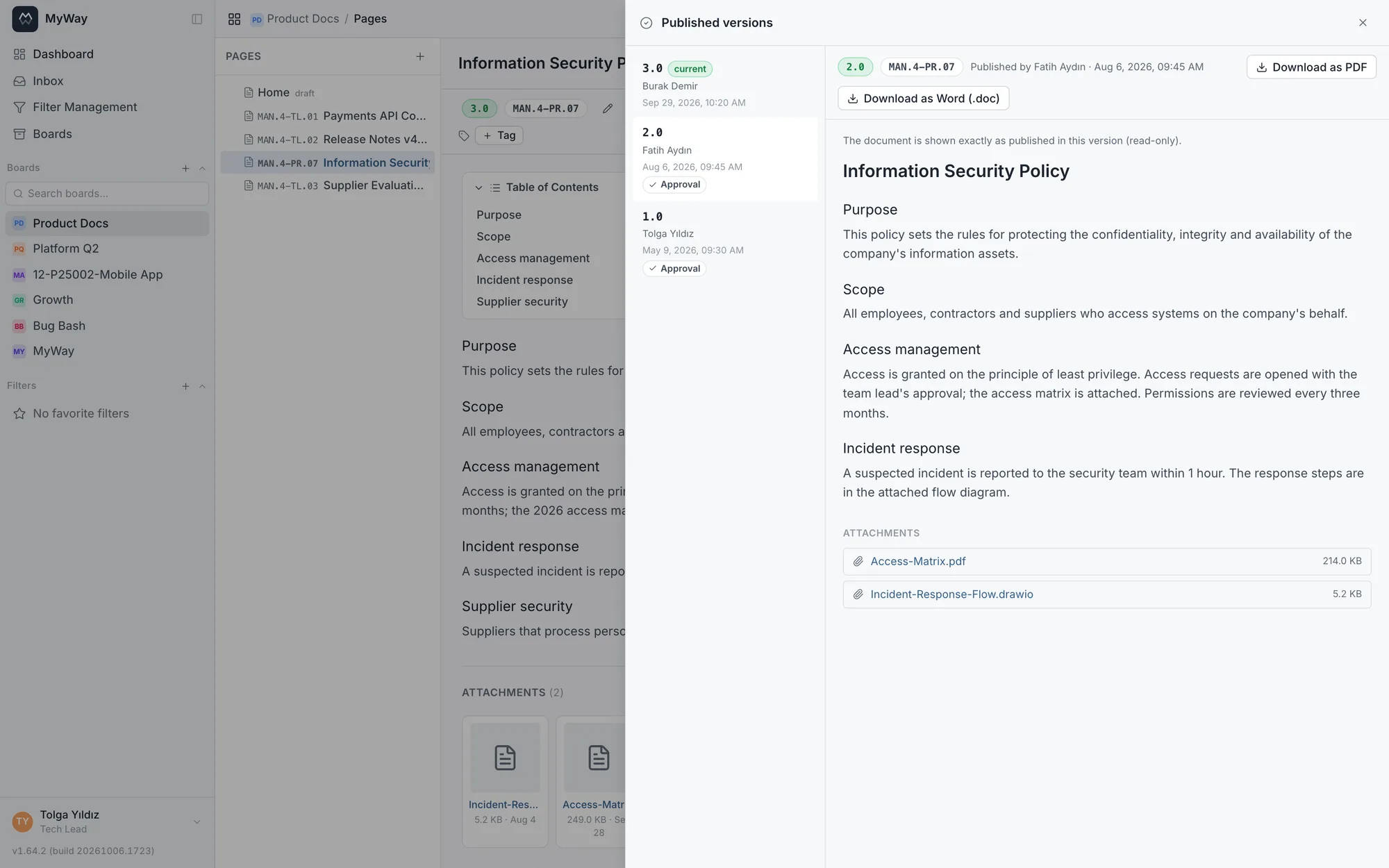
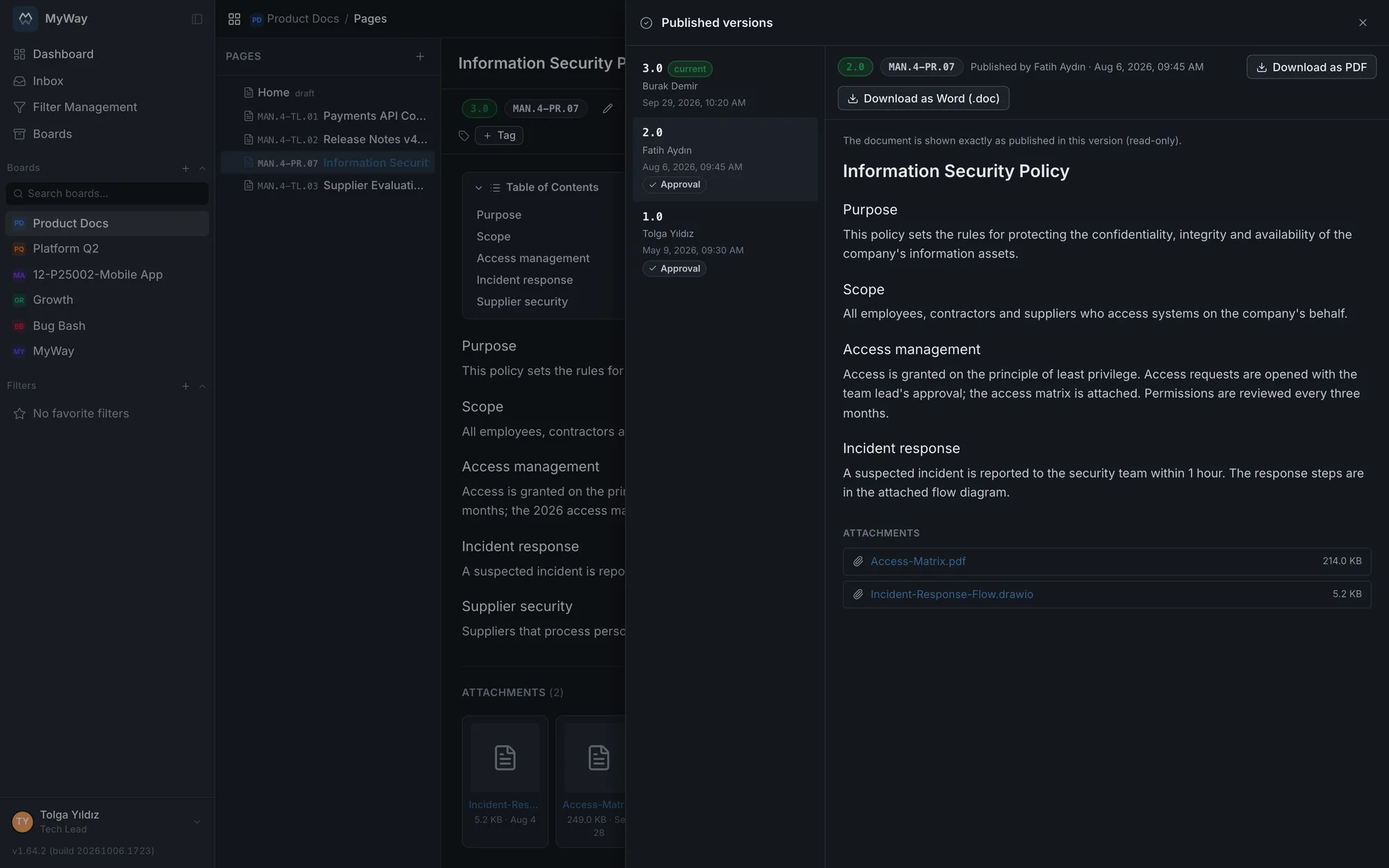
Published versions
The version history keeps every entry; published versions live in a separate list. Once a document has been published at least once, a "Published versions" button appears in the editor toolbar next to the version history button and opens a panel on the right. Anyone who can see the page can open the list, no separate permission is needed; on a restricted page the page permissions apply. The panel is read-only: an old publication is not restored from here, restoring is the version history’s job.
- For every publication the list shows the version (1.0, 2.0), who published it and when; the newest is on top. If the document is currently published, the top entry carries the "current" badge; on a document unpublished before v1.64.0 no entry shows it
- A publication that came through a completed review carries a "Review" badge, and one that came through an approved approval request carries an "Approval" badge
- Clicking an entry opens the document exactly as it was published in that version: title, content, document code and the attachments it had at the time; the attachments can be downloaded from there. "Download as PDF" and "Download as Word (.doc)" export that version with its own code and version number
- An attachment used in a publication is kept: even if it is later removed from the document, the file is not deleted and still opens from the old publication
- Publications made before v1.62.0 were brought back from the audit records; very old publications whose content cannot be found in the records are not listed. No attachment list was kept for them, so the panel says "Attachments were not recorded with this version"
Publishing and permissions
- Writing, publishing and deleting are separate permissions: "Edit documents" lets you write, "Publish documents" lets you publish and "Delete documents" lets you delete. Templates, code series and page permissions are managed by whoever has the "Document settings (templates, code series, page permissions)" permission
- A page with a pending approval request cannot be published; "Publish" unlocks once the approval is decided or the request is cancelled. The same applies when republishing an edited document. An open review locks publishing in the same way
- The space’s publish rule can require a completed review, a granted approval or both before publishing; details below under "Publishing rule"
- Publishing cannot be undone: a published document cannot be unpublished and turned back into a draft. If it needs changes, edit it and publish the new version
- If a diagram on a published page is updated elsewhere, the page shows a "Diagram changed" badge and the button becomes "Republish"; the version number changes only when you republish
- Deleting a page also deletes its subpages, comments, attachments, published versions and approval and review records; the diagrams on it stay in the Diagrams list
Publishing rule
Which process a docs space requires before publishing is set under Space Settings > General > Publishing rule. There are two separate boxes: "Require a completed review to publish" (on by default) and "Require a granted approval to publish" (off by default). Each box that is ticked is checked on every publication, the first one and every republish. If both are off, a document can be published directly. Whoever has the "Document settings (templates, code series, page permissions)" permission changes the rule, and the change is saved at once. When a space is created by taking settings from another board, the rule goes with it. Under the rule, "Final approval deadline in reviews (default)" sets the number of days pre-filled for new reviews and what happens "When it expires": "count non-responders as approved" or "stop waiting for non-responders". The person starting a review can change or remove it.
- A review or an approval backs a single publication: the review that published 1.0 is not reused for 2.0, and every new publication needs its own review or approval
- While the rule is on, a new page cannot be created as published; there is no review or approval behind it yet
- The rule puts a condition in front of publishing; it does not start a review or an approval by itself. You open the process from the page’s Review or Approvals panel
- When both boxes are ticked, an "Order" choice appears below them: "Parallel" (the default; the two run independently, in any order), "Review first, then approval" (approval can only be requested after a completed review) or "Approval first, then review" (a review can only be started after approval is granted). An action out of order is refused, for example "In this space approval must be granted before a review can be started". If either box is off, the order is hidden and has no effect; when a space is created by taking settings from another board, the order goes with it
This rule arrived in v1.64.0 and is switched on in existing docs spaces by the upgrade: after upgrading, every publication needs a completed review. In a space that publishes through approvals only, untick the review box and tick the approval box; in a space that wants to keep publishing directly, untick both. Otherwise "Publish" stops with "A completed review is required before the document can be published."
Move under another document
With "Move under another document", from the document’s row in the tree or from the page menu, a document moves together with its sub-documents under another document in the same space, or to "(Top level)", and lands last under its new parent. The document itself and its own sub-documents cannot be chosen as the parent. Moving needs the "Edit documents" permission and edit access to both the document and the new parent document.
Copy / move to another space
A page is copied or moved to another docs space with "Copy / move to another space" in the page menu. In the dialog you pick the target docs space, the "Target parent document" ("(Top level)" by default) and the action; with "Include child pages" ticked the page goes together with its subpages. Diagrams embedded in the page are copied into the target space.
| Action | What happens |
|---|---|
| Copy | The source stays where it is. The copy opens in the target as a draft; the document code and version are not carried over, and the copy starts its own version life at 0.0. |
| Move | The page moves to the target with its history, comments, attachments and review and approval records; its code and version stay the same. It cannot be done while a review is open or an approval is pending. If the document code is already used in the target space, the move is refused until the code is changed. Subpages that are not included stay in the source and are attached to the moved page’s former parent. |
- Permissions: edit access to the source page, "Edit documents" and "Copy / move to another document space" (by default only in the Admin role); moving also needs "Delete documents", since it removes the page from the source. You must be a member of the target space and have "Edit documents" there
- Why it is a separate permission: the content leaves the permission set of its own space and comes under another space’s rules. Who may take a restricted document into a wider space should be a deliberate choice
- On a moved page, entries for people, groups and built-in roles stay; custom roles specific to the source board mean nothing in the target and are dropped
- People who are not members of the target space show by name in the approval and permission panels; such a person’s permission entry gives them no access until they are added to the space
An approved document stays locked until published
A document whose approval request was approved, or whose review completed, cannot be edited until it is officially published: content, title, tags, attachments and version restore are locked. That way the published content is the same as the approved content. The editor shows an "Approved - awaiting publication" badge. The document code is not locked; the usual way out of the lock is to publish.
- For a version that was approved by mistake, use "Withdraw approval" in the Approvals panel: the approval is withdrawn, the document becomes editable again and a new approval is required before publishing. The person who requested the approval, or someone with "Manage members and roles", can do this; once the document is published the approval can no longer be withdrawn. A withdrawn request shows as "Cancelled" and is written to the audit log
- If a document approved through a review needs changes, start a new review; the content opens up in that review’s revision round
- If the publishing rule is set to "Approval first, then review", the approval is what lets the document go into review: after approval the document stays locked, but once a review is open the review’s own rule applies and the document can be edited in its revision round. When the review completes, the document is locked again until it is published
- The lock only applies to approvals given after the update that introduced this rule: documents approved, or whose review completed, before that update are not locked, whether published or not
- On an approval request, "Approve" and "Reject" are shown only to the approver whose turn it is: the next person in a serial flow, and every approver who has not decided yet in a parallel flow. The Approval Queue likewise lists only the requests you can decide right now
Page permissions
By default a page follows your role in the space: whoever can edit, edits; whoever can comment, comments. Commenting is a separate permission: without "Comment on documents" in the role, neither edit rights nor a per-page entry grant the right to comment (before v1.67.0 anyone who could edit could comment without it). When a single page needs to be narrower, you grant per-page access to a person, a role or a group - a compensation study only three people should see, for example. As soon as you add the first per-page permission, the page becomes restricted: only the listed people, roles or groups can open it (anyone with "Manage members and roles" always has access). An entry can also grant more than the role does, edit rights on one page for a viewer, say; the right to comment only comes from the role. The restriction does NOT pass to subpages, so restrict those separately. A copy of a restricted page does not carry its permissions and starts open. A restricted page is not even listed, or found in search, for someone without access. Opening a new page (blank, from a template or from a Word or Markdown file) requires the "Edit documents" permission; adding a page under another page or duplicating one requires edit rights on that page. A page you cannot edit opens read-only.
Importing from Word and Markdown
A Word document (.docx) or a Markdown file (.md) comes in two ways: New page > "Import (.docx, .md)" creates a new page; "Import (Word, Markdown)" inside a page overwrites its current content and waits for you to save. Tables, headings, links and images are carried over. Images the browser cannot display (EMF, WMF), very large images and links to a local image sitting next to a Markdown file are skipped, and you are told how many; Word shapes (SmartArt, charts, text boxes) are not carried over. A document over the page size limit is not imported and no half-created empty page is left behind; shrink large images or split the document and try again.
Comments and files
- Inline comments: select a passage and comment on exactly that sentence. A comment is closed with "Resolved"; comments whose text was later removed stay in a separate list
- Page comments: general discussion in the "Comments" tab at the bottom of the page; @person and @group mentions work. Writing inline and page comments needs the "Comment on documents" permission. A role with "Moderate comments (delete others’ comments)" can delete other people’s comments but cannot edit them
- File attachments: images (PNG, JPG, GIF, WebP), video (MP4, WebM), PDFs, Word, Excel, text (TXT, CSV, Markdown), HTML, SVG, ZIP and draw.io diagram files (.drawio) attach to the page; for security SVG, HTML and draw.io files never open in the browser and are always downloaded. You can drag files onto the attachment list, and an image pasted into the editor uploads too. The default size limit is 25 MB and your administrator can change it. Adding or removing an attachment on a published document opens a new draft version (1.0 → 1.1) and requires publishing again, so a published version never changes silently; attachments are locked while a review is open and reopen in the revision round. On an approved document that has not been published yet, attachments are locked too
- Watching: get notified when a page you watch changes or receives a comment. Commenting on or editing a page makes you watch it automatically
Document history
Like on tasks, the bottom of the document screen has "Comments" and "History" tabs. History is the document’s record: who created it or created it as a copy, who changed the title, content and tags and when (it names the field, not the old and new value), version restores, which version it was published as, the document code being assigned, changed or removed, moves within the tree or to another board, and the document’s review and approval steps. A review completed automatically because its deadline passed is attributed to "System". Anyone who can see the document can open the history, no separate permission is needed. Because it is read from the audit log, it also covers events from before v1.68.0. Comments and attachments do not appear as separate entries.
The selected document is kept in the address: refreshing reopens the same document, and the address can be shared. A document created from a template opens in the rich editor.
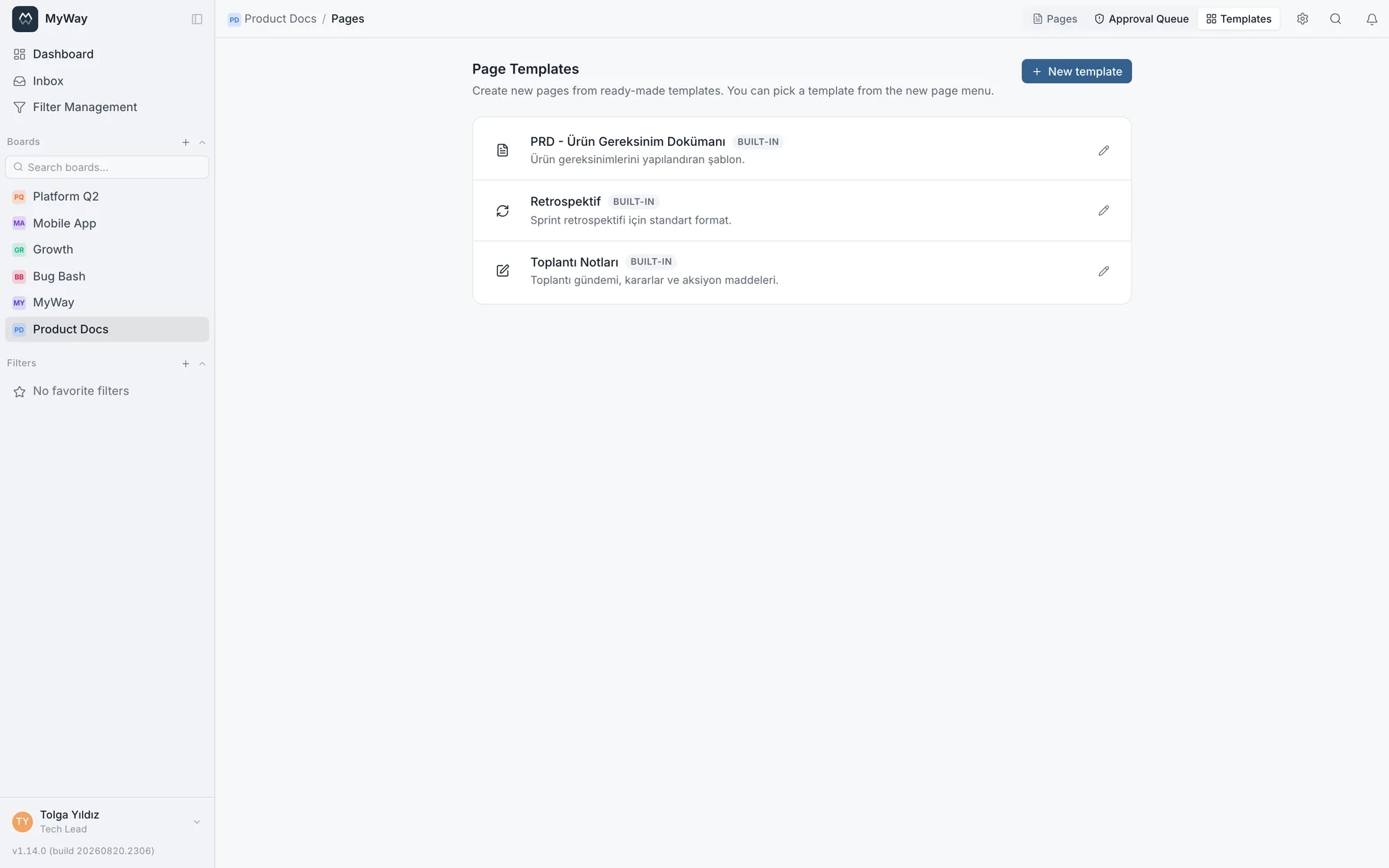
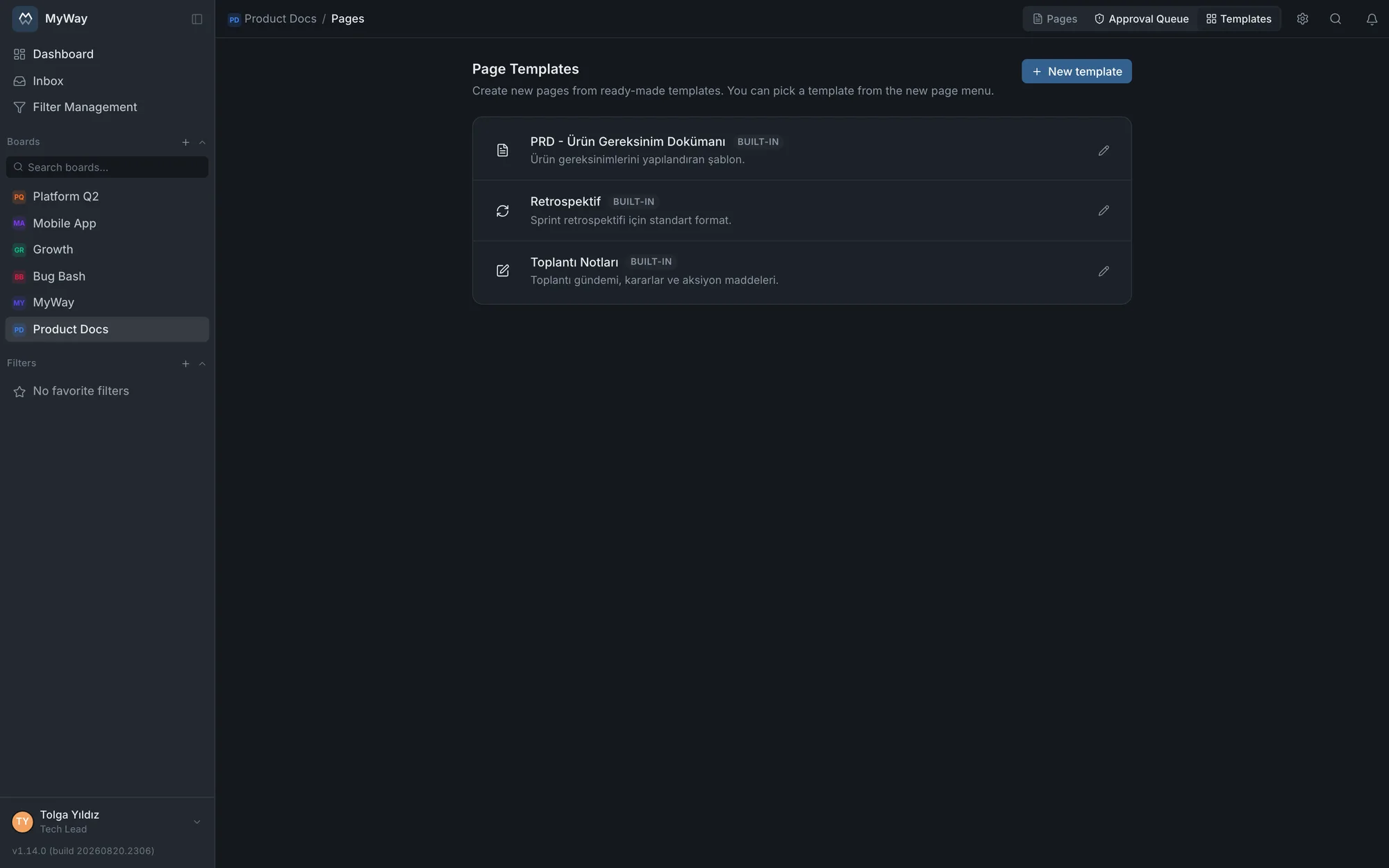
A page awaiting approval notifies approvers through the notification bell and is listed in the space’s "Approval Queue" tab; the outcome shows in the page’s Approvals panel as "Approved" or "Rejected". Requesting approval needs the "Request approval" permission, and only people with "Approve and reject" can be chosen as approvers. When a single signature is not enough and comments have to be collected and dispositioned, there is a separate process: Formal review.