Boards & sprints
Kanban, Scrum, list, calendar, timeline and the sprint lifecycle.
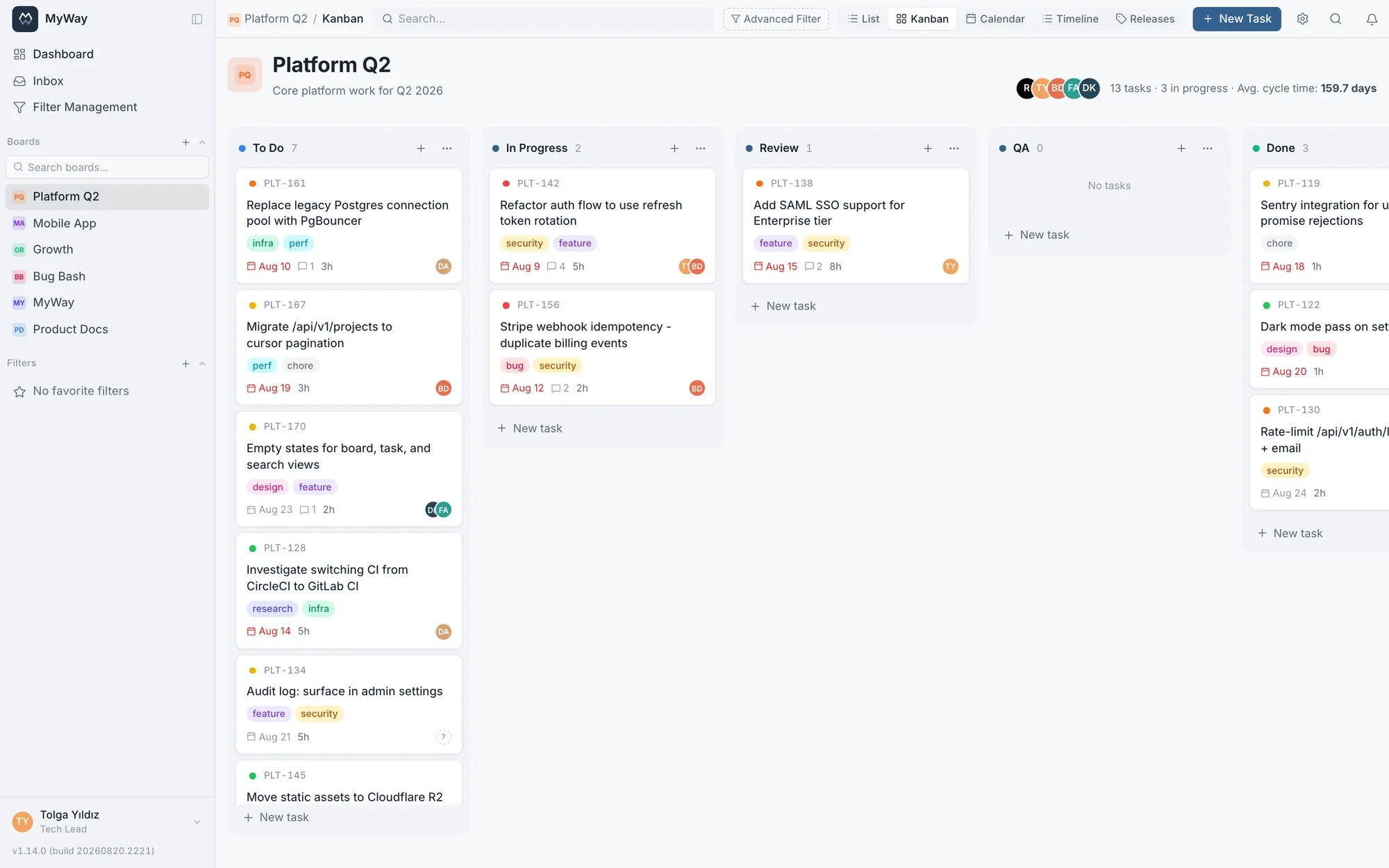
Each board is a workspace. Tabs adapt to the board type: the everyday tabs sit in the top bar (Kanban boards show [List][Kanban], Scrum boards [List][Backlog][Sprint]), and the less frequent views live in the "More" menu: [Calendar][Timeline][Releases], plus [Planning] on Scrum boards. When you open a view from the menu, its tab also appears in the top bar, so you never lose track of where you are. Clicking the board name in the top bar returns to the List view.
Views
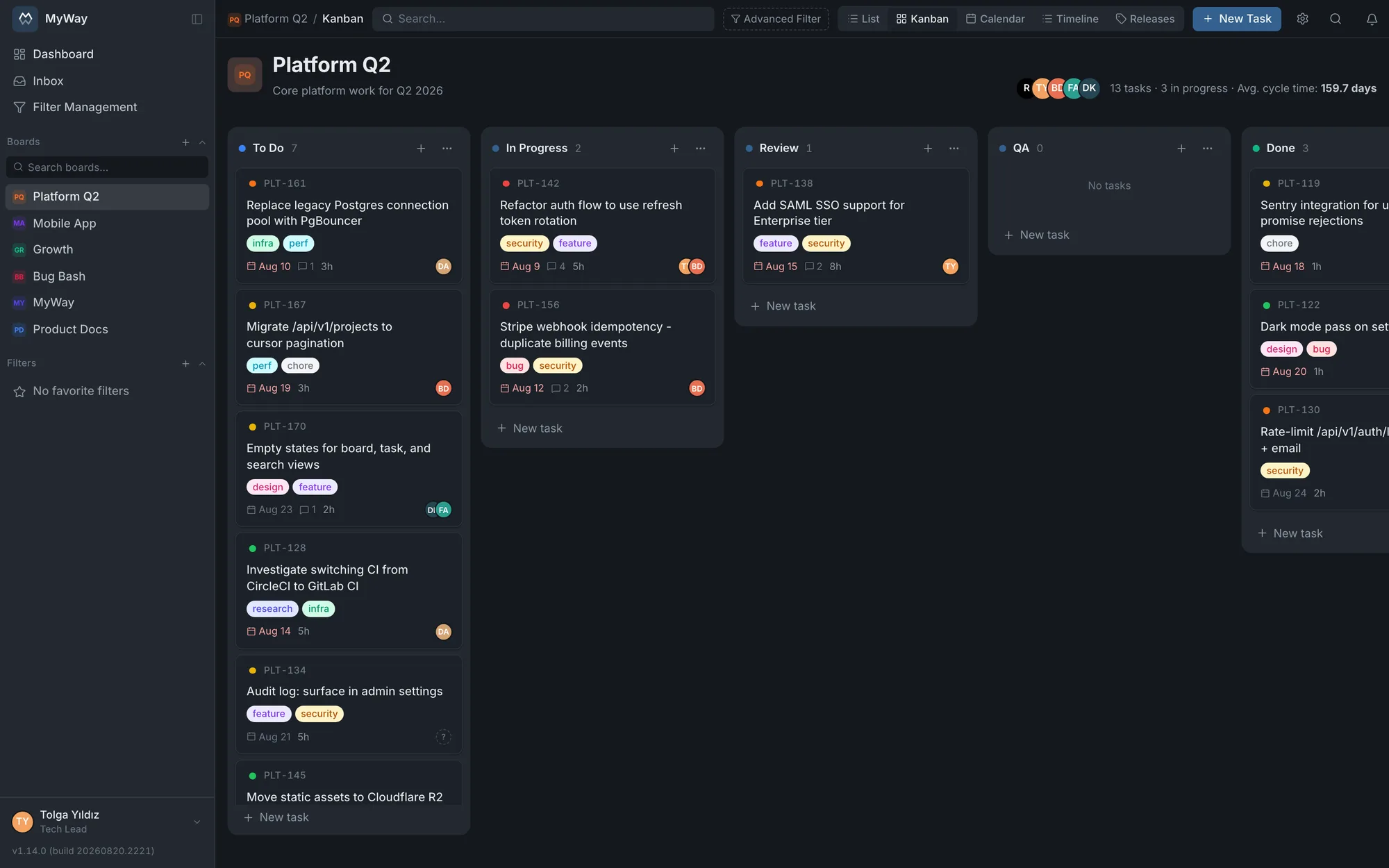
- Kanban: drag-and-drop columns; when a column’s WIP limit is reached, no card can be moved into it and no task created there, and you are asked to move another card on first. Each column takes one of three sort modes: "newest first" brings the most recently touched card to the front, "oldest first" is its reverse, and in "manual" mode the order you set by dragging a card within the column is stored for good. Columns load as you scroll, so a large board never pulls every card at once. When you close a task, the card you last opened stays highlighted and scrolls into view if it was off screen; the Sprint view does the same
- Backlog: drag tasks between the backlog and sprints, and start a sprint from here; the column picker and "New Sprint" sit at the top of the view. Bulk changes are made from the list view. Rows use the same column definitions as the list view: there are column headers and a column picker, and custom fields can be added as columns; the backlog’s column choice is stored separately from the list view. Moving a task into or out of a sprint requires "Manage sprints (create, start, complete, delete)"; for a user without it, rows cannot be dragged
- Sprint: track work in the active sprint across status columns
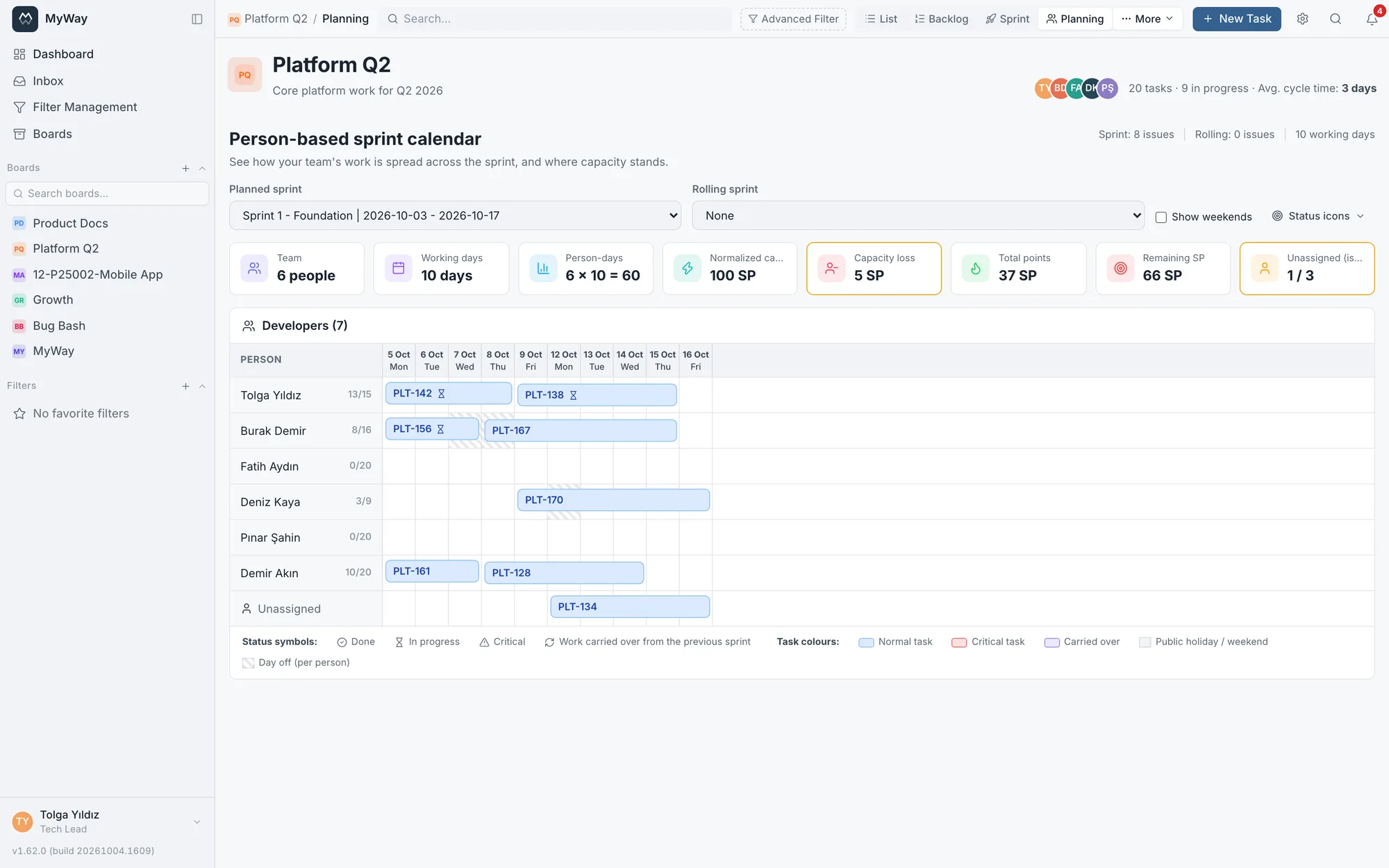
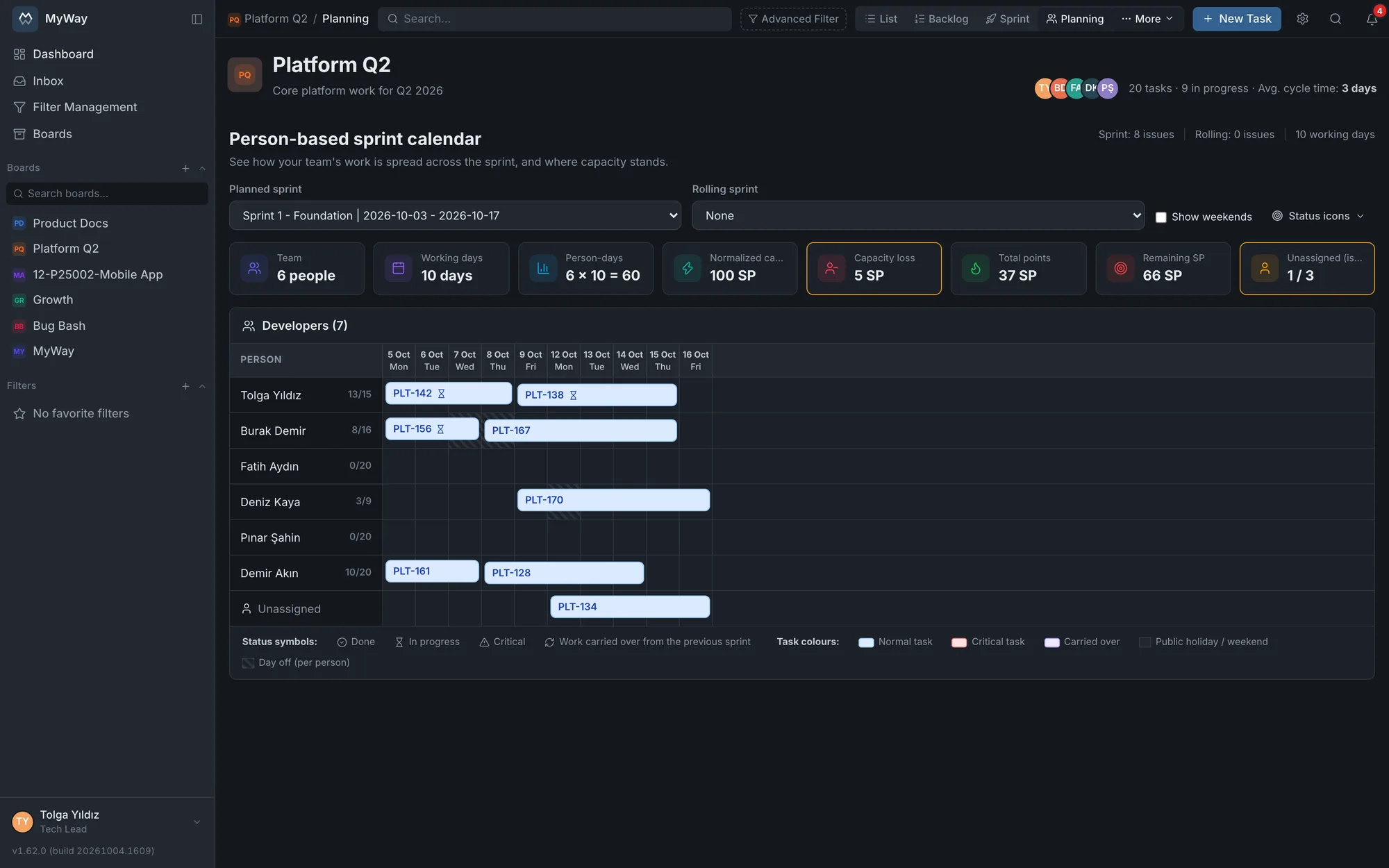
- Planning (Scrum only): a per-person sprint calendar. The sprint team runs down the side and the sprint days across; each task’s bar stretches along its person’s row from start to due date. Details below, under "Sprint planning and capacity"
- List: a sortable table view with customizable columns. It shows 25, 50 or 100 rows per page and fetches only the page you are looking at, while search and filters still run across the whole board. Columns can be resized by hand and filtered from the header, date, version, people and comment count columns included (details on the Search & filters page)
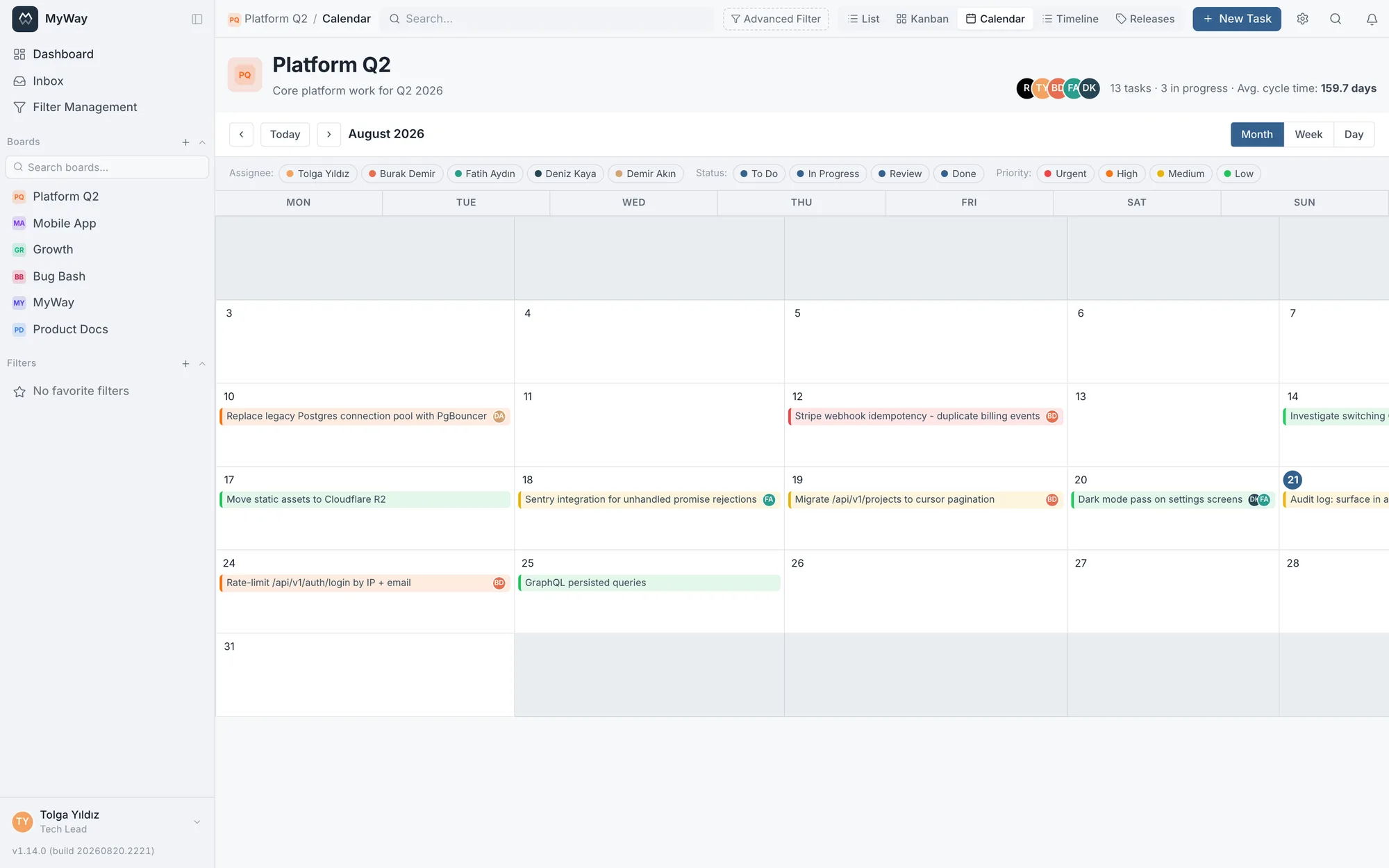
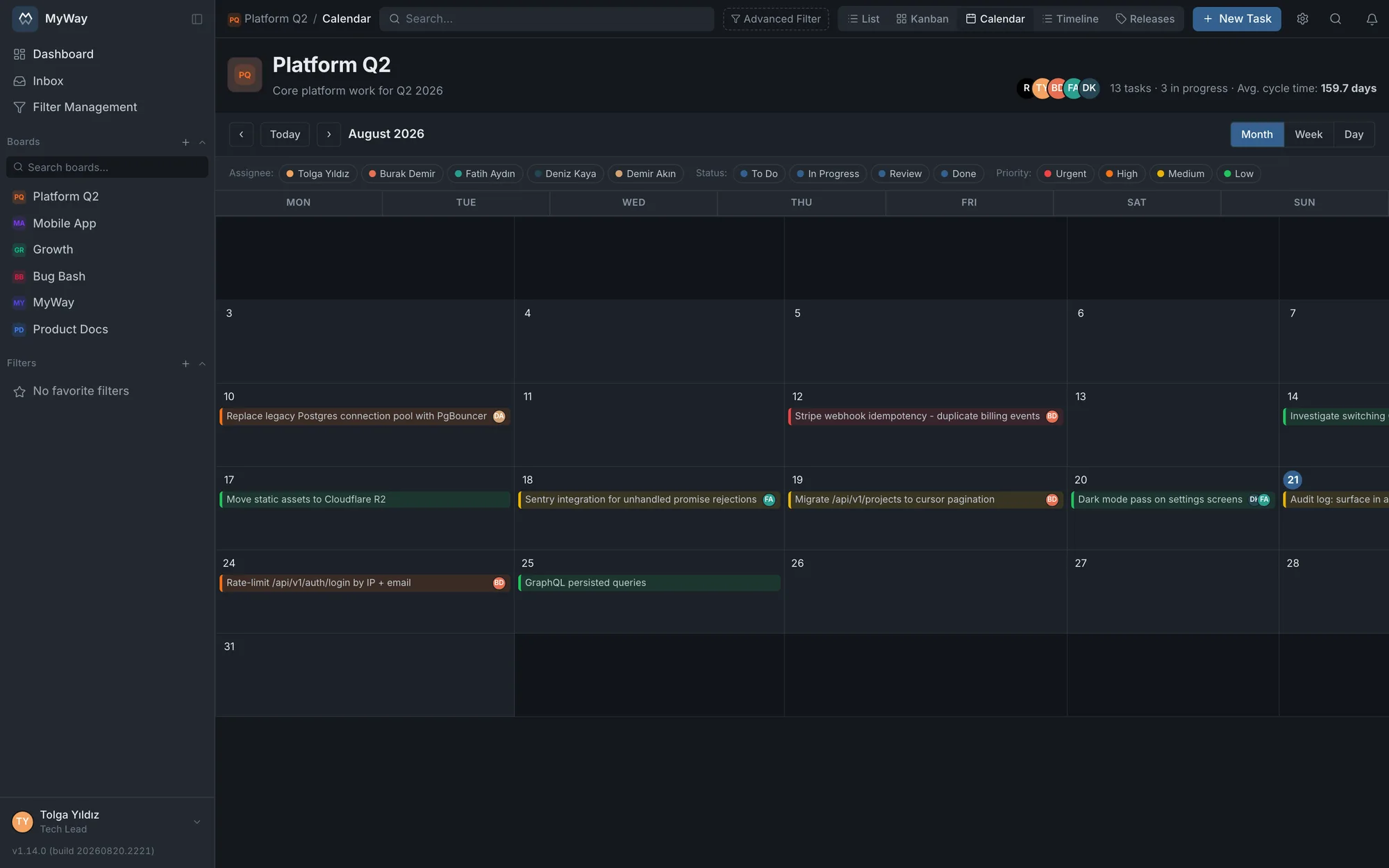
- Calendar: see tasks by month, week or day. It reads the due date by default; under Board Settings > General > Calendar date source one of the board’s own date-type custom fields (optionally a start and end pair) can be the source instead; the timeline and Planning follow the same source. Public holidays defined in the work calendar are highlighted and named
- Timeline: a Gantt-like view of every dated task across a date range, coloured by priority, or by issue type when there is no priority. It follows the calendar’s date source and shades weekends and public holidays. "Download PDF" exports the visible tasks as a report with status, priority and assignee breakdowns
- Whether the week starts on Monday or Sunday is chosen in Settings > Preferences; both the calendar and the timeline follow it
Board code
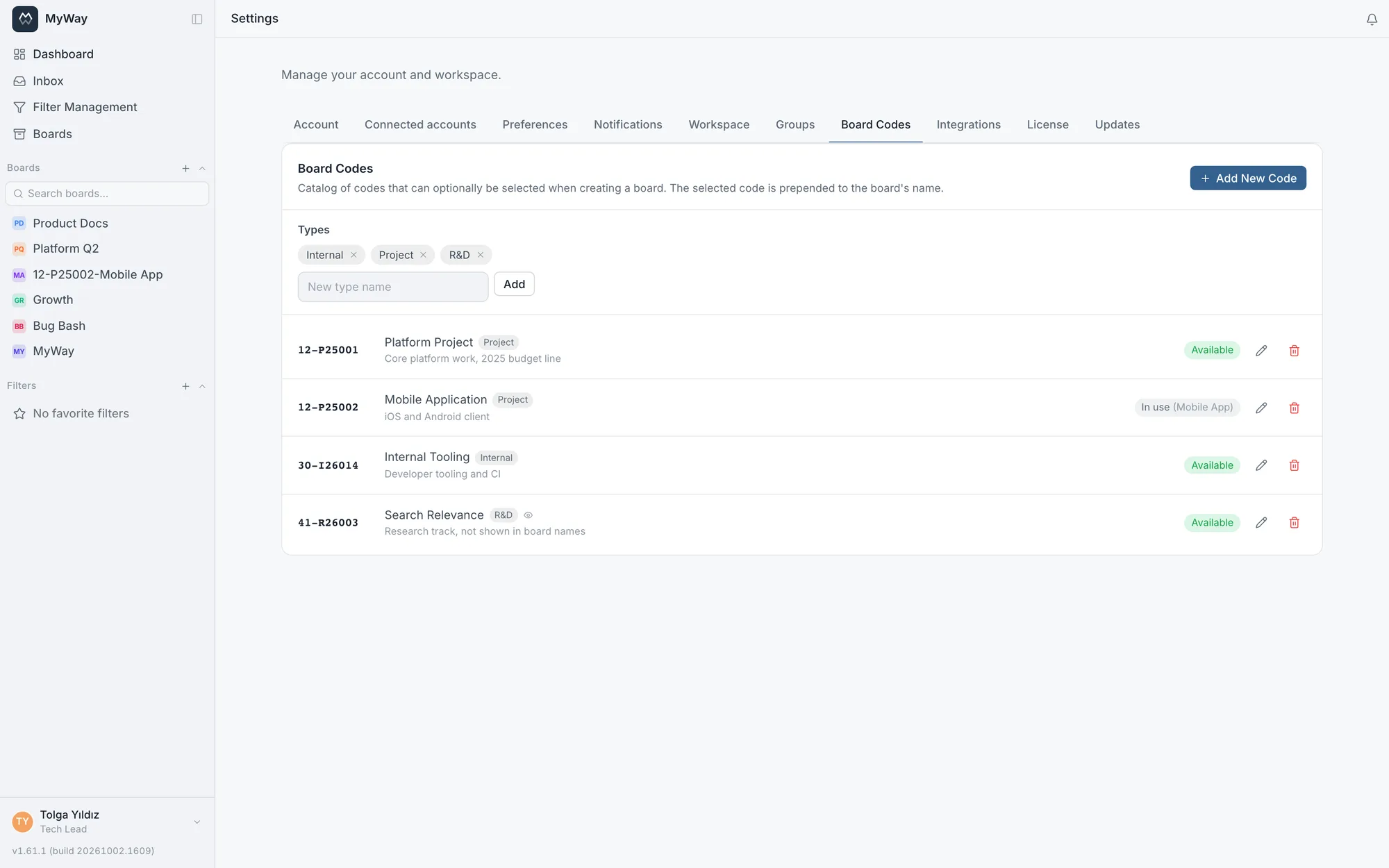
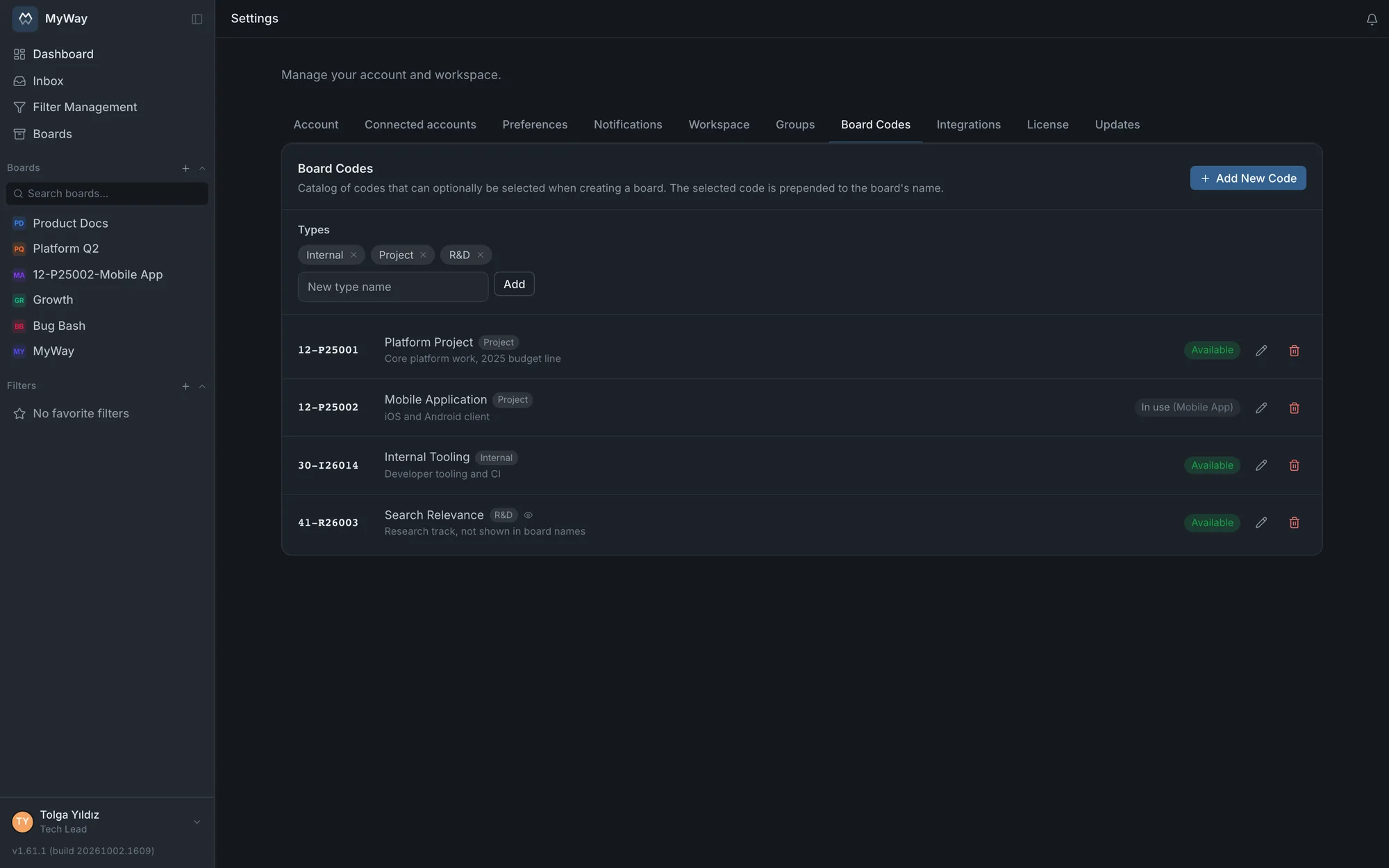
A catalogue of board codes is kept in workspace settings (Settings > Board Codes). A code is the organisation’s own official number for a project or budget line: 12-P25001 · "Platform Project", say. When a board is created one of these codes can be picked, and if it is, the code is prefixed to the board name. The same code can never be given to two boards; a board’s code is changed or removed later from Board Settings > General.
- Each code can carry an optional description and a type picked from a managed list; the types are maintained on the same tab
- A code’s "Show in front of board name" box can be switched off: it still counts as in use on that board, it is simply not displayed
- The "in use" label next to a code in the catalogue names the board that carries it
- A code matches both in ⌘K global search and in the board search box in the sidebar
Task numbers
The short code in front of task numbers (the PLT in PLT-142) and the number of digits are changed under Board Settings > General. Changing them never renumbers existing tasks: old tasks keep their numbers, only new tasks take the new code and numbering carries on. A deleted task’s number is never reused either, so an old link or commit message never points at different work.
Organizing boards into folders
You move a board into a folder from the menu on its row; the sidebar then groups boards under those headings, which expand and collapse. Folders can be renamed and reordered by dragging. A folder belongs to YOU: a colleague looking at the same board may keep it in an entirely different folder of their own, and nobody changes anyone else’s sidebar. If you do not use folders the list stays flat.
The Boards page and archiving
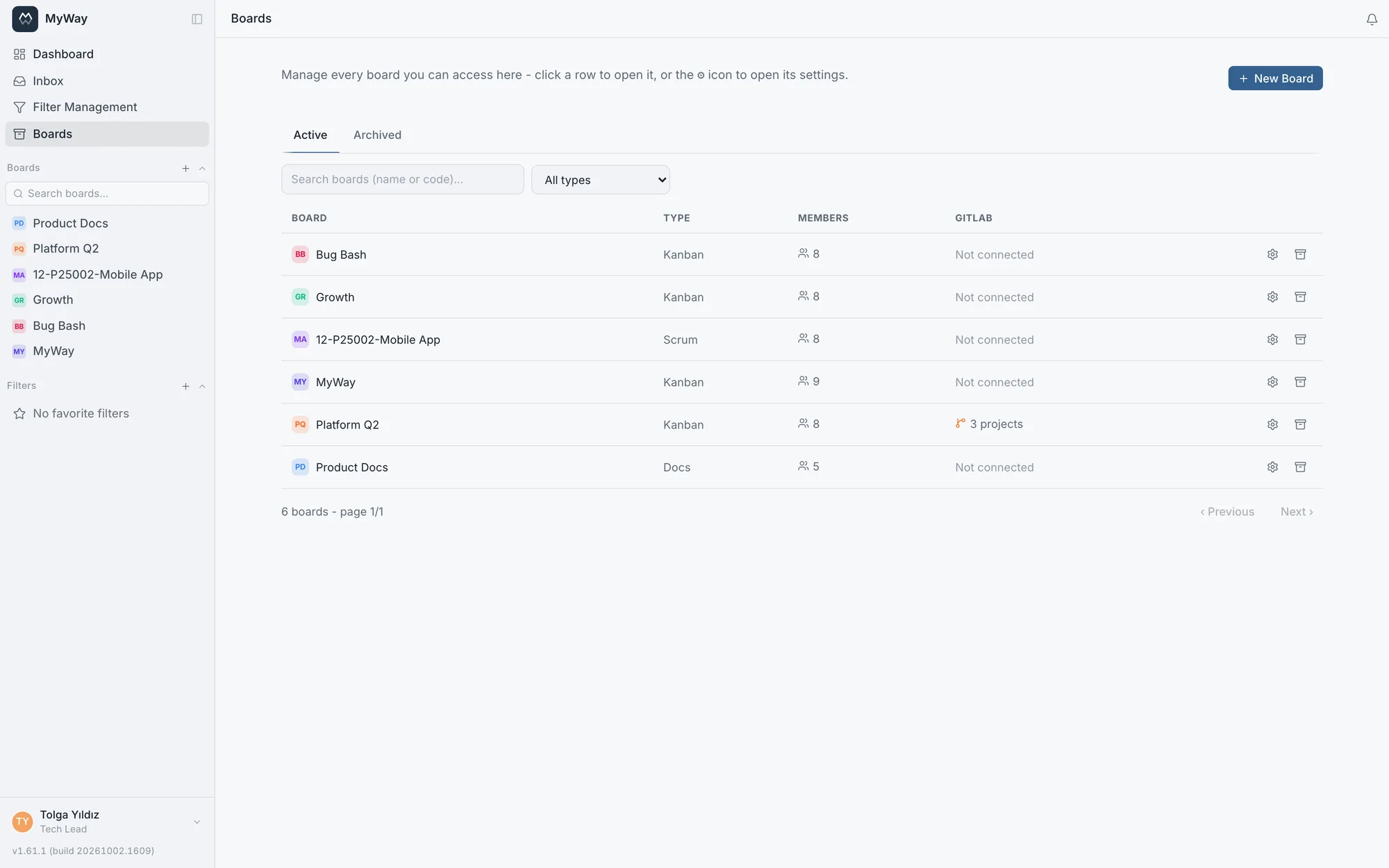
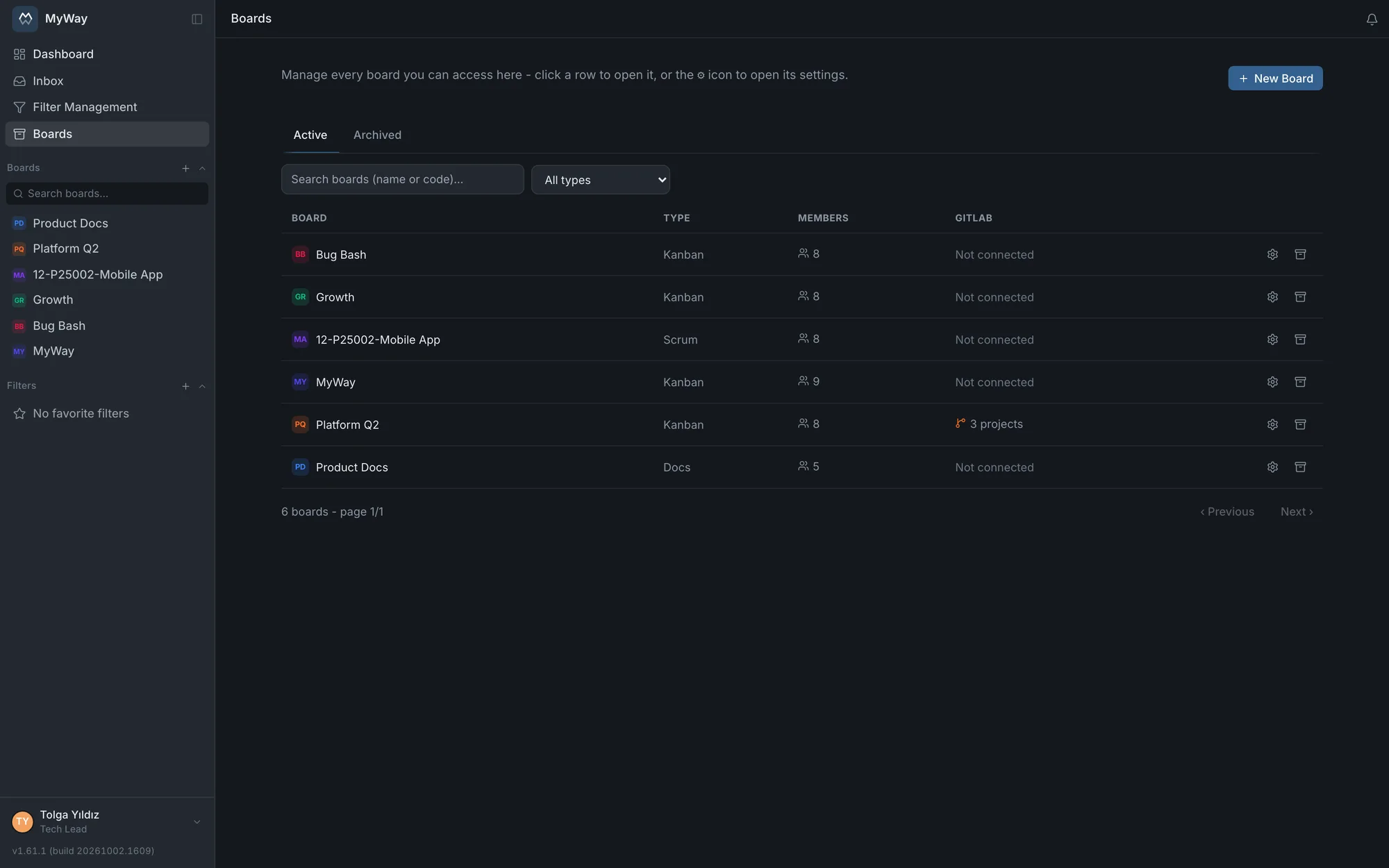
The "Boards" section in the sidebar gathers every board you can reach into one screen: Active and Archive tabs, search, a filter by type, plus columns for board type, member count and GitLab connection status. Clicking a row opens the board and the button next to it goes straight to its settings. A workspace admin can create a board from this page; creating boards is admin-only and the restriction is enforced on the server as well. The list is filtered and paginated on the server, so it does not scan everything at once on an installation with hundreds of boards. Board names in the sidebar and on this page are real links: right-click, middle-click or Ctrl/Cmd-click opens the board in a new tab.
Archiving is not deleting. An archived board leaves the sidebar, keeps its data untouched and stays visible on this page with an "archived" badge; one click brings it back. The way to clear a finished project out of the sidebar is to archive the board, not to delete it.
The work calendar
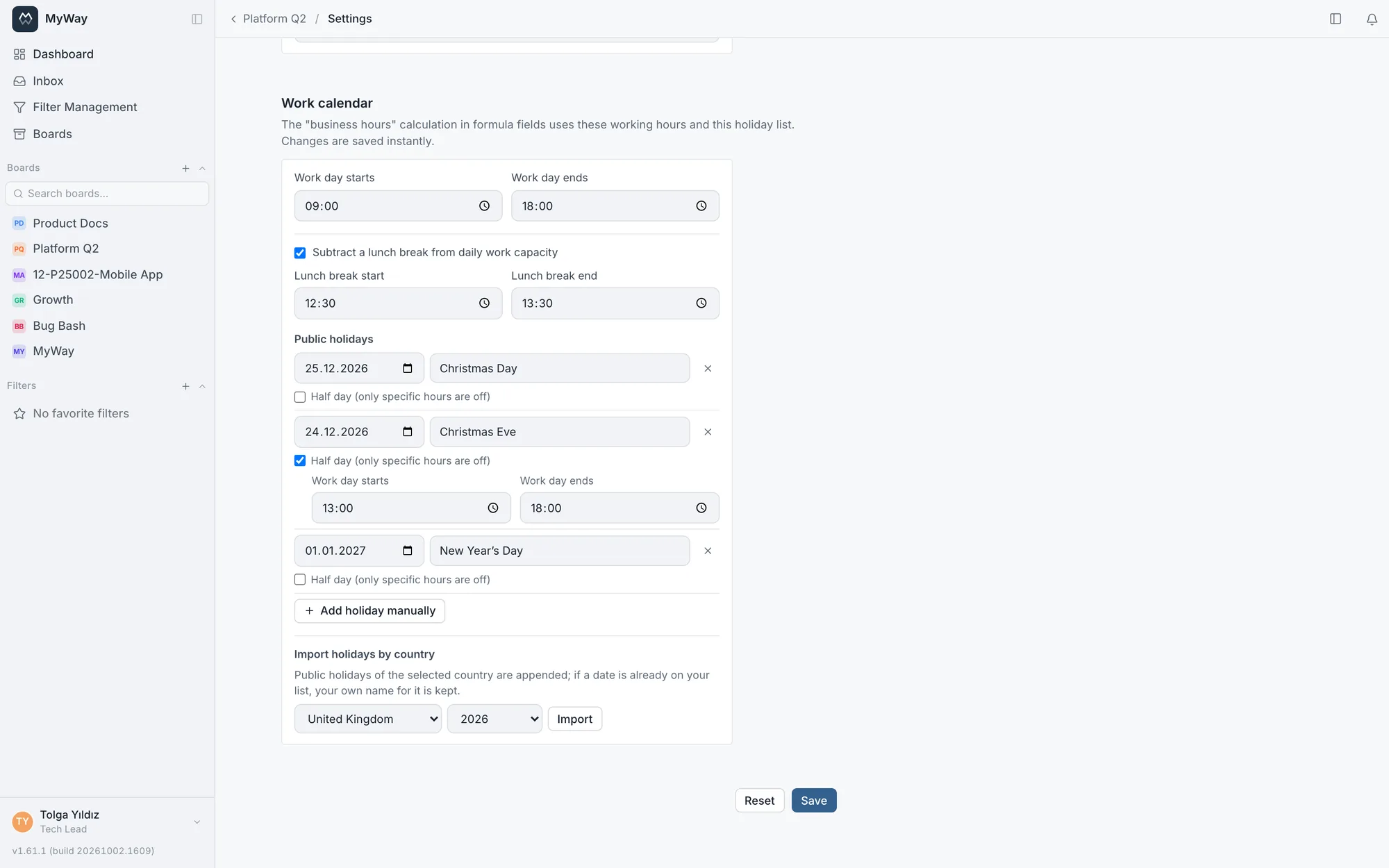
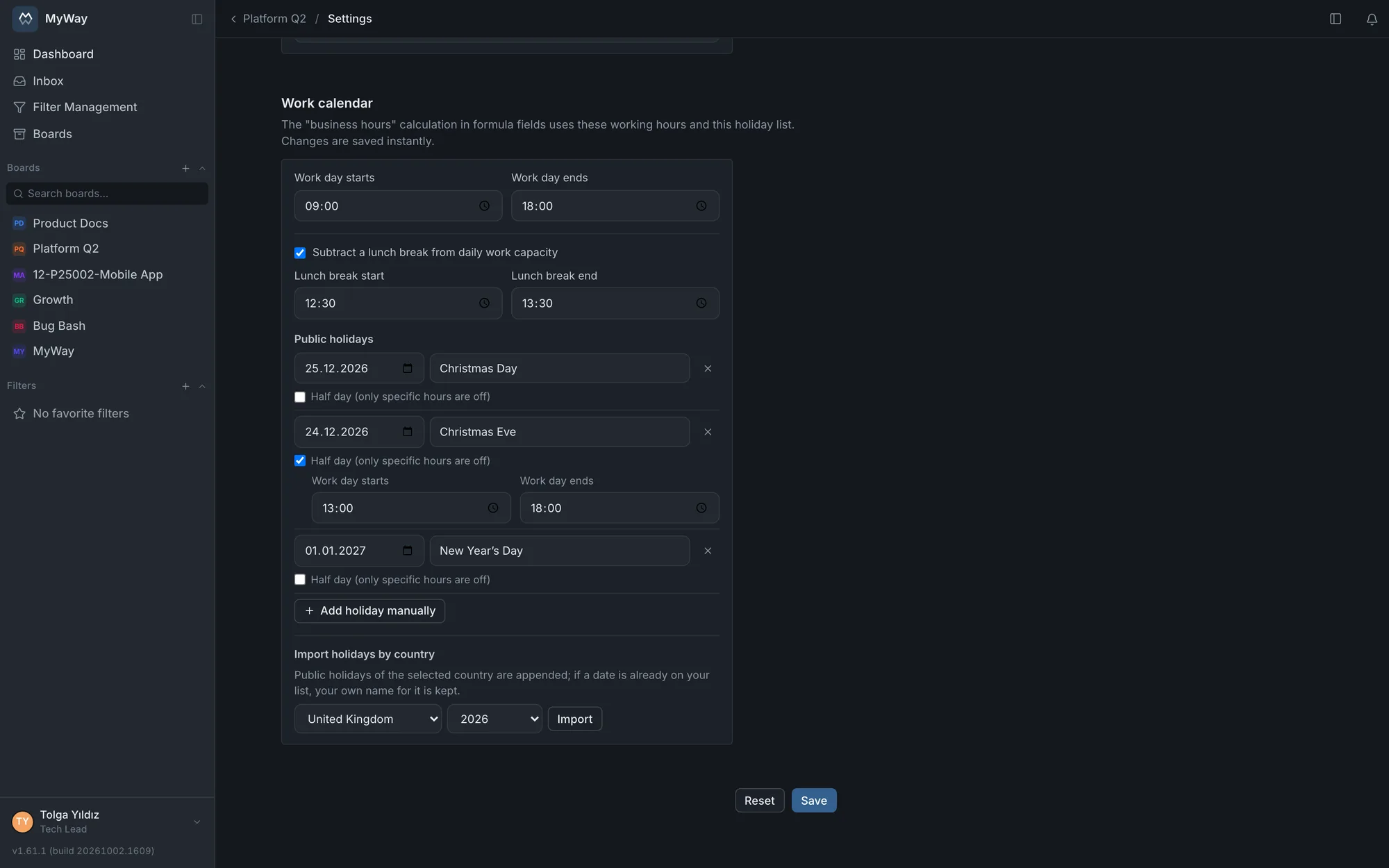
Every board has its own work calendar (Board Settings > General > Work calendar): working hours, an optional lunch break and a list of public holidays. Holidays can be entered by hand or fetched for a chosen country and year in one click, across 40 countries. If the external service cannot be reached, manual entry keeps working and your existing holiday labels are never overwritten by a fetch.
- A manually added holiday can carry a time range and so define a half day (09:00-13:30, for instance). Holidays fetched per country are always full-day; half days are for your own company decisions
- A lunch break, once defined, comes off the daily capacity in both work-hour and work-day calculations
- The calendar and timeline views show holidays, and the work-day and work-hour options of the formula field read the same calendar
Bulk actions
In the list view you can select several tasks and change them in one go: status, assignee, priority, issue type, fix and affects version, sprint, adding and removing labels, plus select, person and checkbox custom fields. The version fields open the same picker as the task screen (newest first, a search box once the list grows long, multi-select) and ask how to apply: "Add" adds the selected versions to each task’s existing ones, "Remove" takes out only the selected ones, "Replace" swaps all of a task’s versions for the selection; "No version (clear)" empties the field. The picker opens with "Add" selected; before v1.62.0 a bulk version assignment wiped the tasks’ existing versions. Selected tasks can also be deleted in bulk (requires Delete tasks). A selection holds at most 100 tasks. The "Select all" box in the header selects only the page on screen; the selection is kept when you move to another page, so rows there can be added too. Once the limit is reached nothing more is added and "You can select at most 100 tasks at once" appears. Changing a filter or the search clears the selection, and unticking the header box drops the whole selection. Before v1.65.0 "Select all" picked the entire filtered list, and a bulk action on more than 100 tasks (deleting included) failed. A bulk action requires the same permission as editing one by one, so going through the list is not a shortcut around it: changing the sprint requires "Manage sprints", just as it does one task at a time.
A Kanban board does not offer "Move to Sprint": that board has no sprint surface at all.
Set up a new board from an existing board’s settings
When creating a board, choose "Take Settings from Another Board" and pick one: that board’s way of working is set up on the new board. You configure your team’s setup once instead of rebuilding it for every new board.
- Copied: the workflow (statuses with their colours, descriptions, WIP limits, auto-assignment and edit lock; transitions with their role, person or person-field requirements; the "Only allow the transitions defined below" setting; the start statuses for new tasks), custom fields and field groups, issue types, labels, roles, the task screen layout and built-in field settings, the title template, the calendar date source, the work calendar, the subtask rules, the quick-add box, the template requirement for descriptions and the keep-quick-action-lines setting
- Task templates come along by default; members do not. Both are checkboxes: carrying members over would silently grant board access
- If members are not copied, rules tied to a specific person lose their meaning on the new board. The dialog lists them in advance: the statuses whose assign-to-a-person rule will be dropped and how many transitions will be copied without their person requirement. To keep them, tick "Copy members and their roles too"
- Not copied: tasks, sprints, versions, comments and the GitLab connection
- The new board gets its own short code, so task numbers never get mixed up
- If the source is a docs space, its page templates, document code series (numbering restarts at 1), roles and the publish rule are copied
Sprint lifecycle
- 1Create a sprint (planned state) with a goal and start/end dates.
- 2Move tasks from the backlog into the sprint (moving a task into or out of a sprint requires "Manage sprints"; picking a sprint while creating a task does not); enter the team, per-person capacity and leave under Sprint > Capacity, and check the load on the Planning tab.
- 3Start the sprint. A board can have only one active sprint at a time.
- 4During the sprint, burndown and remaining work update automatically.
- 5Complete the sprint; move unfinished work to backlog, the next sprint, or a chosen sprint.
- 6Write the completed sprint’s retrospective: Start, Stop and Continue notes plus action items that can be linked to a task. The retro is editable only on a completed sprint.
Sprint planning and capacity
A sprint’s capacity plan is saved with the sprint (Sprint > Capacity): who works in the sprint, a default daily capacity (points per day), an optional per-person daily capacity and each person’s days off. The plan does not disappear when the window closes; the Planning tab, the Workload Distribution card and the capacity figures all read the same record.
- Rows come from the sprint team. A team member with no assigned work still gets a row: that is the only way idle capacity shows. Tasks assigned to nobody are gathered in a separate "Unassigned" row
- The cards at the top: team, working days, person-days, normalized capacity, capacity lost, total points, remaining points and unassigned work. When more work is planned than the team can carry, the values are highlighted in red
- Days off are hatched on the person’s own row. Leave that falls on a weekend or a public holiday is not deducted from capacity twice
- Public holidays come from the board’s work calendar. Weekends are hidden by default and can be shown
- Bars are drawn from the board’s calendar date source: when the source is a custom field, the start and end fields chosen for the calendar are read, and work whose start field is empty is not placed on the calendar
- Dragging a bar sideways writes the dates back where they were read from: in custom field mode it updates the two fields chosen for the calendar, and on a field that keeps the time of day the time is kept and only the day changes. Dropping it on another person’s row reassigns it. Changing the built-in dates requires "Edit system fields", changing date fields you defined yourself requires "Edit tasks (fields, attachments, links)" plus, if the field sits in a group, that group’s "Who can fill in this section" rule, and reassigning requires "Assign tasks"; for a user without them the bar does not move
- If an optional "rolling sprint" is picked, work carried over from the previous sprint is shown dimmed and in italics; you can also choose which critical statuses to flag on the calendar
- Capacity and remaining work are computed in Story Points. Tasks without an estimate count as zero, which is why the Workload Distribution card counts them separately. For work split into subtasks, the board’s subtask rule decides at which level points are counted (below, under "Subtask rules")
Inside a task
- Subtasks: split work into parts, and a subtask can have its own subtasks. On a board with required fields a subtask opens the full creation screen
- Relations: link a task to another task, a document or a diagram (blocks, blocked by, relates to, duplicates). "Blocked by" is not a separate record but the reverse of a "blocks" link: if A blocks B, then B shows A as "blocked by", and deleting the link from either end removes both. A blocking chain that closes into a ring is refused - once the ring closes, no work can start. In the link picker, document results show which board they live in
- Files: attach images, video (MP4 or WebM, played in place), PDFs, Word, Excel, text/CSV, Markdown, ZIP, draw.io, SVG and HTML files to the task or a comment (SVG, HTML and draw.io are always served as downloads for security and never open in the page); dragging onto the attachment list or pasting into the comment box works too
- History: every field change is recorded with who and when (except changes to the watcher list) - the answer to "why is this task waiting". Adding and removing links (on the tasks at both ends), adding and deleting attachments on the task, adding, detaching and deleting subtasks (in the parent’s history), and changes to the issue type, fix version and affects version sit on the same list too; types and versions are shown by name. Files attached to a comment do not get a row of their own; they are read with the comment. Writing, editing and deleting comments sit on the same timeline, so you do not have to reconcile the discussion with the field changes across two tabs. A deleted comment leaves a trace: history is a record that cannot be rewritten afterwards
- Status: pick it from the list, or use the two arrow buttons next to it to step one status forward or back in the workflow with a single click. Attempting a transition you are not allowed to make tells you so
- Mentions: write @person or @group in a comment and the right people get notified. After @ you can search by first or last name, username or email, Turkish letters included (@Çağ, @İsm); case and accents are ignored
Quick actions in the description
You can set fields from the keyboard by starting a line of the task description with a / command: /label ~frontend, /assignee @jane-doe, /status ~"In Progress". Typing / opens the command list, and after ~ and @ the board’s labels, statuses, sprints and people are suggested. Before you save, a preview shows what each line will change. If any line has an error, no command is applied and saving is blocked. Commands work both when creating a task and when editing an existing one.
| Command | Example | What it does | Permission needed |
|---|---|---|---|
| /title | /title Checkout screen | Changes the title (up to 500 characters) | Edit tasks |
| /label | /label ~frontend ~"tech debt" | Adds labels; a label the board does not have is an error | Edit system fields |
| /unlabel | /unlabel ~frontend | Removes a label | Edit system fields |
| /type | /type ~Bug | Sets the issue type | Edit system fields |
| /story-point | /story-point 8 | Sets Story Points | Edit system fields |
| /priority | /priority high | Sets the priority (value or label) | Edit system fields |
| /assignee | /assignee @jane-doe @me | Adds assignees; @me is you, a name with spaces goes in quotes | Assign tasks |
| /unassign | /unassign @jane-doe | Removes an assignee; with no argument removes them all | Assign tasks |
| /status | /status ~"In Progress" | Changes the status; transition rules, WIP limits and subtask rules apply | Move tasks |
| /start-date | /start-date 2026-10-20 | Sets the start date (YYYY-MM-DD) | Edit system fields |
| /due-date | /due-date 2026-10-31 | Sets the due date (YYYY-MM-DD) | Edit system fields |
| /fix-version | /fix-version ~v1.2.0 | Adds a fix version (there is no command for affects version) | Edit system fields |
| /sprint | /sprint ~"Sprint 12" | Puts the task in a sprint that is not completed; not available on Kanban boards | Manage sprints |
| /field | /field "Risk class" High | Writes a value to a custom field; formula fields are refused | Edit tasks (Edit system fields for a built-in field) |
- Commands follow the same permissions and workflow transition rules as normal editing. On an existing task, changing the description needs "Edit tasks"; the permission in the table is checked on top of it, and a task in a locked status also needs "Edit tasks in a locked status". When creating a task, "Create tasks" is enough; /status still only accepts the permitted start statuses
- A command counts only at the start of a line. Lines in a code block, indented four spaces or quoted with > stay text, and an unrecognised /word (a file path, say) is left as is
- Names and values are matched case-insensitively. If several commands set the same field, the last one wins and the preview marks the earlier ones
- /field: the field is found by its name or key. Numbers accept a decimal comma and the field’s limits apply; a checkbox takes yes/no, true/false, 1/0 or on/off; a person field is written with @
- Applied lines are removed from the description on save. With "Keep quick action lines in the description" on under Board Settings > General, they stay in the text and only newly added lines run (off by default)
- The task history shows a "used quick actions" entry and the audit log a "Quick actions applied to a task" event. Command lines in an imported description do not run; they stay as text
Subtask rules
The rules between a parent task and its subtasks are chosen under Board Settings > Task Screen > Subtask rules and are saved the moment you pick them. Changing them requires the "Board configuration: fields, issue types, versions, templates, calendar" permission. A docs space has no such section.
| Setting | Options |
|---|---|
| When a parent with unfinished subtasks is completed | "Allow": the subtasks are not looked at. "Warn and ask for confirmation" (the default): unfinished subtasks are listed, and the parent is completed if the user chooses "Complete anyway". "Block": the parent cannot be completed until all subtasks are done; GitLab automation follows this rule too and records the skipped move in the audit log. |
| How Story Points are counted | "Each task with its own points": parent and subtask points are added up separately, so if both are estimated the same work is counted twice. "Parent task only": subtask points do not count toward burndown, velocity, capacity or sprint totals. "Parent = sum of subtasks": a task with subtasks takes the sum of its subtasks, shown read-only on the task screen, and the subtasks are not counted separately. |
| Suggest completing the parent when the last subtask is done | On by default. The task is not moved by itself: the "Complete the parent too" button in the notice completes it in one click. |
- The rule follows the status category, not its name: it applies when the parent enters a status in the Done category, and a move between two Done statuses is not caught by it. Only direct subtasks are checked
- "Warn and ask for confirmation" does not stop automation: nobody is there to confirm a move coming from GitLab, so the warning is shown only to a user on screen
- The same rule applies to a bulk status change. If a parent and its subtasks are selected together, the subtasks are processed first, so "Block" does not refuse the selection itself
- The suggestion moves the parent to the first status in the Done category. With "Only allow the transitions defined below" on, it looks for a status reachable by a defined transition from the one the parent is in; if there is no such transition the suggestion is shown for information only and the task is moved by hand
- Existing boards keep "Each task with its own points", so burndown, velocity and capacity figures do not change after the upgrade. A newly created board starts with "Parent task only", so subtask points are not counted twice. A board set up from another board’s settings takes over the source’s rules
Burndown and velocity are computed automatically from sprint data; no extra input needed. The "Avg. cycle time" in the board header looks at tasks completed in the last 30 days: calendar days from entering the In Progress category to the first completion, cancelled tasks excluded. It is the same calculation as the Cycle time dashboard card with its default settings, so the value may differ slightly from before v1.61.0. The only input capacity needs is the sprint’s capacity plan (team, daily capacity, leave); the rest is computed from the work calendar and the Story Points.