From requirement to test, without losing the trace
Moors is MyWay’s requirements management board. You write the specification like a document and link every requirement to the development work that satisfies it and the test that verifies it; what is missing, what changed and what was approved shows on one screen. No separate tool, license or server: it runs in the same installation as Kanban, Scrum and the docs space.
- Specification with section numbers
- A level per board
- 4 traceability links
- Coverage and matrix
- Suspect links
- Baselines with version codes
- Formal review and approval
- On your own server
The trace usually breaks between three tools
The spec lives in Word
The requirements document lives in a separate file. Once development starts, which work satisfies which requirement is kept in people’s heads, not in the file.
Work in one tool, tests in another
Tasks sit in the tracker, test results somewhere else. The traceability matrix is rebuilt by hand, sheet by sheet, before every audit.
Changes slip through quietly
When a requirement changes, nobody is reminded that the design and the test linked to it need another look; the gap shows only when a test fails.
Moors puts the three pieces in one installation: requirements, work and tests sit in the same database, links run across boards and every change shows on both ends of a link.
A traceable specification in five steps
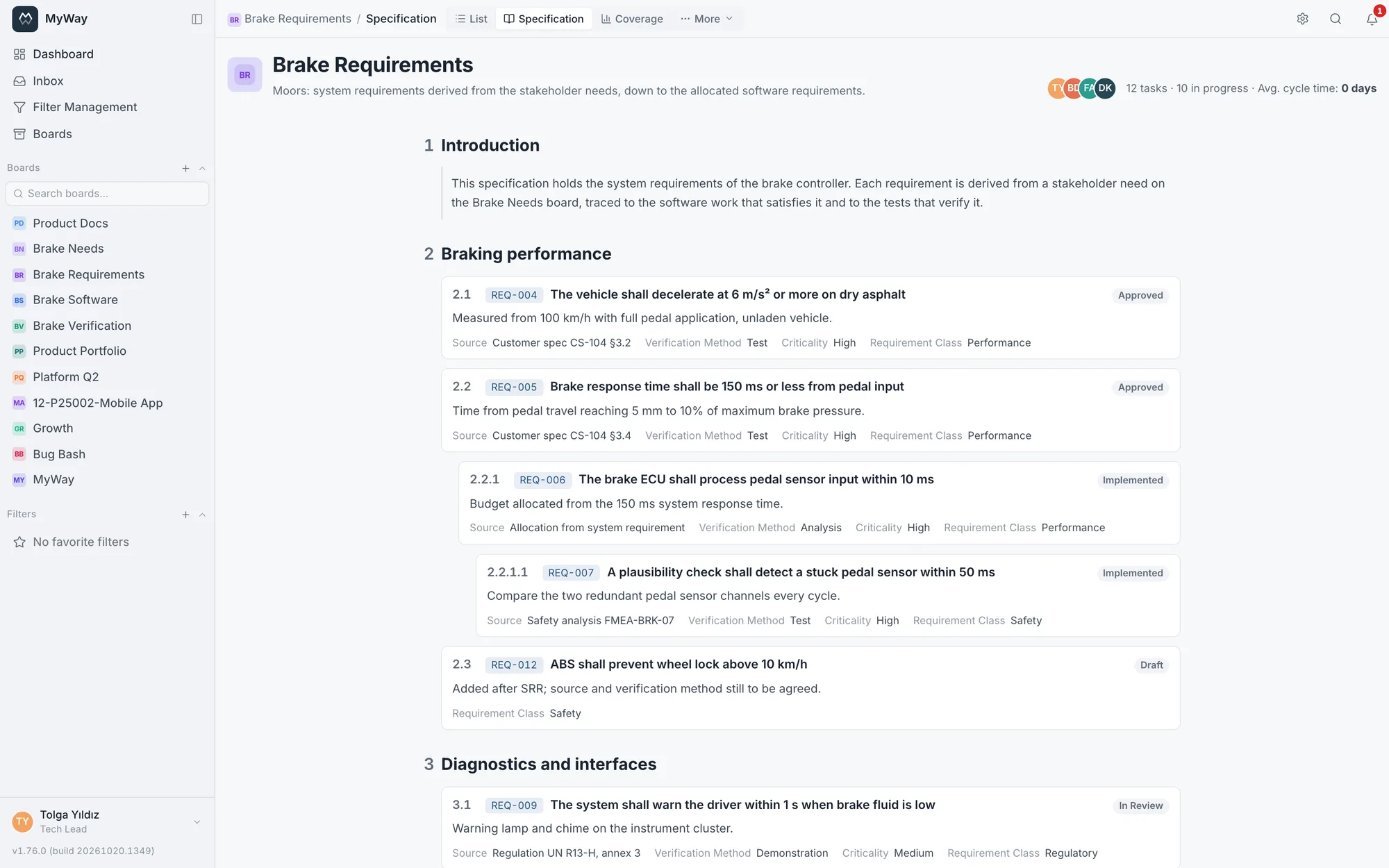
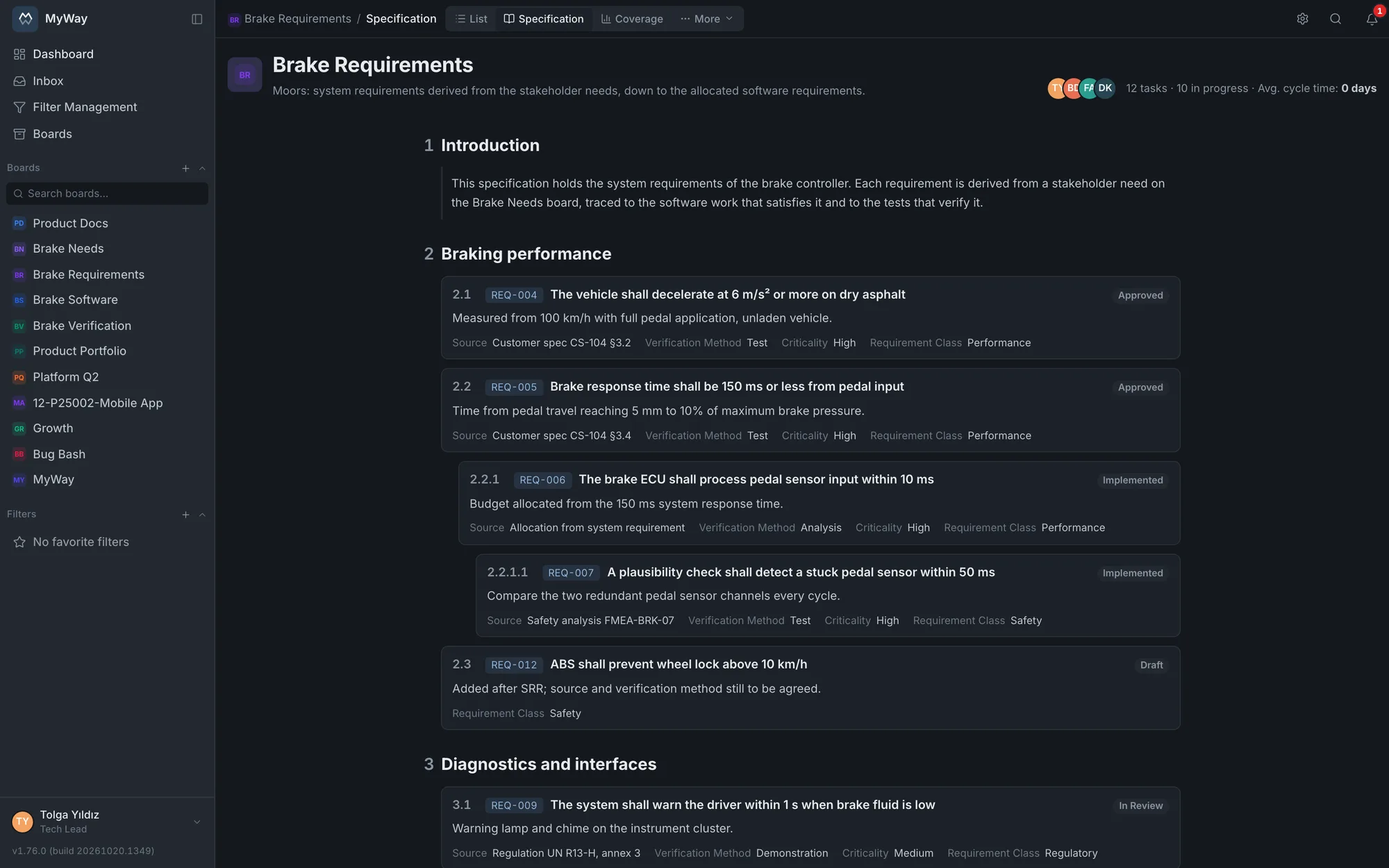
The screens show an extended version of the brake controller setup in the live demo: four boards for stakeholder needs, system requirements, software and verification.
- Step 1
Pick the level, write the specification
When you create a Moors board you pick its level: stakeholder needs, system, subsystem, software, hardware, interface or other. One board is one specification. You build the document with Heading, Information and Requirement items, and the Specification tab reads it with section numbers (1, 2.1, 2.2.1). Numbers come from the hierarchy; the permanent key of every requirement (REQ-12) never changes.
- Draft, In Review, Approved, Implemented, Verified and Rejected statuses come ready
- An approved requirement is locked for editing
- Section column in the list: sorts, and typing "2" filters section 2 and everything under it
- Import from Excel (.xlsx) or CSV
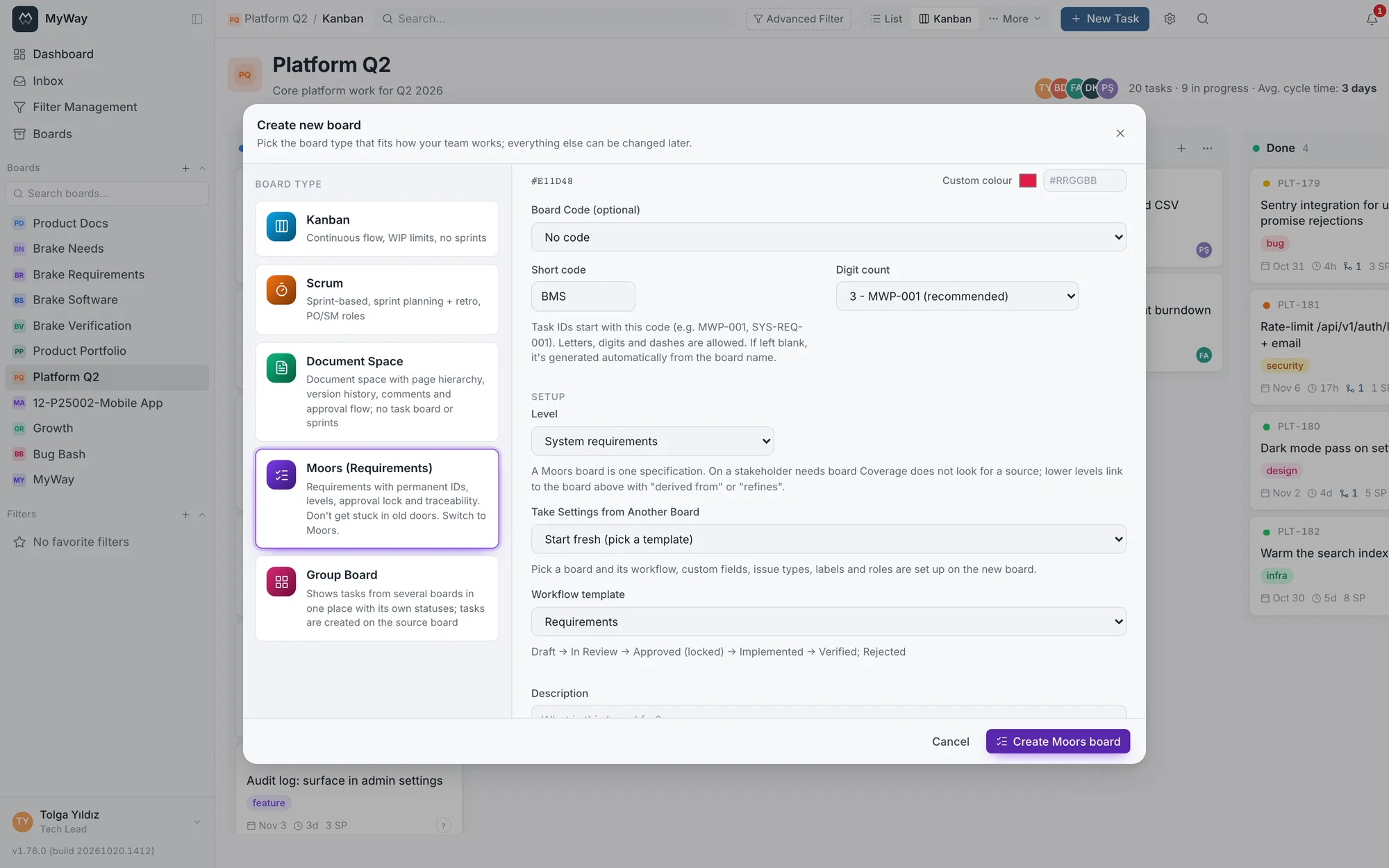
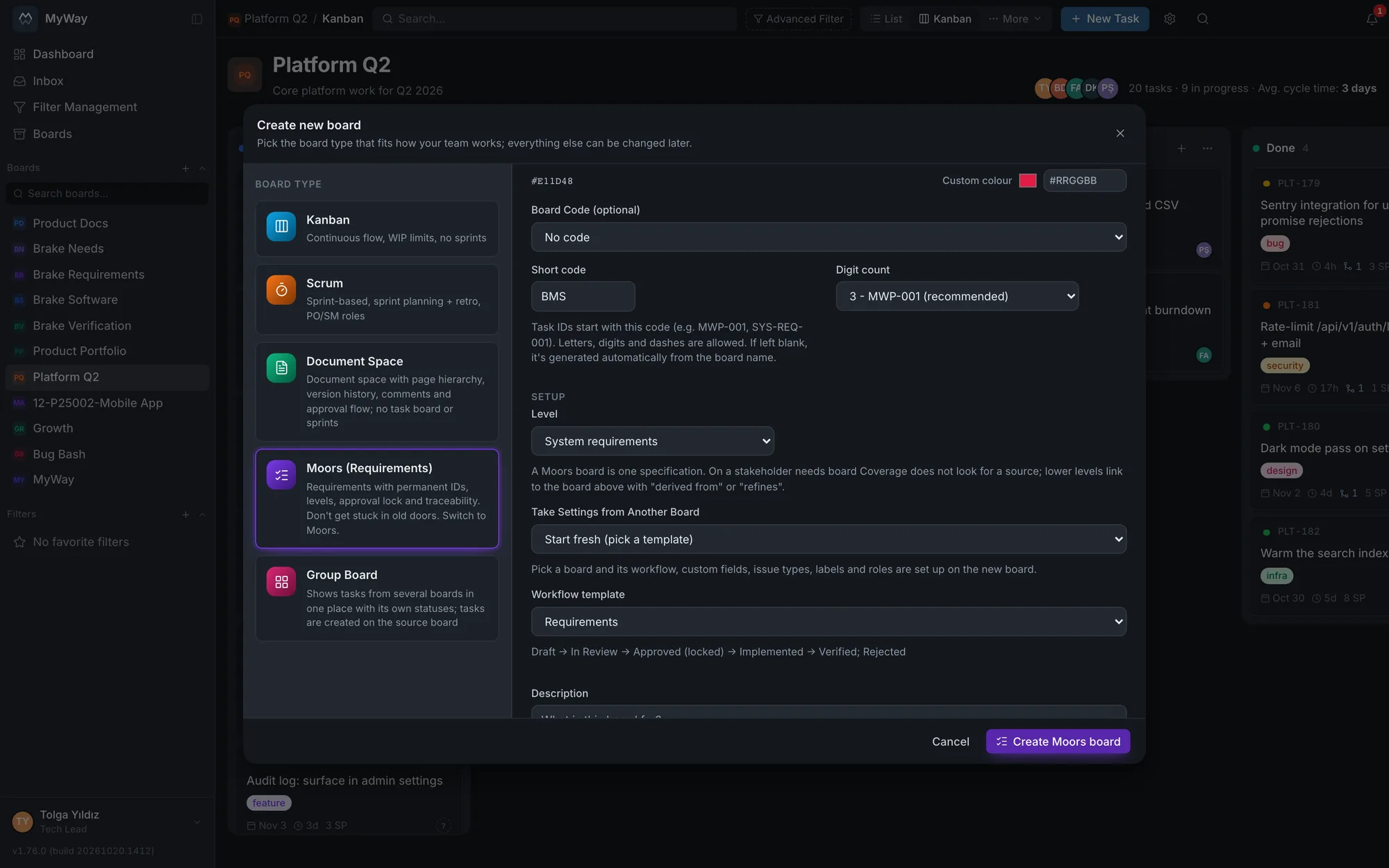
The new board dialog: the Moors card and the Level picker. 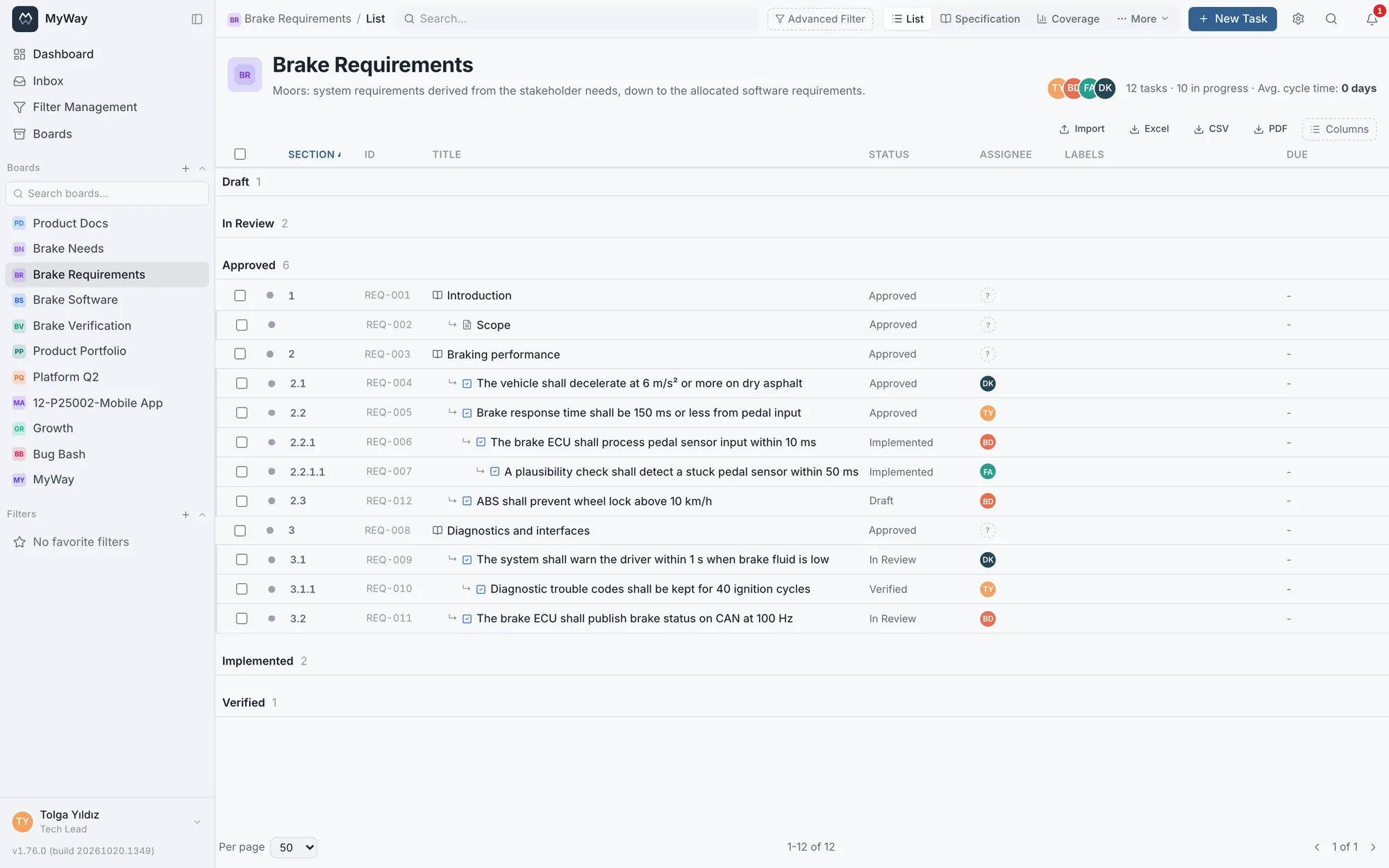
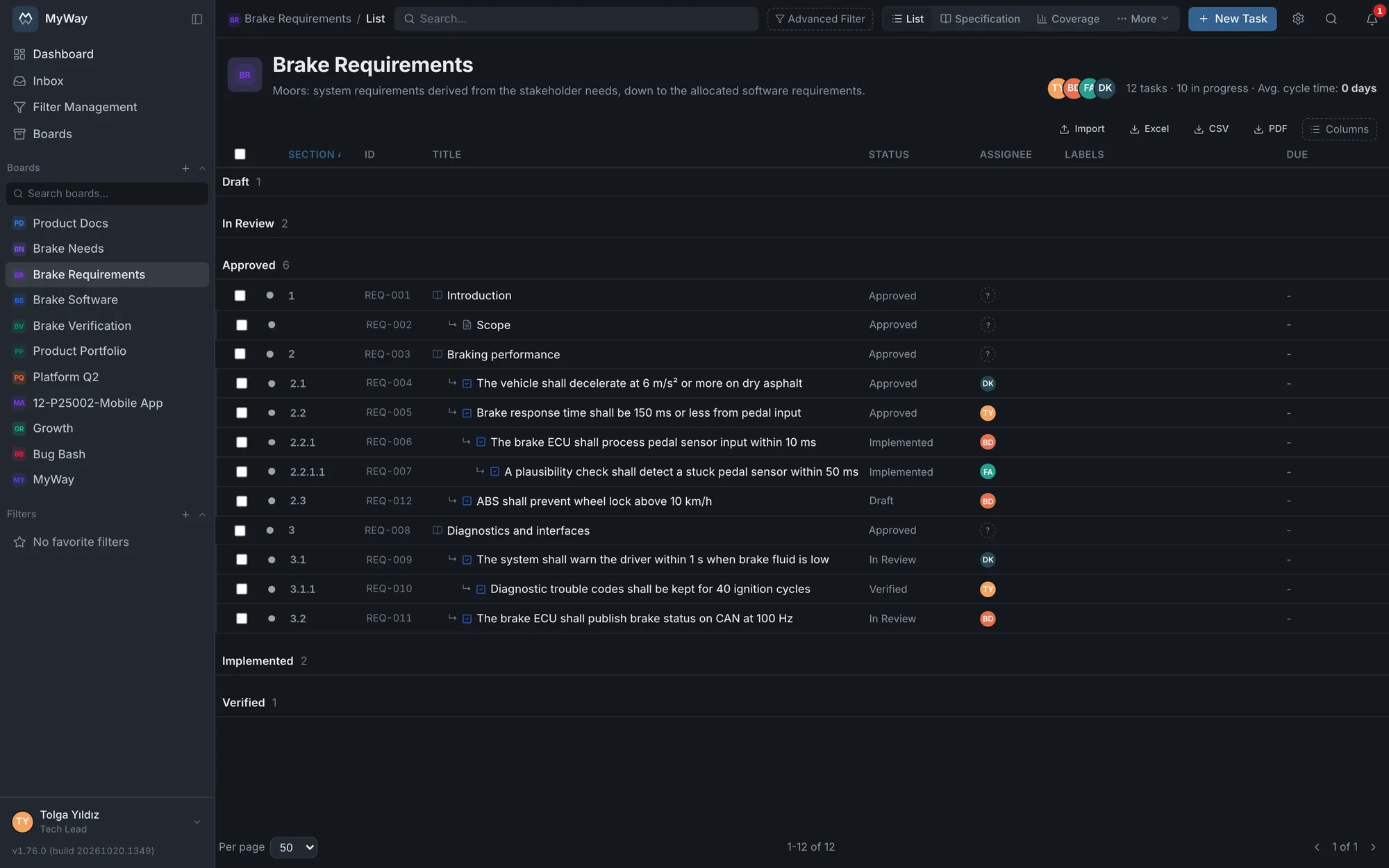
The list: the Section column first, the requirement tree under the headings. - Step 2
Link the levels and the work
A system requirement links to the need on the stakeholder needs board with "derived from"; the development work "satisfies" it and the test task "verifies" it. The four traceability links (derives, satisfies, verifies, refines) can be picked in either direction and run across boards. Development and test work stays on its own Kanban or Scrum board, so the team keeps working the way it does. The link map shows the whole trace from one requirement in a single picture.
- When adding a link the dialog spells out the chosen direction
- Linked items can be added while creating a task
- "Add link" in the bulk action bar
- Link map and Traceability coverage widgets on dashboards
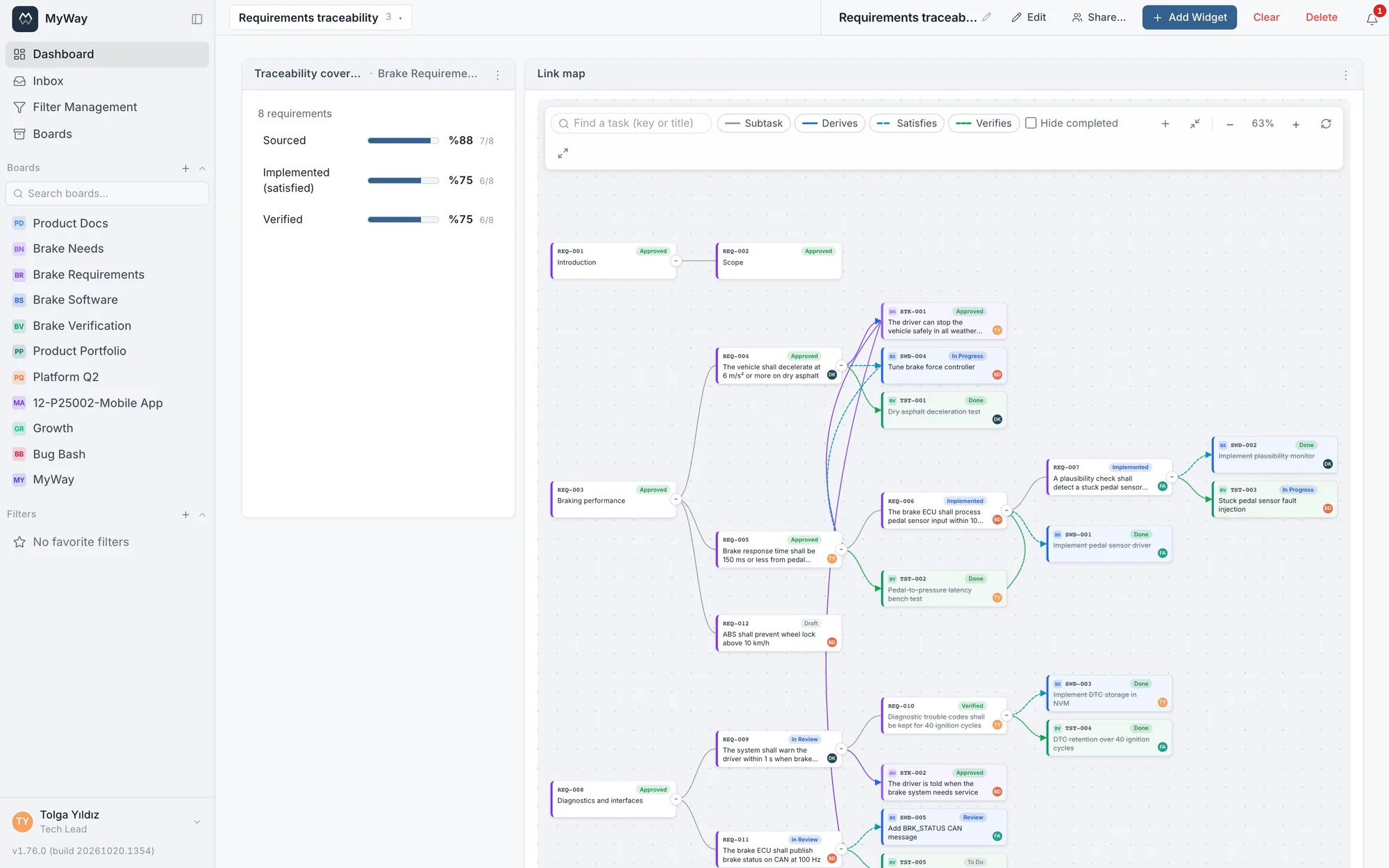
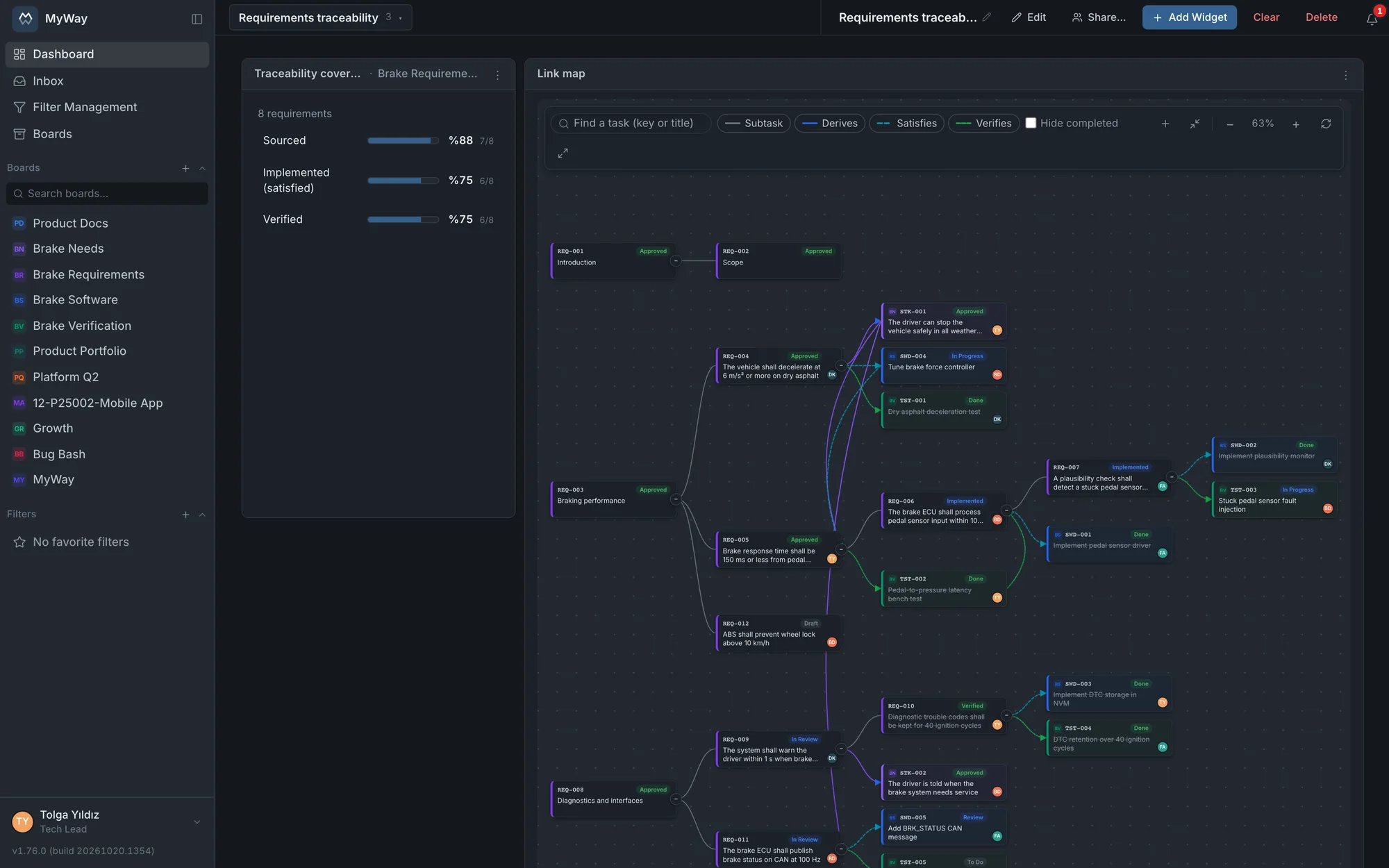
The link map: from the need to the system requirement, then to the software work and the test. - Step 3
See the gaps
Coverage gives the share of requirements that have a source, are implemented and are verified, and filters what is missing in one click: unsourced, unimplemented, unverified, with suspect links. On a stakeholder needs board no source is expected, since that is the top level. The matrix shows requirements in rows, the items of a board you pick in columns and the link type in each cell; tests linked to no requirement stay under "Unlinked items".
- The top-bar search and filters apply to Coverage and the Matrix too
- Coverage columns sort, filter and resize
- Heading and Information do not count as requirements and do not skew the shares
- Link conditions in search: save "requirements with no test" as a filter
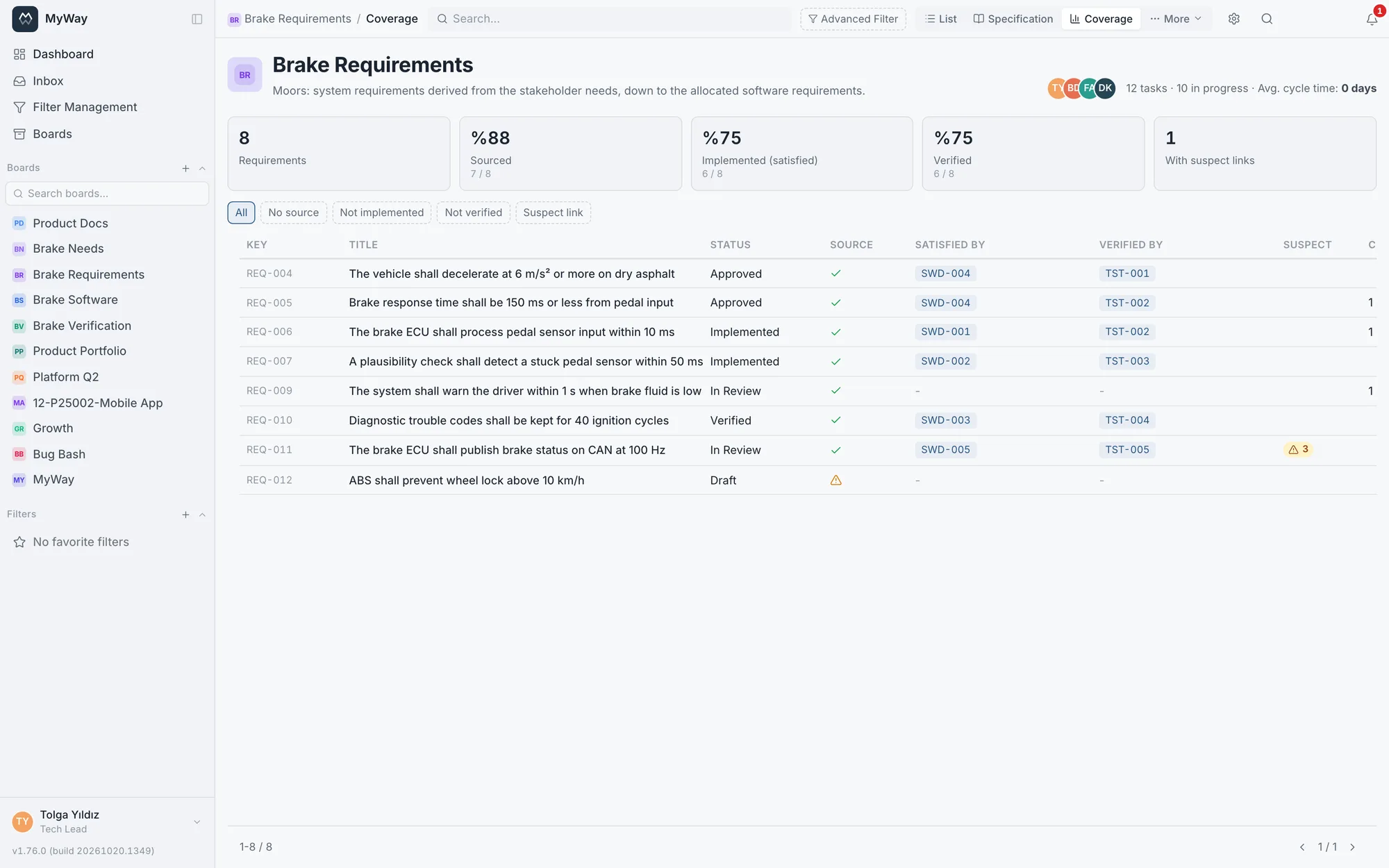
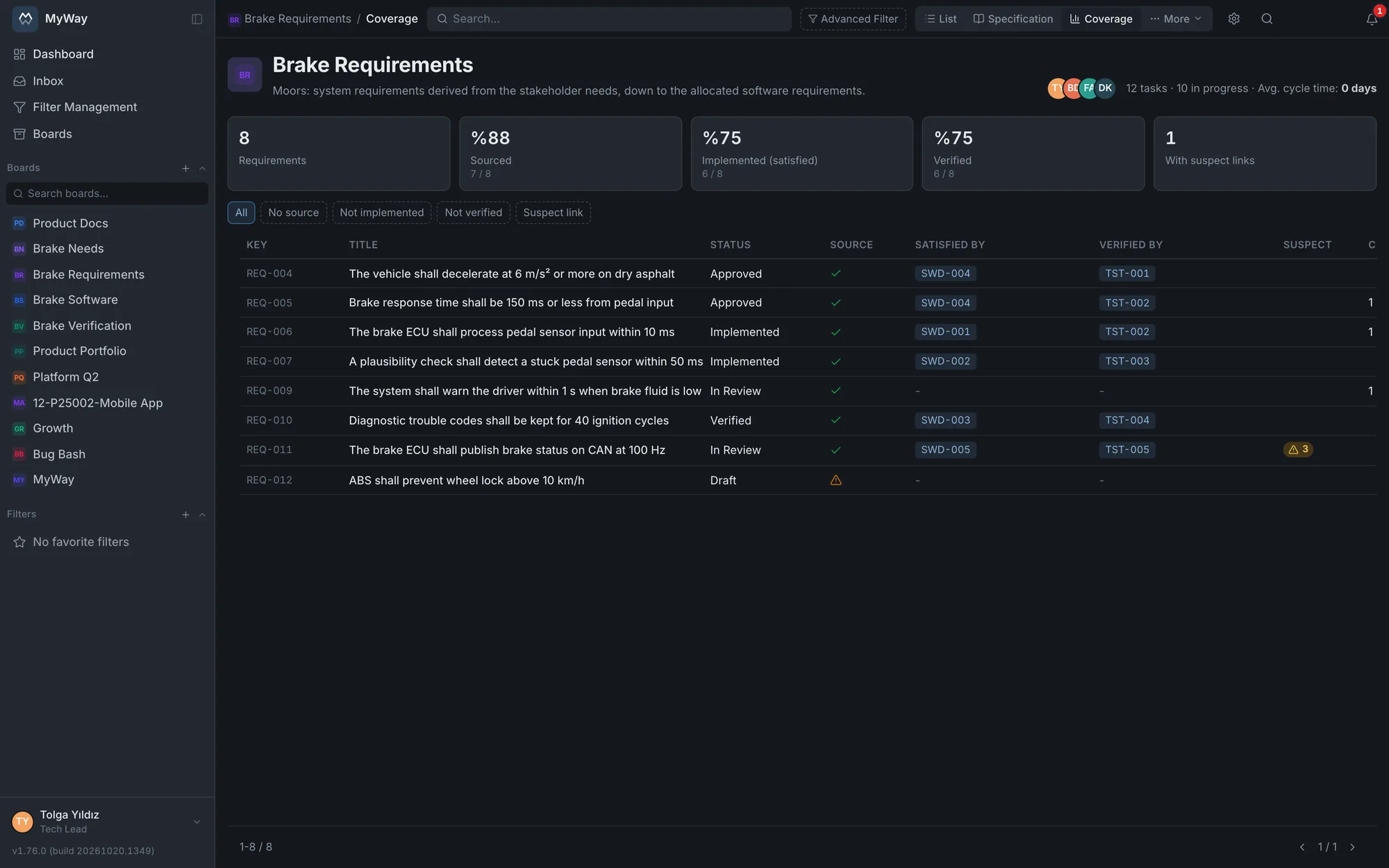
Coverage: shares, gap filters and the suspect link column. 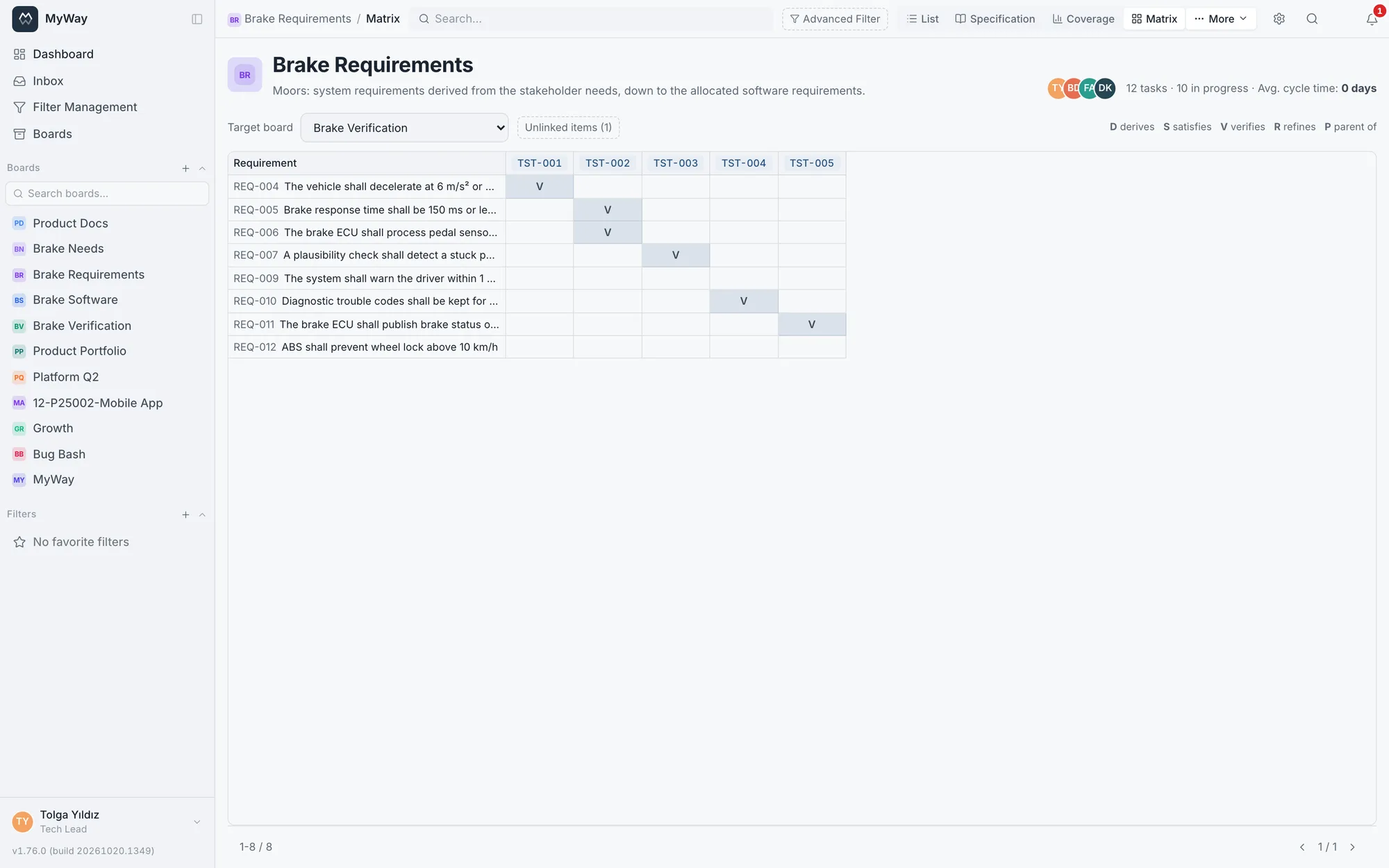
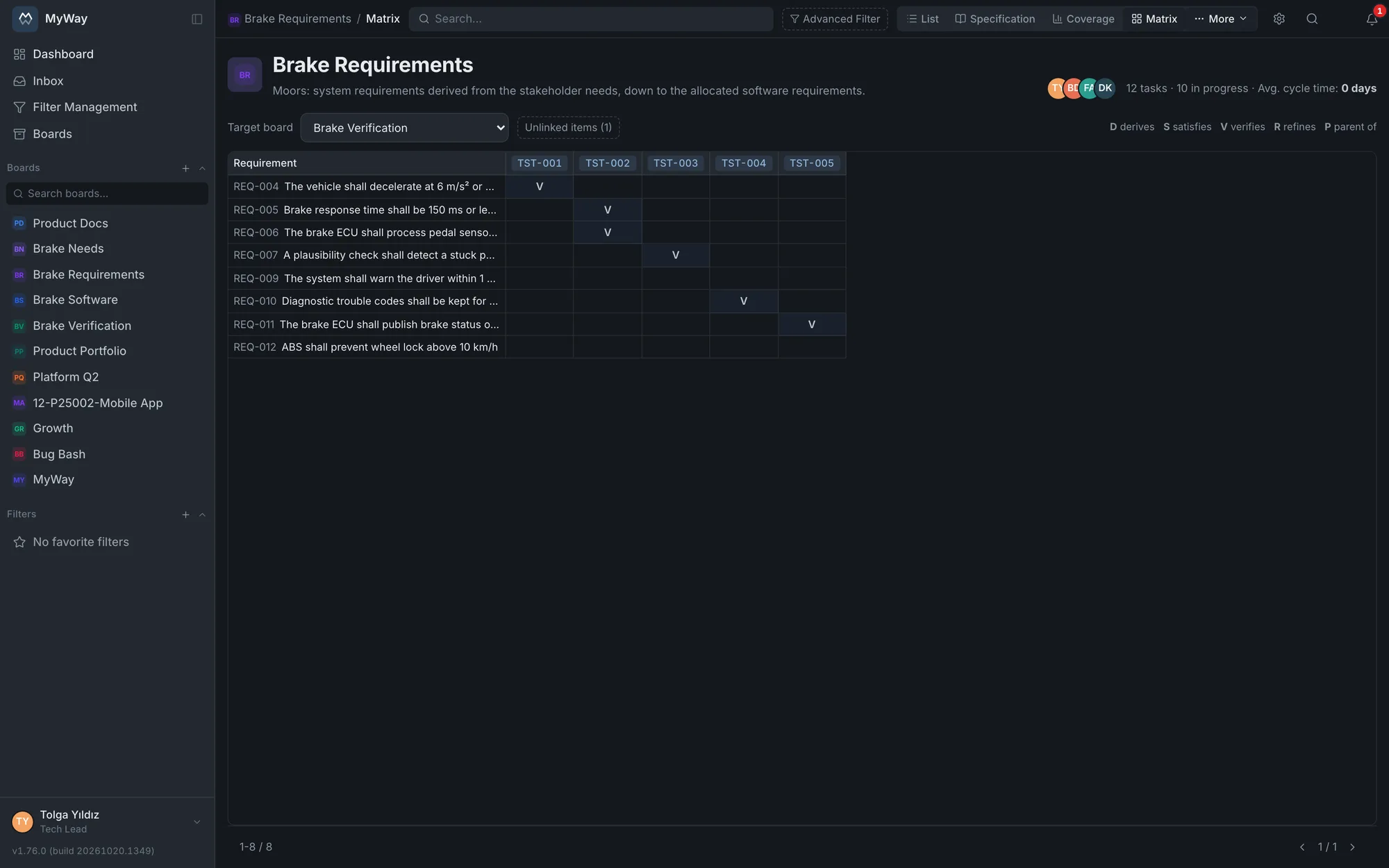
Matrix: requirements against the tests on the verification board. - Step 4
Catch the change
When a requirement’s title, description or attributes change, the traceability links touching it are marked "suspect". A badge appears on both ends of the link and its hint says which field changed. Whoever looks at the design or the test again closes the link with "Reviewed", and that goes into the task history. A board setting decides which fields are tracked.
- Suspect links get their own column and filter in Coverage
- A change to a Heading or Information item marks nothing
- "Suspect link" condition in search
- The review is in the history with who did it and when
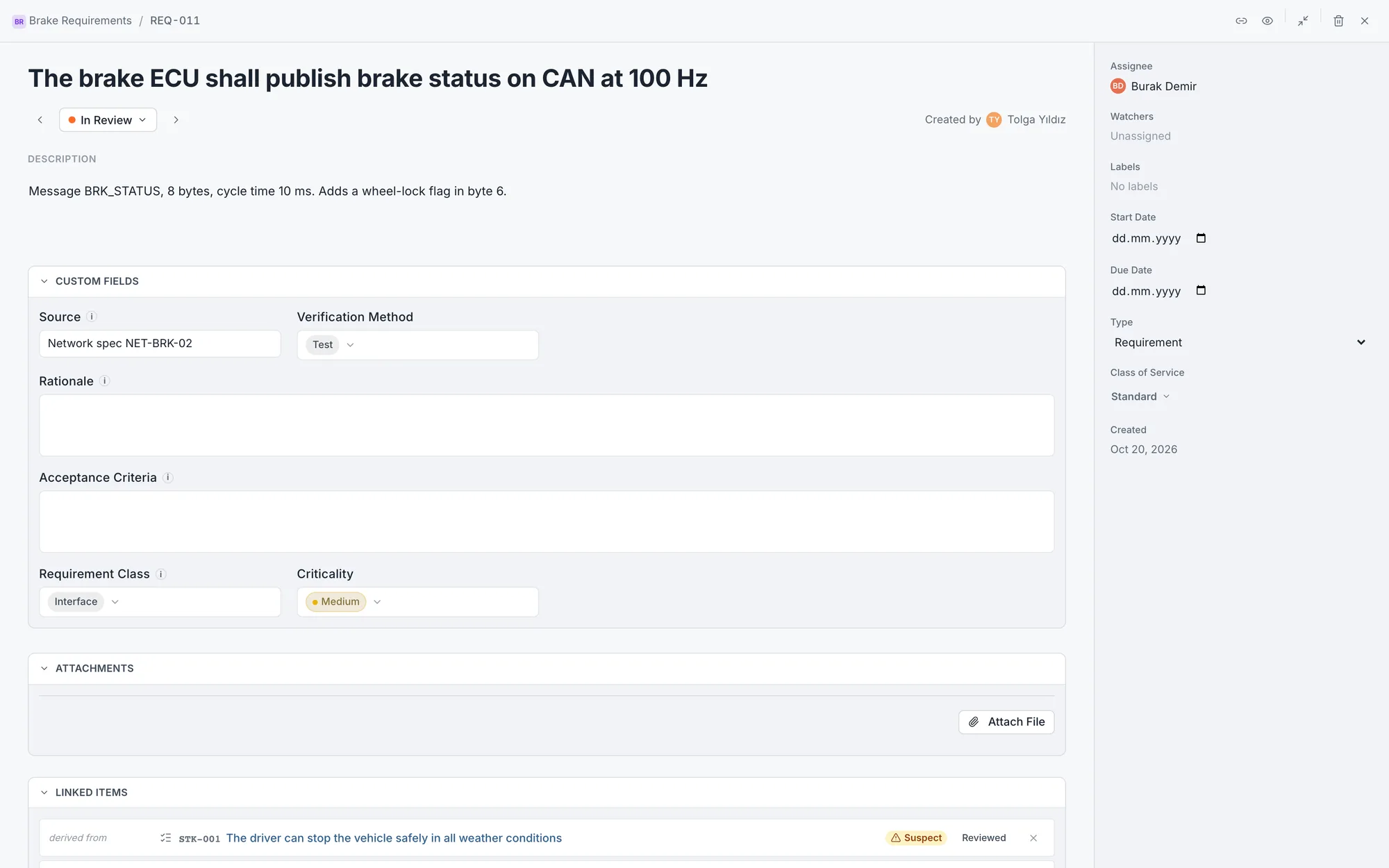
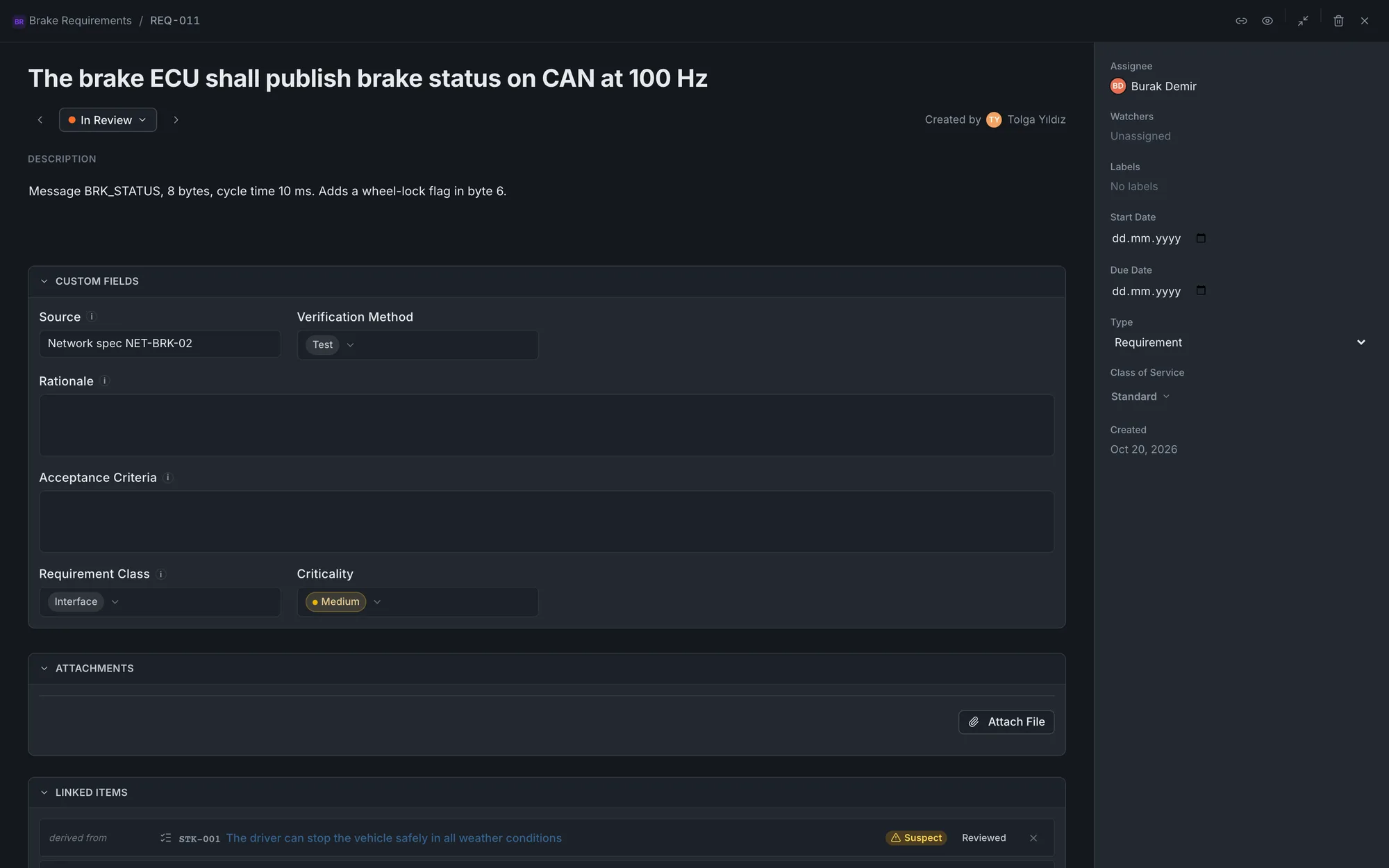
An interface requirement changed after the baseline: its links are suspect. - Step 5
Freeze, review, approve
A baseline stores the current state of every item and link on the board, unchangeably, and gets a version code: the first is 1.0, a minor change makes 1.1 and a major change 2.0. A baseline goes to a multi-round formal review like documents; a comment is written on the whole version or on a single requirement. A board setting decides the order of review and approval. Comparing with today or with another baseline shows added, removed and changed requirements field by field.
- A baseline that is approved or has a review cannot be deleted
- Contents and the comparison download as Excel or CSV
- Severity (Critical, Major, Minor) and disposition in the review
- Creating and deleting are written to the audit log
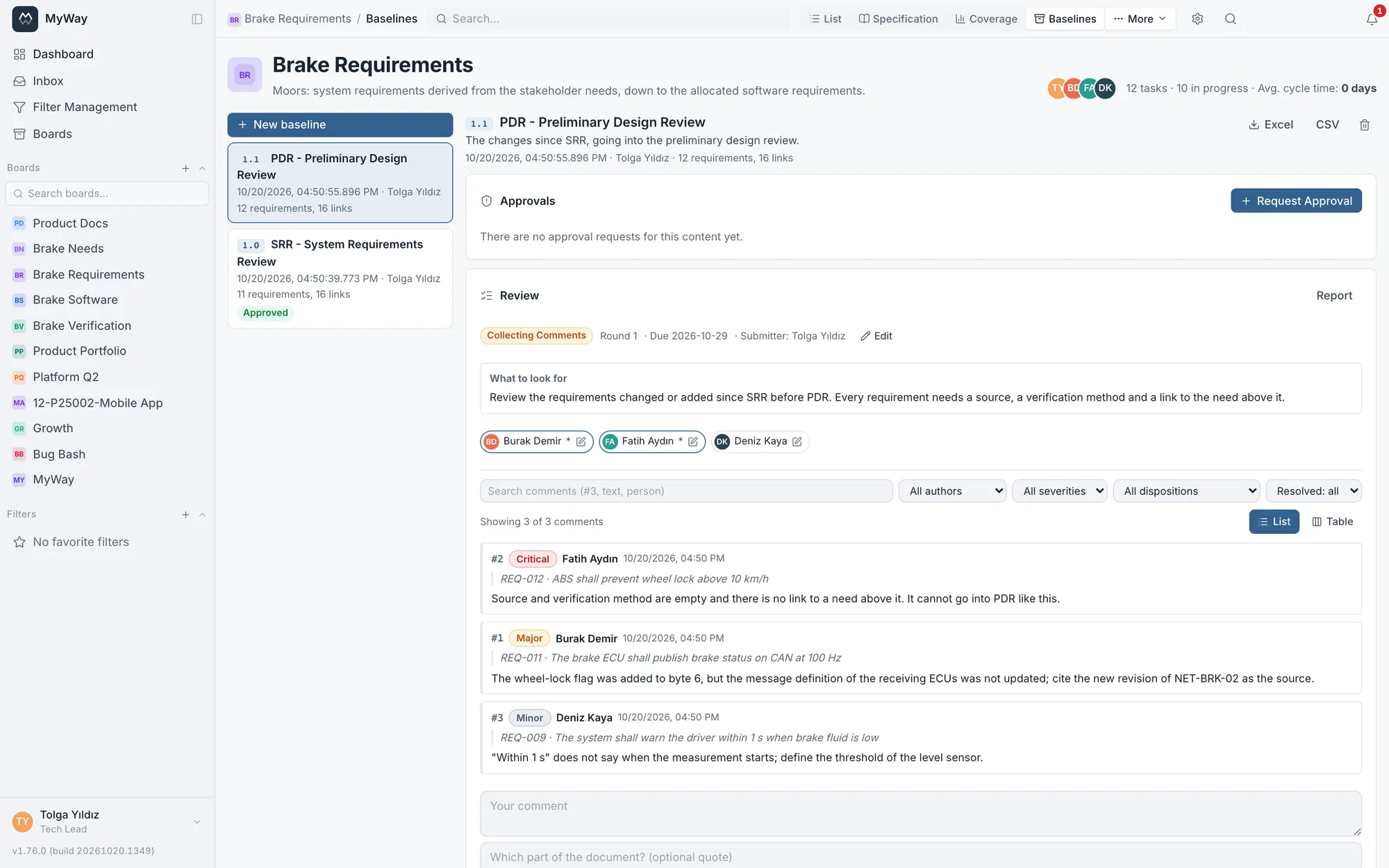
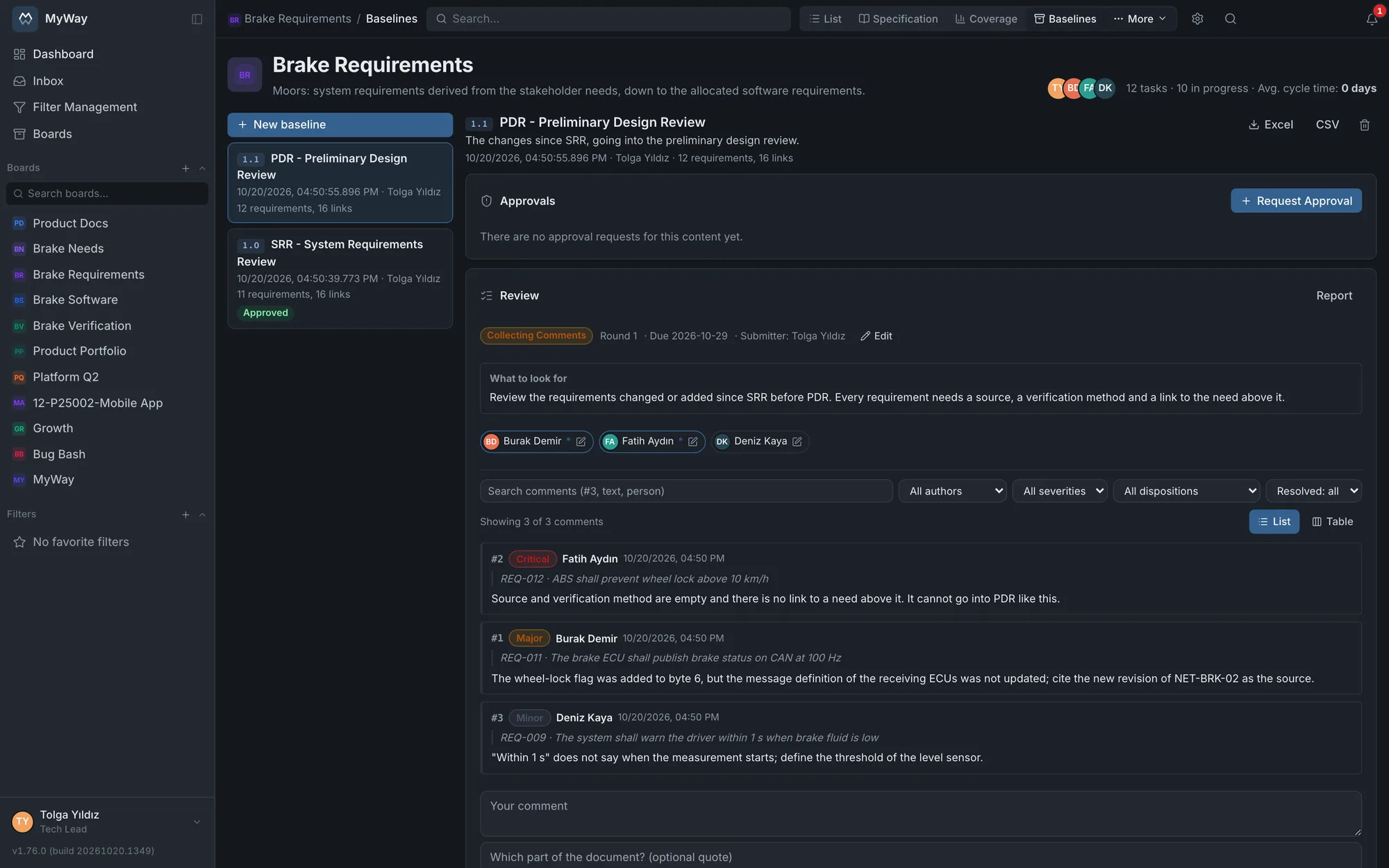
Baseline 1.1 in review: each comment tied to a requirement. 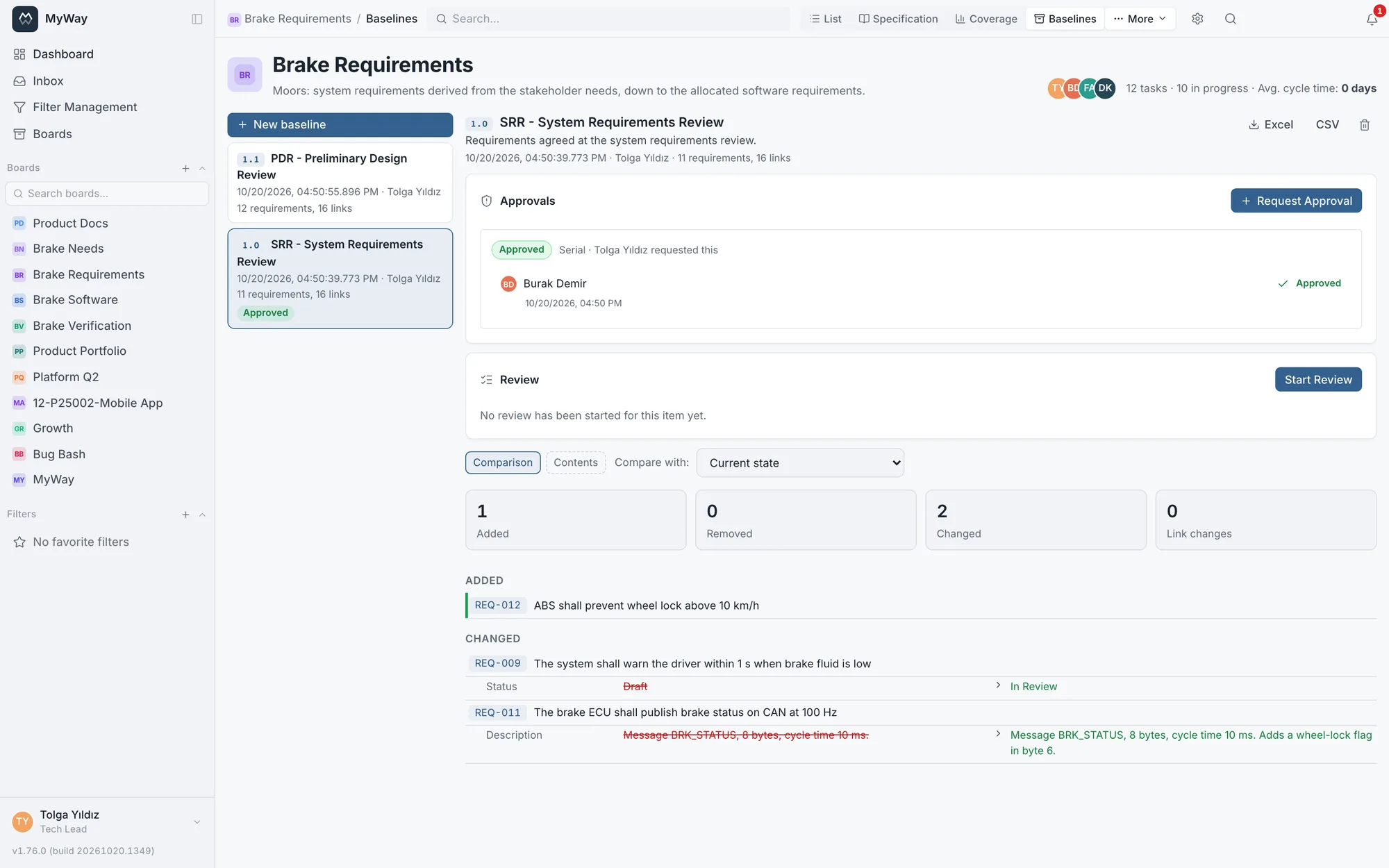
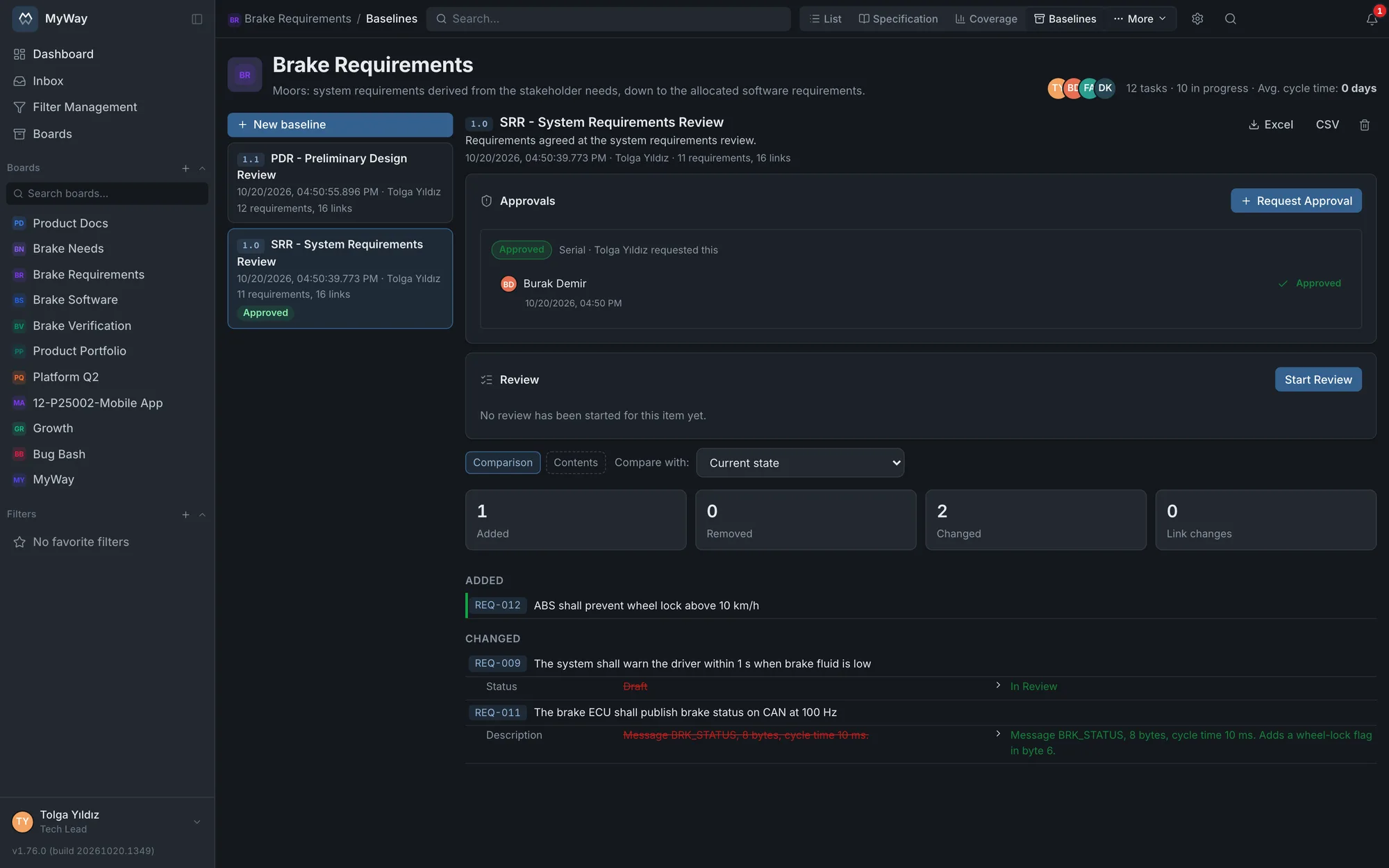
The approved 1.0 compared with today: added and changed requirements.
What a new board comes with
Names come in the language of whoever creates the board, and all of them can be changed. Existing Moors boards keep working with the types they were set up with.
- Level
- Stakeholder needs, System requirements, Subsystem requirements, Software requirements, Hardware requirements, Interface requirements, Other
- Types
- Requirement, Heading, Information
- Statuses
- Draft, In Review, Approved (locked for editing), Implemented, Verified, Rejected
- Attributes
- Source, Verification Method (Test, Analysis, Inspection, Demonstration), Rationale, Acceptance Criteria, Requirement Class, Criticality (High, Medium, Low)
- Requirement Class
- Functional, Performance, Interface, Safety, Security, Design Constraint, Environmental, Usability, Regulatory
- Traceability links
- Derives, satisfies, verifies, refines; each in both directions
- Views
- List, Specification, Coverage; Baselines, Kanban, Matrix and Releases under "More"
- Switched off
- Priority and Story Point (Criticality takes the place of priority on Moors); can be switched on
What you get from it not being a separate tool
On your own server
Requirements, tests and approvals sit in the database on your own server. No cloud account needed; requirement, test and approval data never leave your server.
Audit log
Creating and deleting baselines goes into the audit log; approval decisions and suspect link reviews go into their own history, with who did them and when.
Board roles and permissions
Who creates baselines, who requests approval and who closes suspect links is decided by role permissions.
GitLab
Commits, branches and merge requests of the development work that satisfies a requirement show on the task screen; dashed short codes (SYS-REQ-12) are recognized too.
Docs space
Procedures, plans and test reports live in the docs space of the same installation; a page can be linked to a requirement.
Dashboards
Traceability coverage and Link map widgets next to status breakdowns and activity on the same dashboard.
To be clear
Moors speaks the language of ISO/IEC/IEEE 29148 and systems engineering practice: specification levels, requirement classes, verification methods, baselines. But Moors is a tool that supports your process; on its own it does not make you compliant with a standard and it does not produce a certificate. Compliance belongs to the organization’s process and audit. There is no ReqIF exchange; requirements move in and out through Excel or CSV.
About Moors
Is Moors priced separately?
No. Moors is a MyWay board type and is in every installation; no separate module or extra license is needed.
Does my development team have to use Moors too?
No. Development and test work stays on its own Kanban or Scrum boards; the link runs between the two boards. Creating a link needs membership on both boards.
How do I bring in my existing requirements?
Import them from an Excel (.xlsx) or CSV file; the list exports in the same formats and as PDF. Baseline contents and comparisons download as Excel or CSV. ReqIF is not supported.
Can I switch an existing board to Moors?
Yes, under Board Settings > General. That turns on the tabs and traceability screens but does not set up the ready statuses, types and attributes; those come only with a newly created Moors board. If you are starting fresh, a new board is cleaner.
How many requirements fit on a board?
There is no board limit. The Specification view shows the first 5000 items and a baseline can be created on a board with up to 5000 items; the list, coverage and matrix are paged.
Is Moors ISO/IEC/IEEE 29148 compliant?
Moors supports the requirements process; on its own it does not make you compliant with a standard and it does not produce a certificate. Compliance belongs to the organization’s process and audit.
Try Moors on your own server
Install MyWay and open your first Moors board. The guide covers every screen, and the scenario walks through the whole flow from stakeholder need to test.
The live demo has a Moors setup ready
The brake controller example: stakeholder needs, system requirements, software and verification boards, an approved baseline, suspect links and a traceability dashboard. The demo content is in English and resets every night.
Explore the live demo